


What is JTX by Jito?
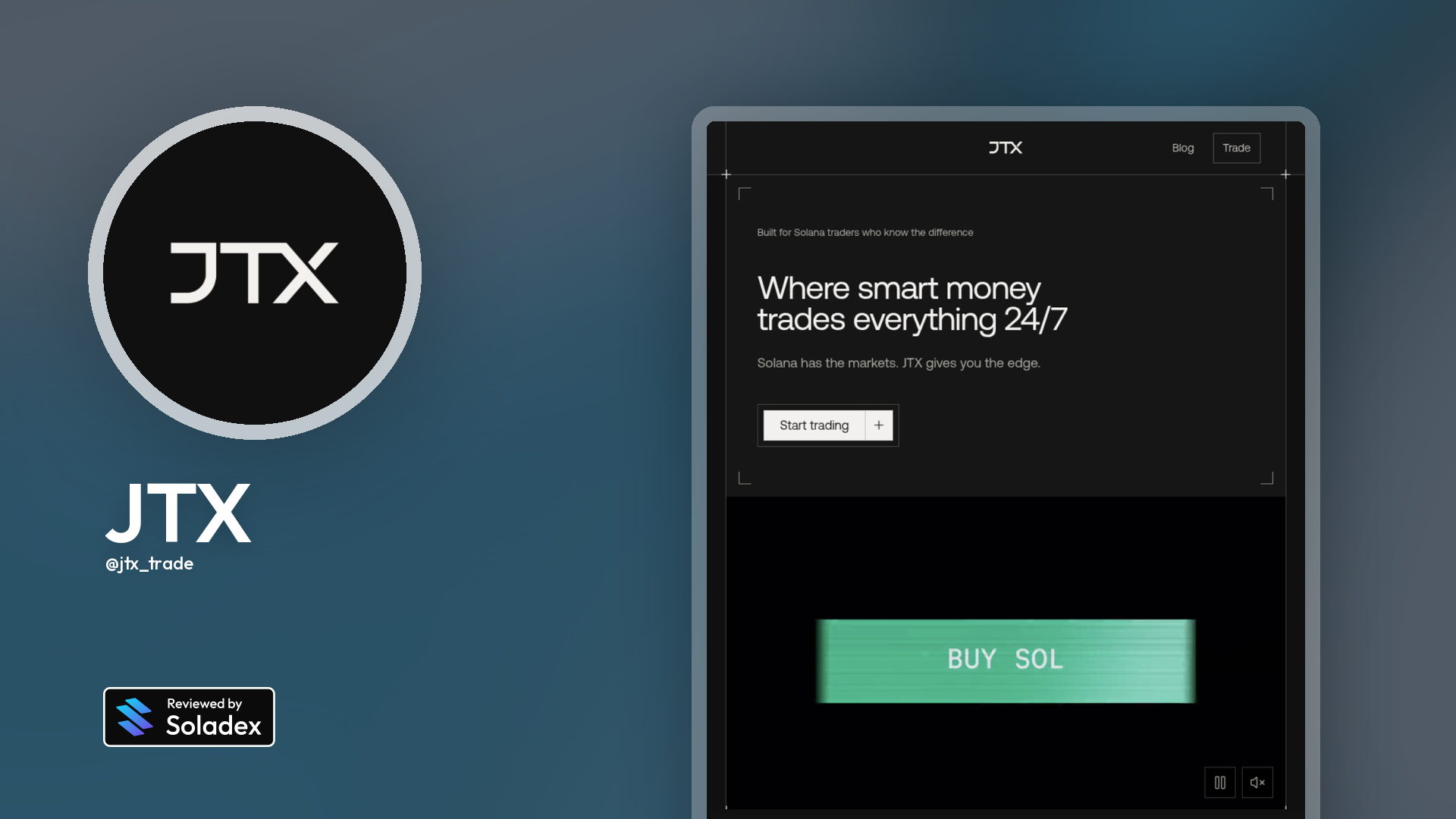
Jito Labs launched JTX, a self-custodial trading terminal for Solana designed around a more complete trading workflow. Rather than moving between separate tools for charts, swaps, portfolio tracking, and order management, JTX aims to bring those functions into one application while keeping assets under the trader’s control. The platform launches with spot trading and supports a mix of established Solana assets, meme tokens, cbBTC, HYPE, and tokenized real-world assets.
What is the Purpose of JTX?
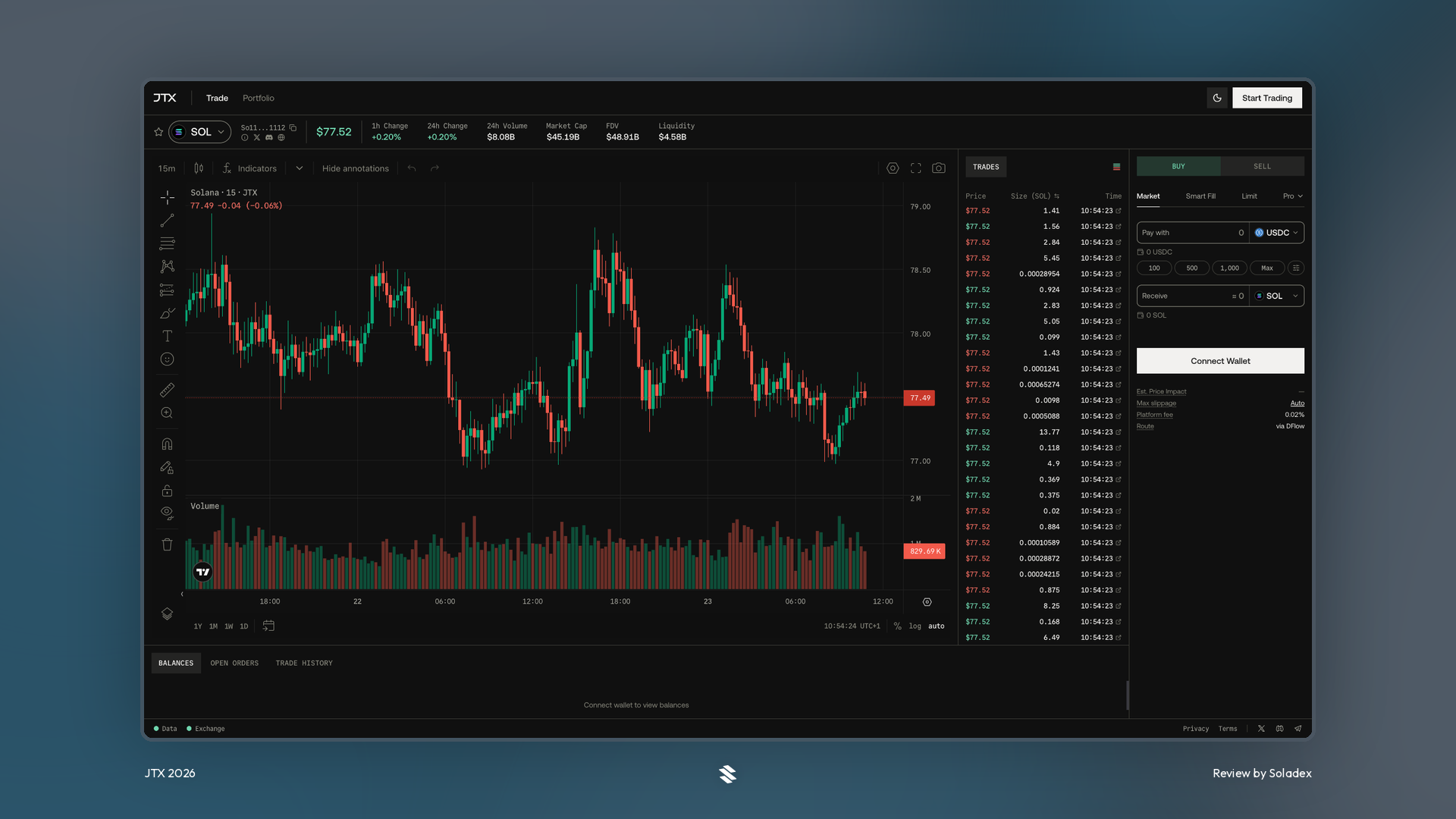
Most Solana trading apps have focused on quick token swaps, but the new JTX app is designed for users who want greater control over how and when their trades are executed. The main tools reviewed in this article include:
- Market and limit orders
- Conditional orders (Take profit, Stop loss)
- TWAP execution
- Integrated charts and real-time market information
- Portfolio
Setting Up A Profile on JTX
Account Setup
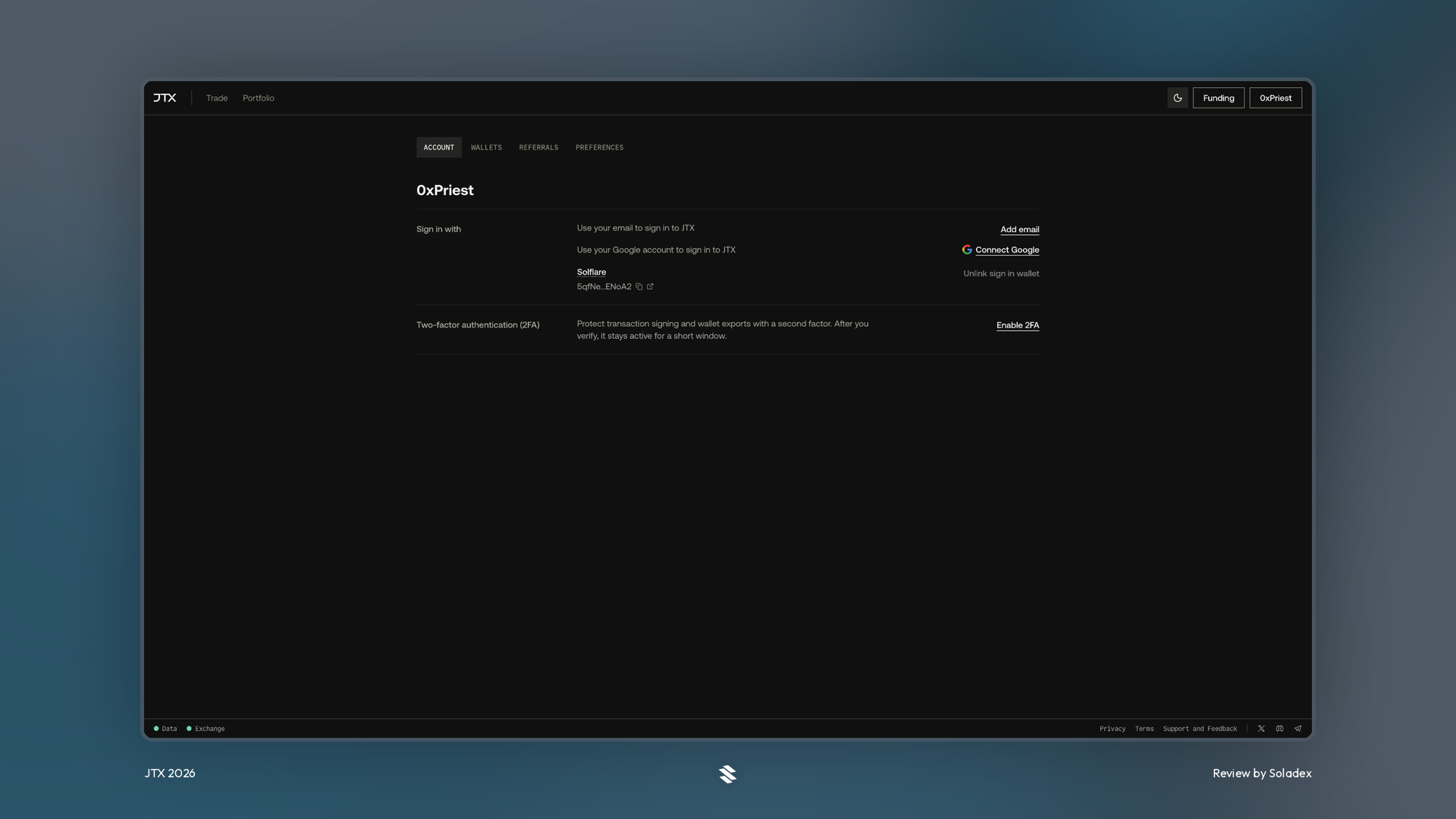
Click on the wallet button (the 0xPriest button below) and select settings. The page displayed shows how to connect using an email and how to unlink wallets to sign in with a new wallet. Extra security features such as the 2FA setup can be added to the wallet.
JTX Username
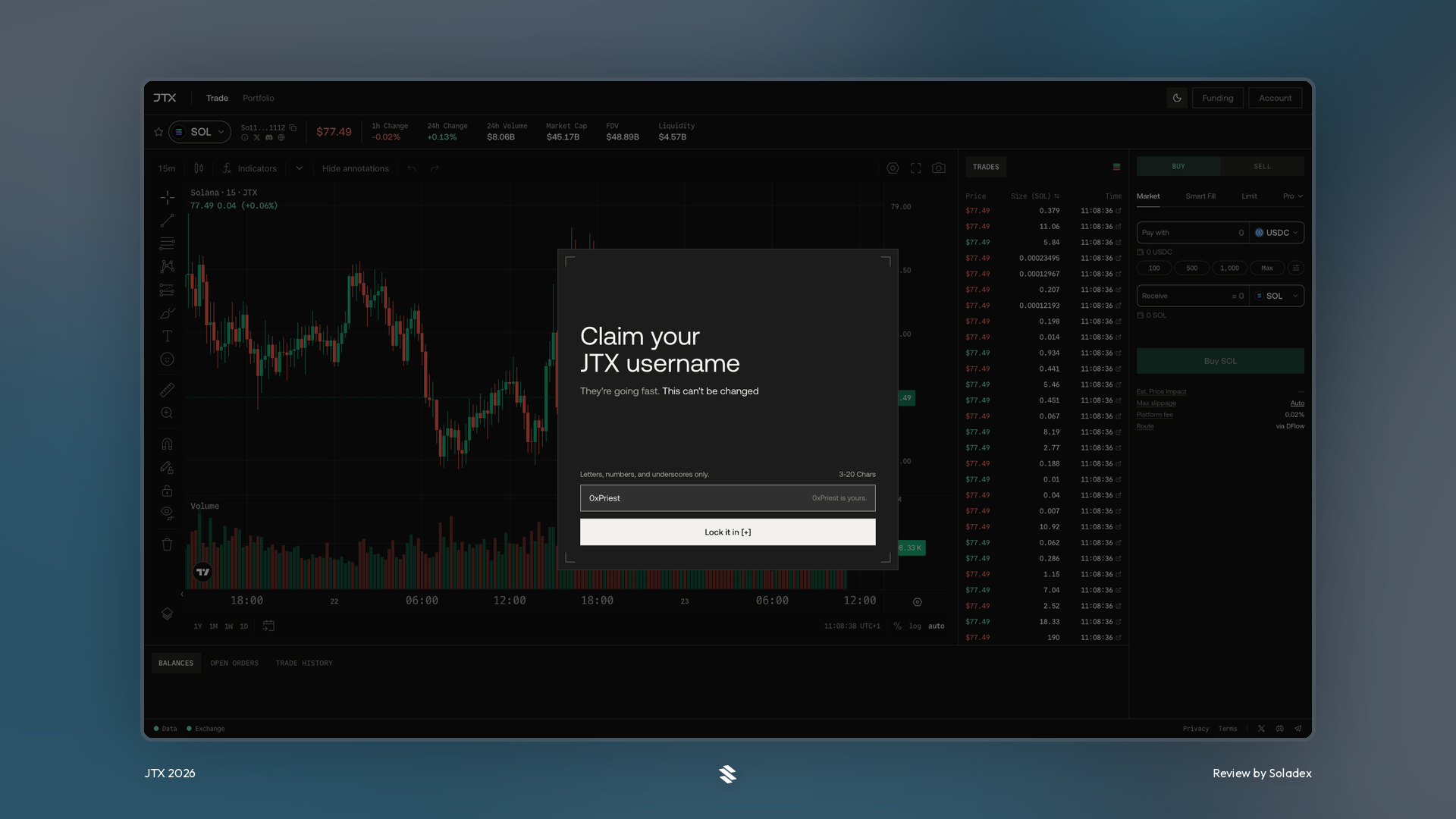
Set a username for your account by selecting your unique name. This name will appear on your JTX profile a nd can be used to separate the multiple accounts you may own.
What are the Order Types on JTX?
JTX offers several order types designed to give traders more control over entry, exit, and risk.
Market Order
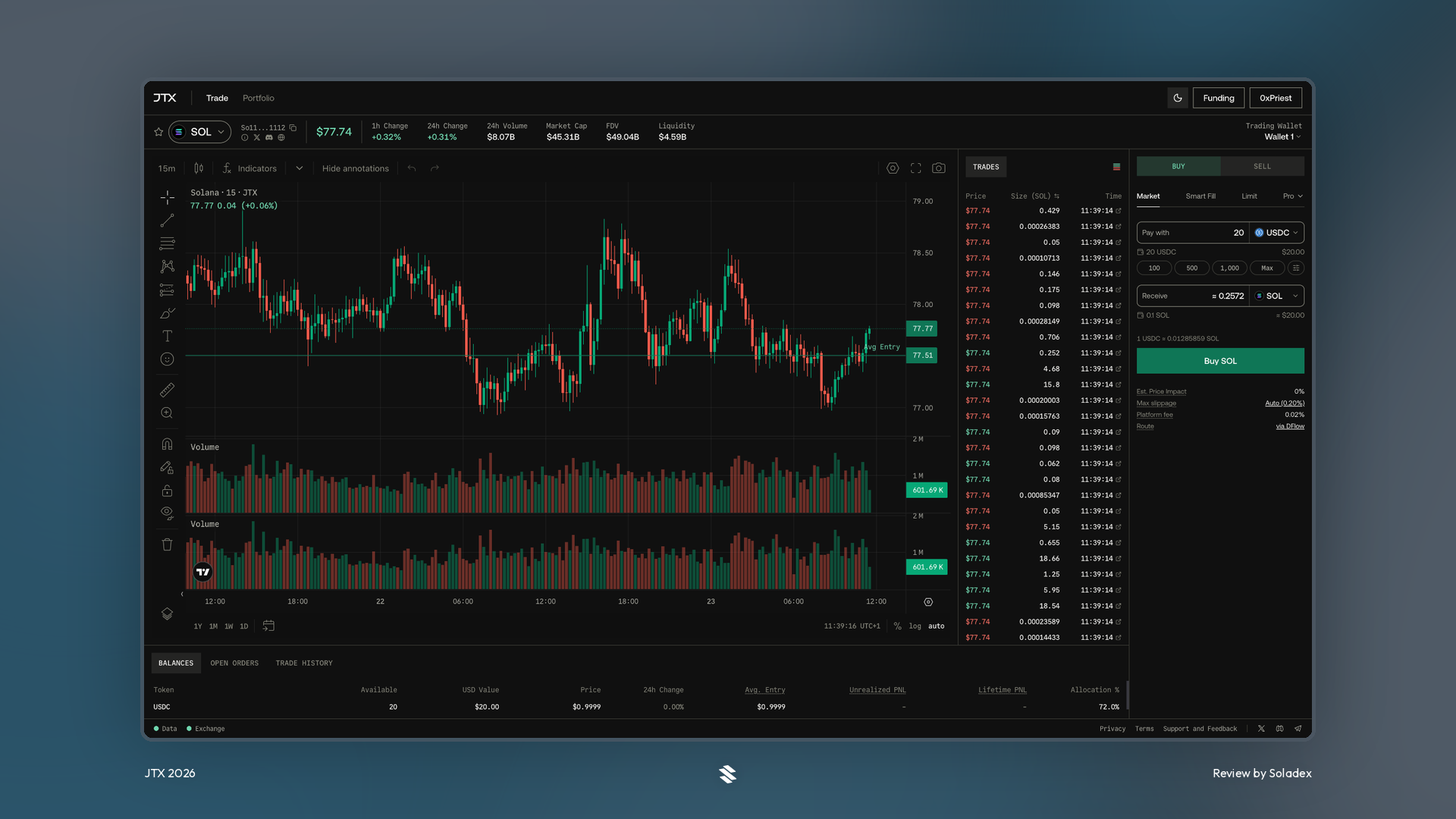
A market order buys or sells immediately at the best available price. It is useful when speed matters more in your trade than receiving an exact price. In less liquid markets, however, the final fill may differ from the displayed price because of slippage. In the example below, I purchased some SOL with $20 using the market order. This works in a similar fashion for the Sell option.
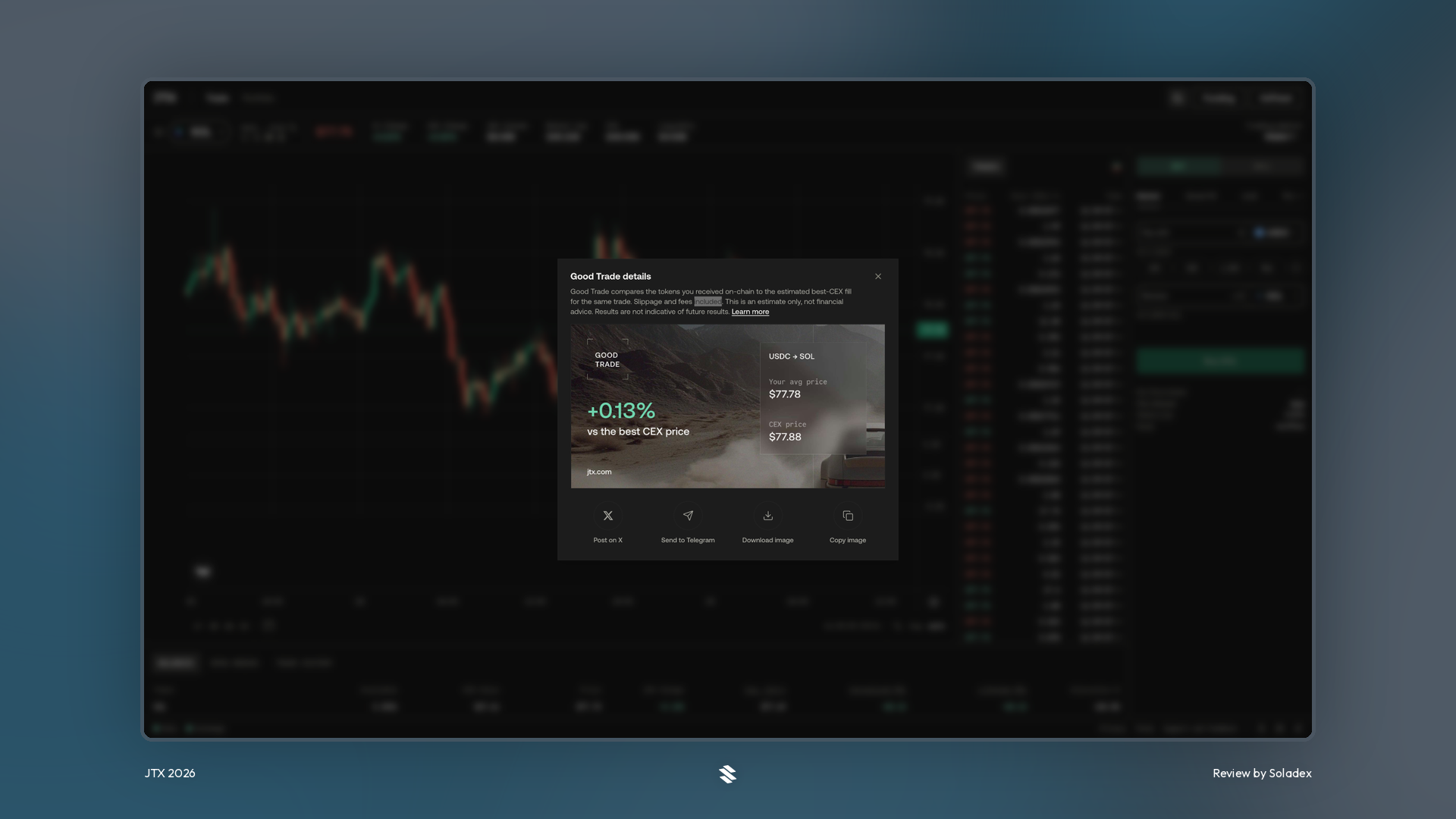
For every successful trade initiated on-chain, clicking “details” from the pop-up displayed provides a trading card with the PnL and the average price of entry.
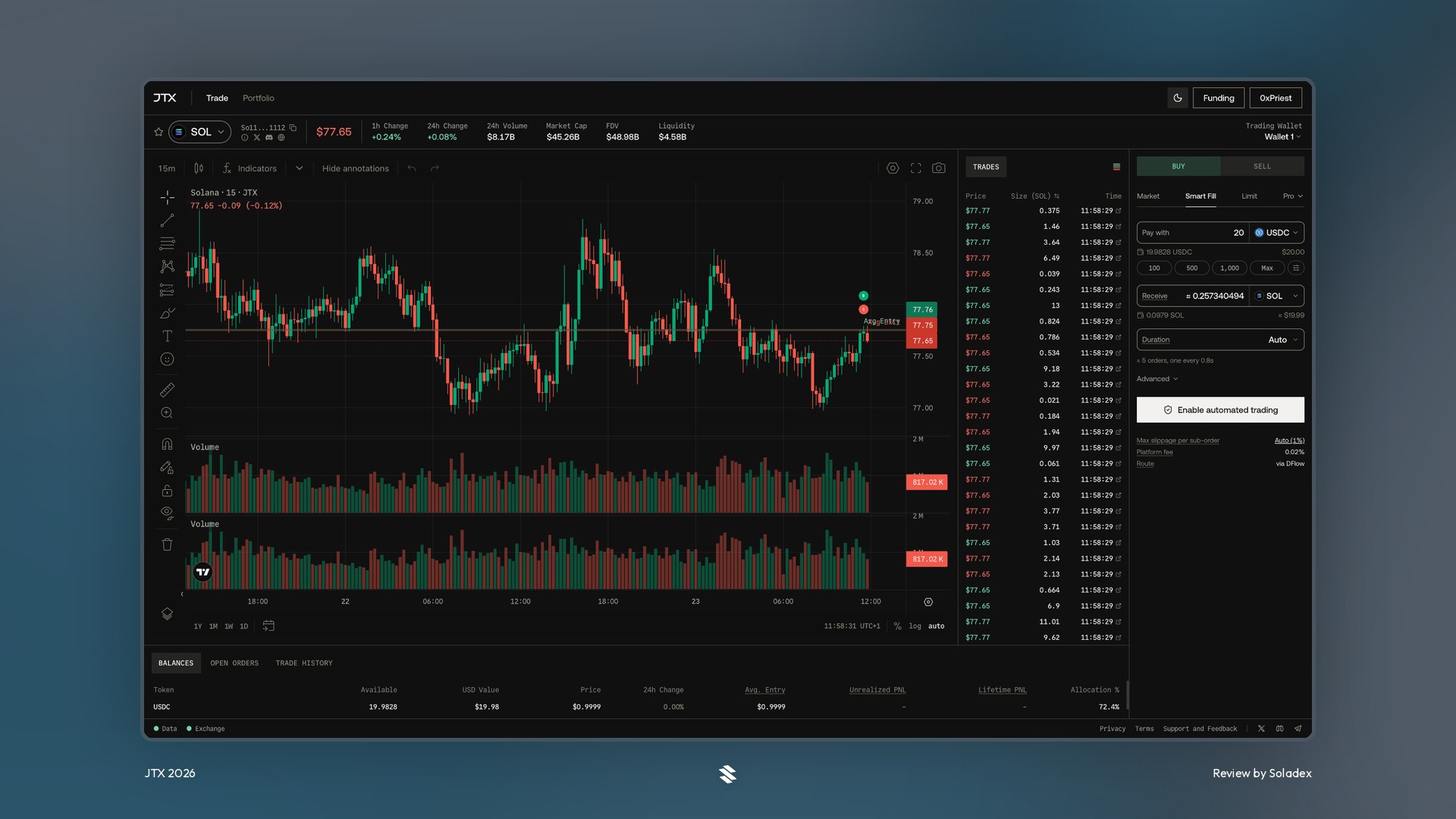
Smart Fill
Smart Fill is designed to seek better execution across available liquidity. Instead of relying on a single order path, it can route an order in a way intended to improve the average fill price over a set duration and reduce price impact for the trade. By setting it on Auto, JTX allocates the number of orders that works perfectly for the amount used to trade with.
Limit Order
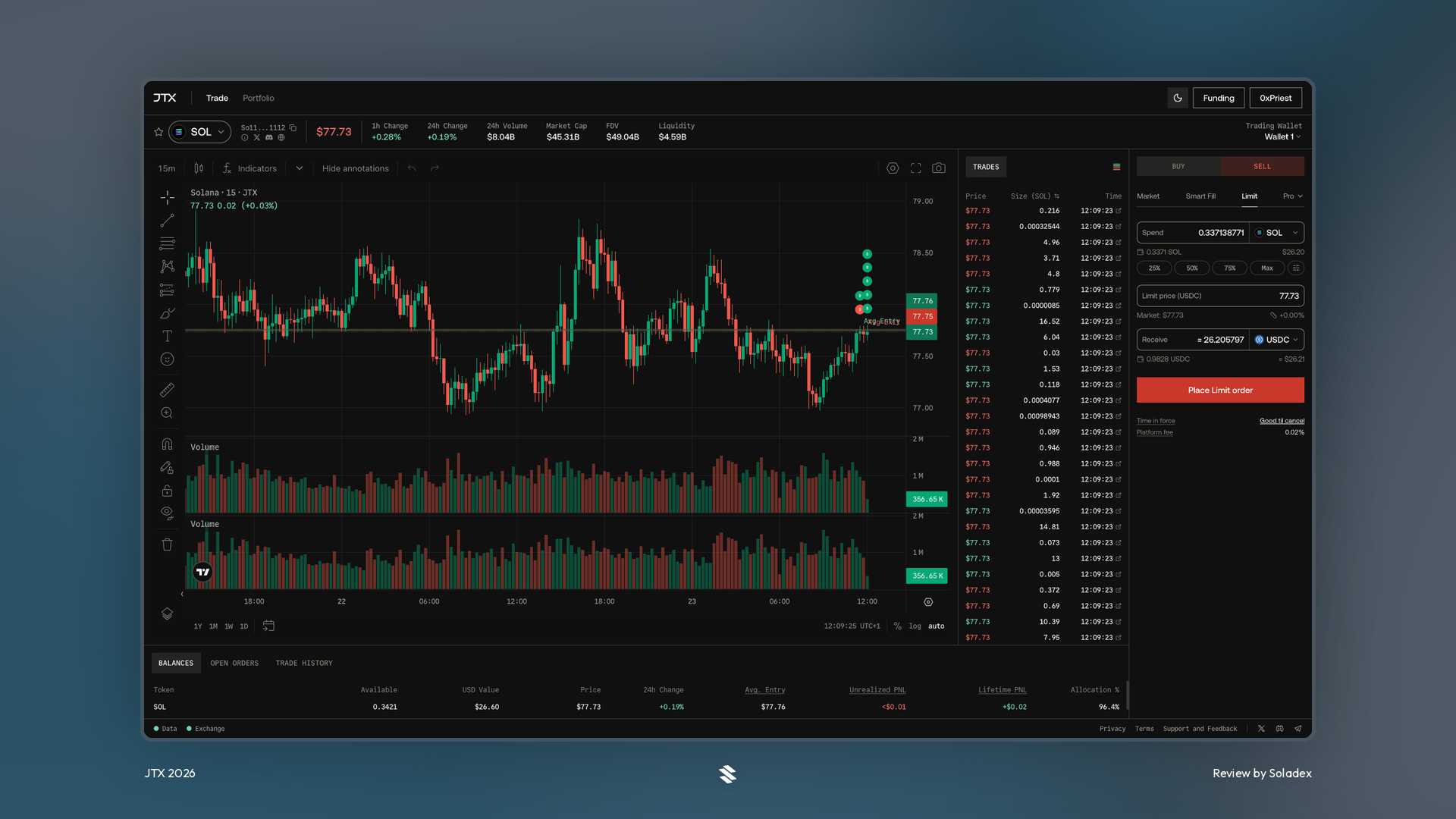
A limit order lets traders set the exact price at which they are willing to buy or sell. A buy limit order only executes at the chosen price or lower, while a sell limit order executes at the chosen price or higher. The order may not fill if the market never reaches that level. In the example below, the limit order to sell SOL was placed at a specific price that was easy to hit based on the price action of the token at the time.
Stop Loss
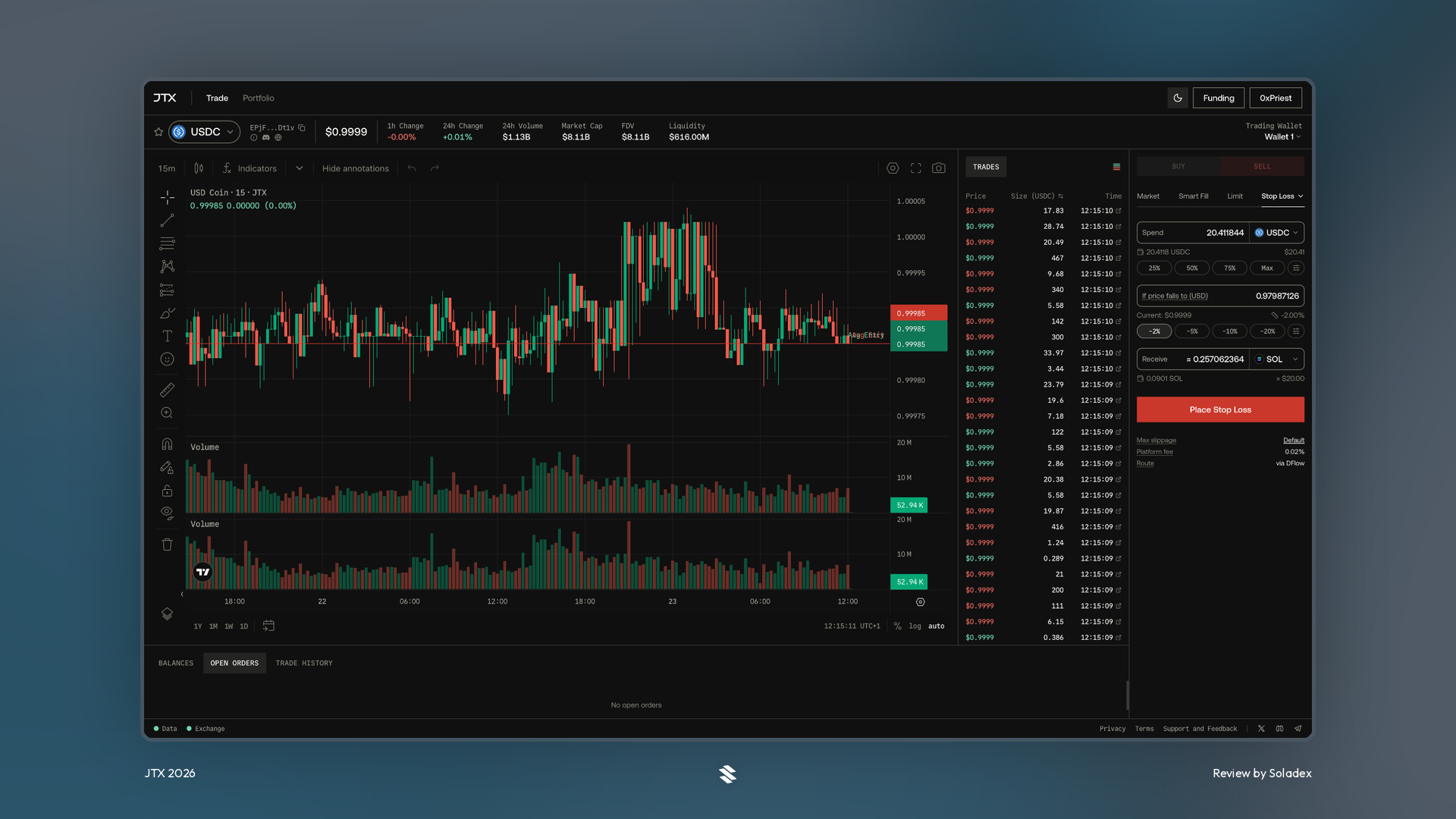
A stop-loss order is designed to limit downside. When the market reaches the stop price selected by the trader, the order is triggered to sell the asset. In volatile conditions or when the liquidity is low, the eventual execution price can be lower than the trigger price. I set a stop-loss to -2% of the price of the token below.
Take Profit
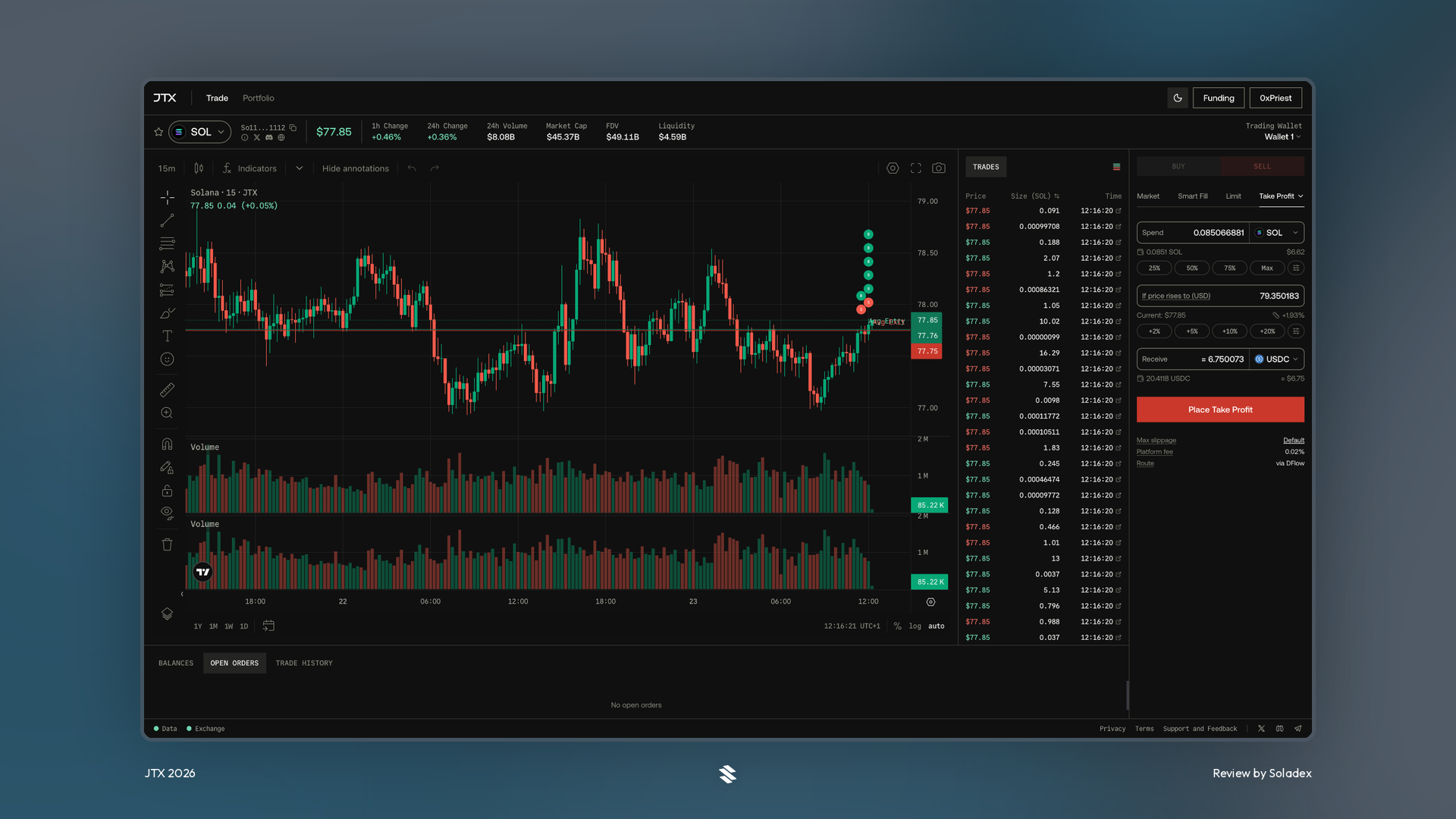
A take-profit order is a conditional order that automatically sells an asset when it reaches a chosen target price. It is used to lock in gains without needing to constantly monitor the market. If the price rises from $77 to $79, I profit.
TWAP
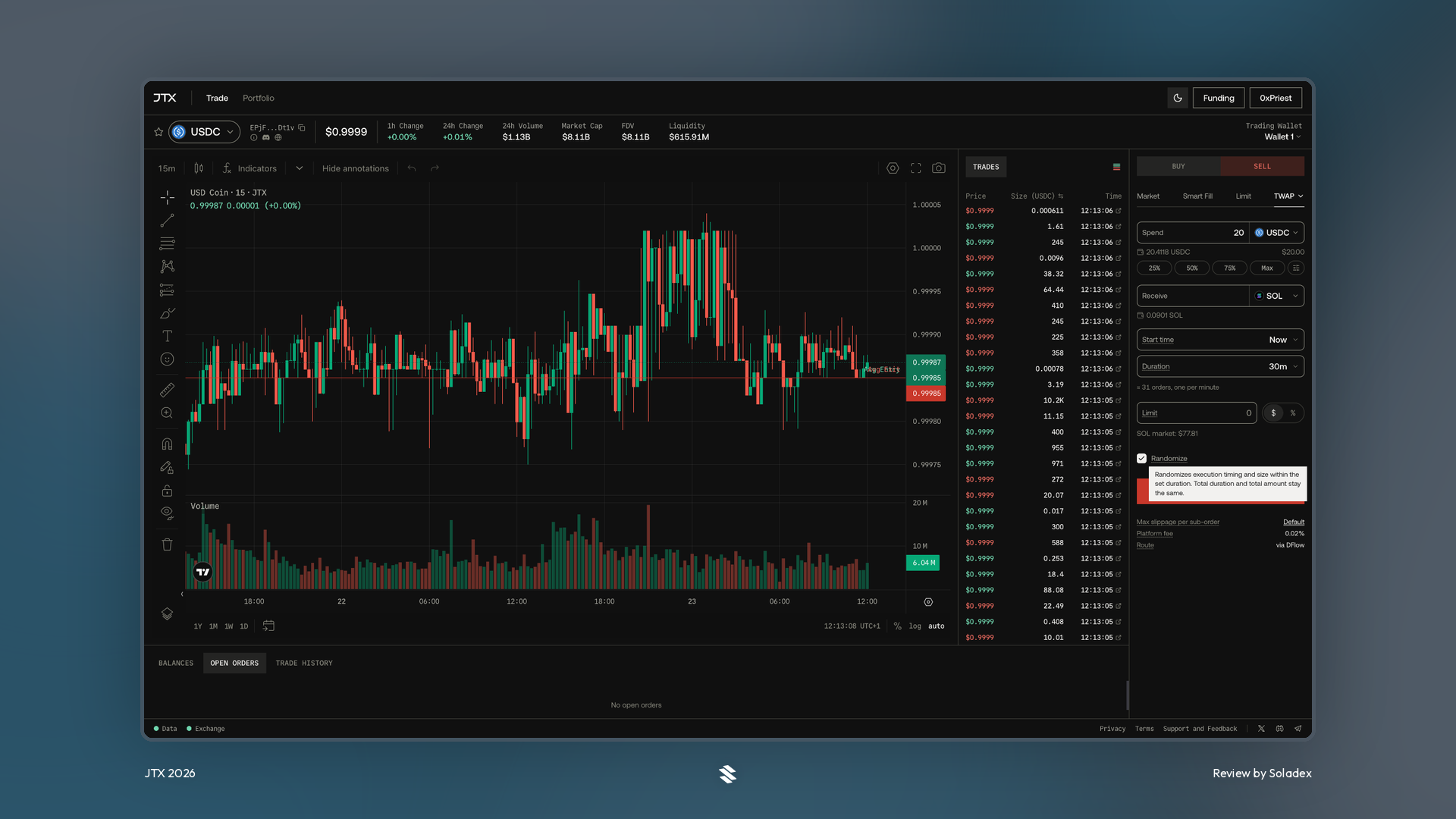
A Time-Weighted Average Price, or TWAP, order splits a larger trade into smaller trades executed over a selected period. This can help reduce the market impact of entering or exiting a sizable position at once. However, this does not guarantee a better price, especially if the market moves sharply during execution.
Trader’s Portfolio on JTX
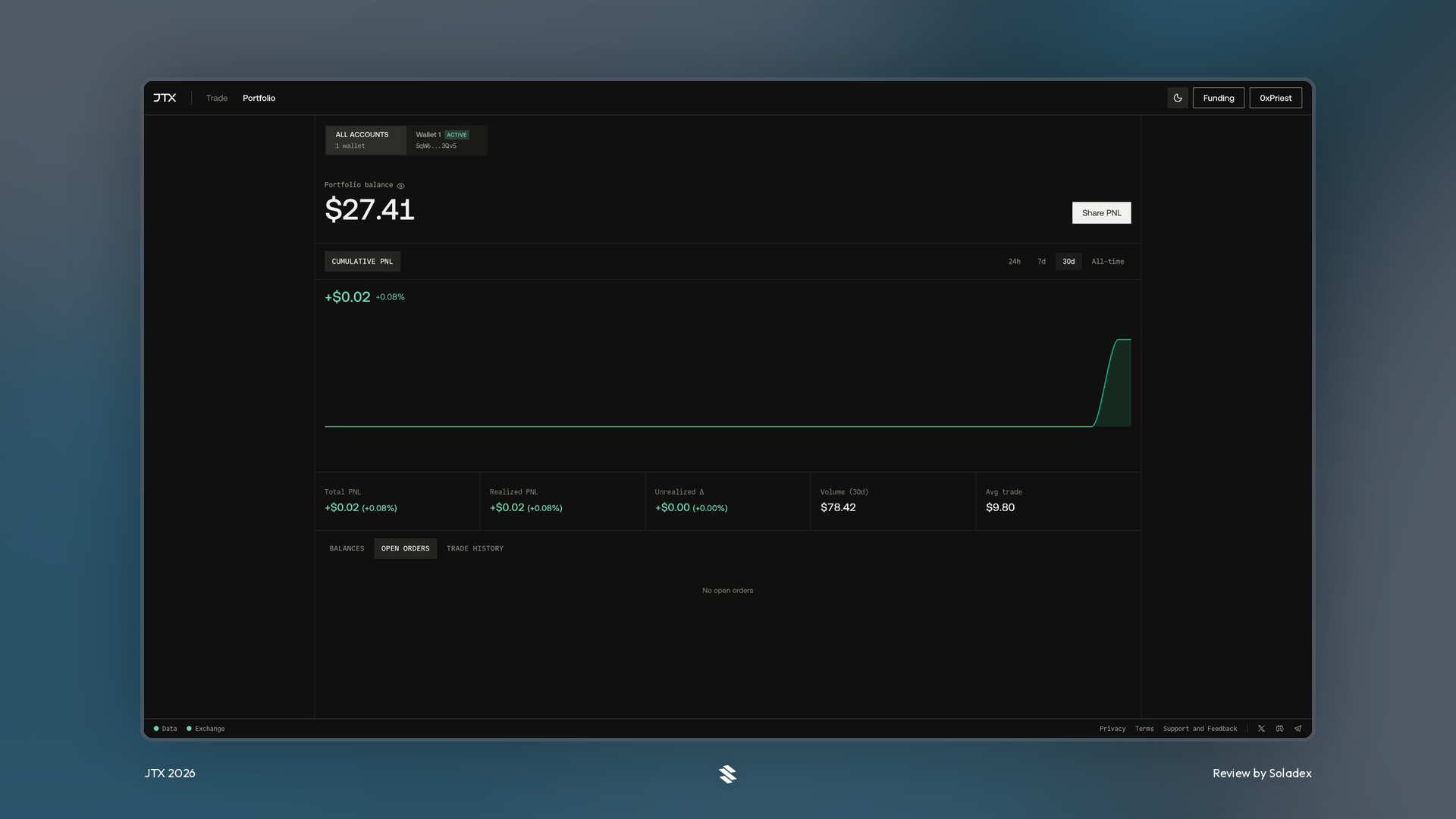
The Portfolio section gives traders a consolidated view of their JTX activity and holdings. As shown below, it typically includes token balances, current market value, open orders, trade history, unrealized or realized PnL, and trading volume. Traders can use it to monitor active limit, TWAP, take-profit, and stop-loss orders, review fills, and keep track of capital across the app.
Self-Custody and On-Chain Execution
JTX is non-custodial, meaning users retain control of their wallets and private keys. The platform does not take custody of user funds in the way a centralized exchange does. Jito also draws on its existing validator, block-engine, and transaction-routing infrastructure to improve execution quality, reduce stale pricing, and provide more private order routing.
JTX Fees and the JTO Buyback-and-Burn Model
One of JTX’s more notable features is how its platform fees are allocated. Under Jito governance proposal JIP-38, 80% of JTX platform fees are directed to the Jito DAO. The DAO’s full share is used for programmatic JTO buybacks and burns for at least the initial period through Q4 2027. The remaining 20% is retained for platform development. JTX is not burning 100% of all platform revenue. It is burning 100% of the DAO’s 80% share.
Conclusion
JTX is Jito Labs’ attempt to make on-chain trading on Solana feel less fragmented. It combines self-custody, spot trading, advanced order types, charting, and portfolio tools in a single terminal, with broader market support planned over time.