


What Is Netrunner Tax?
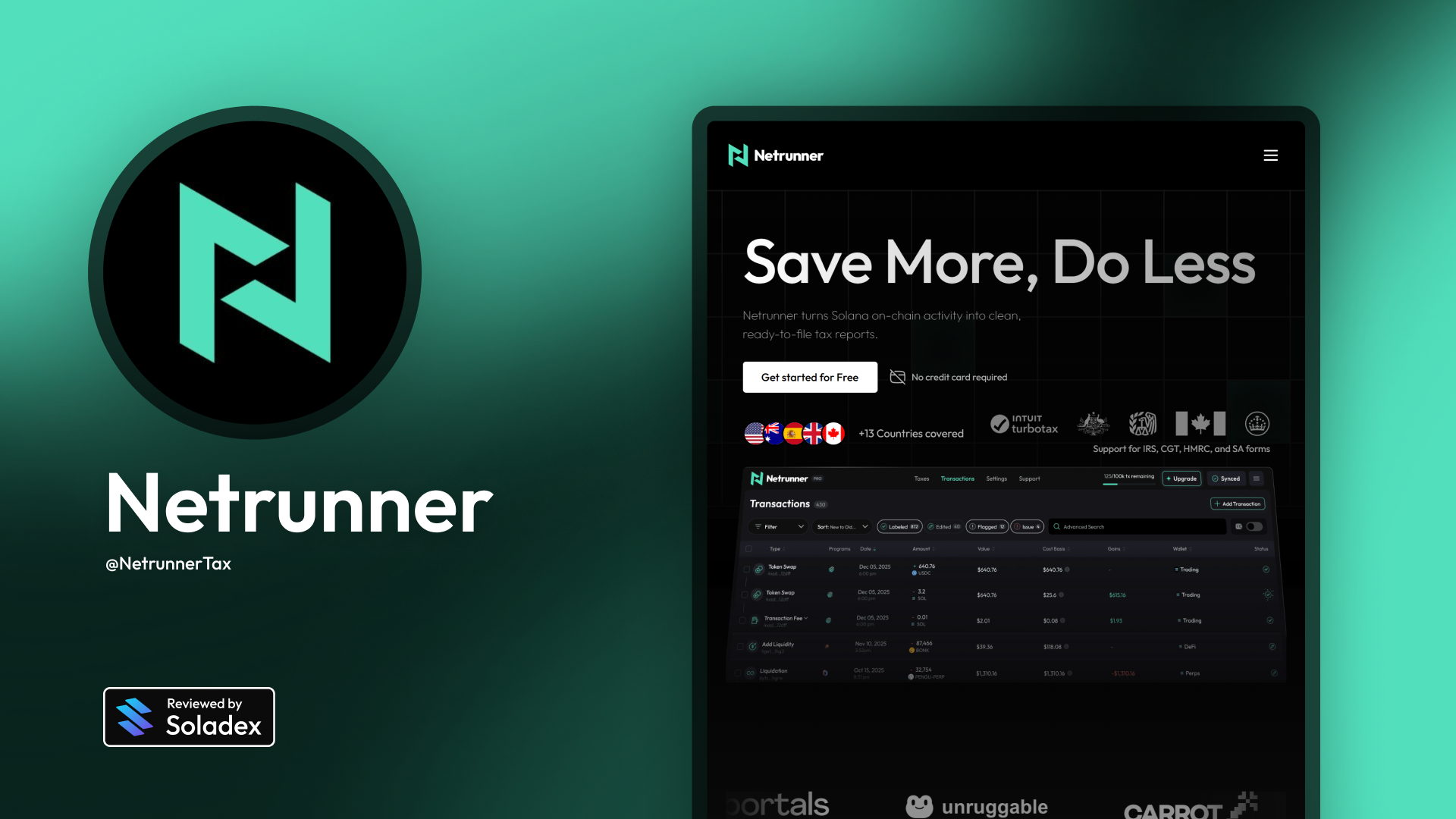
Netrunner, built by Phase, is a comprehensive tax reporting tool built for Solana users to help traders, NFT collectors, and DeFi users prepare tax-ready reports and understand their tax liabilities. Netrunner simplifies the process of calculating gains, losses, and taxable events for its users. Unlike general crypto tax software, Netrunner focuses on the unique characteristics of the Solana ecosystem by automatically labelling on-chain DeFi activity, tokens, and NFT trading, and supports multiple programs and protocols.

Why Solana-Native?
Most crypto tax tools were built for Ethereum and struggle with Solana's speed and transaction volume. Generic platforms often mislabel Solana DeFi activity, miss token swaps, or fail to track cost basis accurately across high-frequency trading. Netrunner is purpose-built for Solana; it understands the ecosystem's protocols, parses transactions correctly, and handles the volume without breaking.
How Netrunner Tax Works
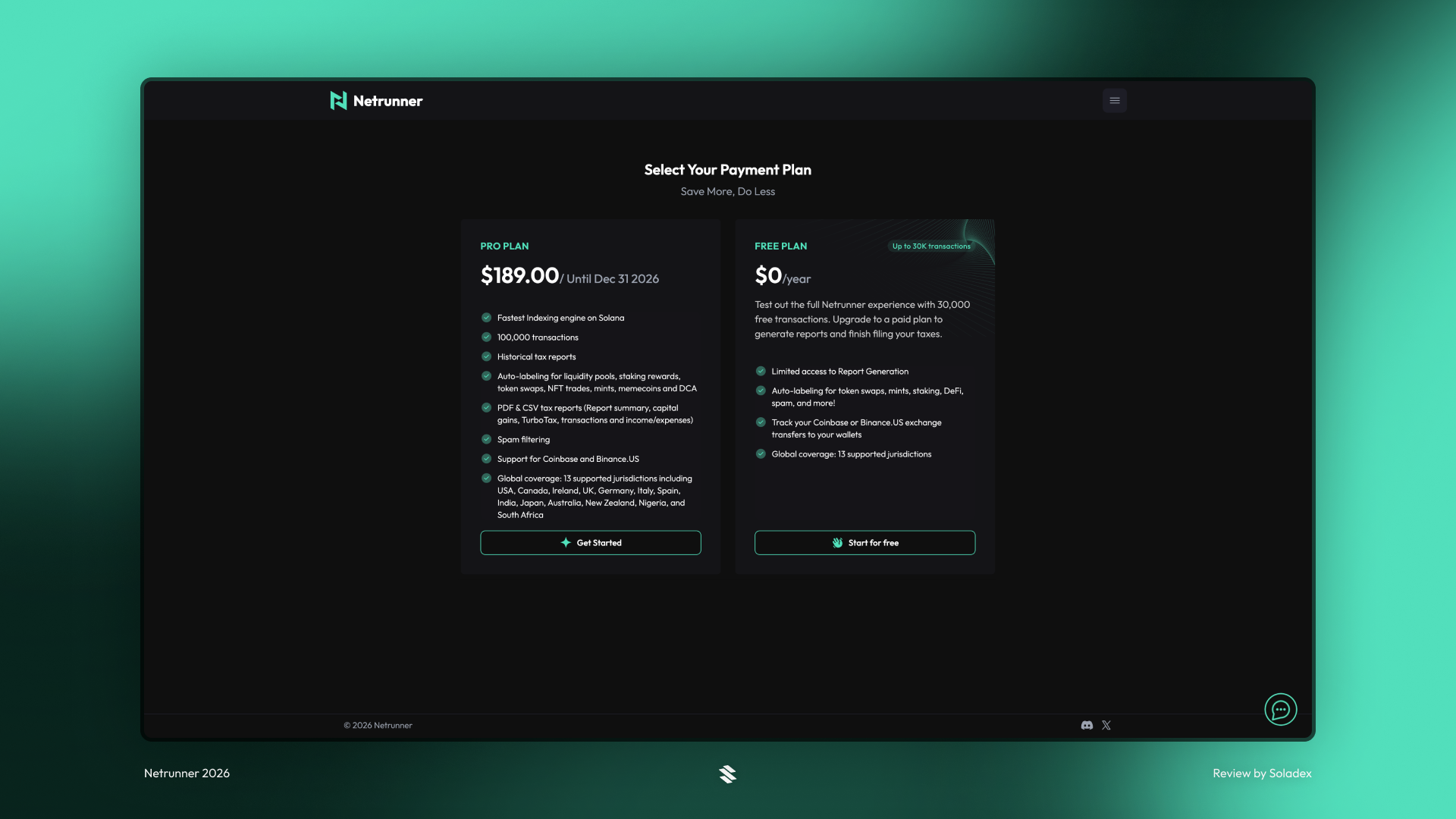
Users start by connecting their Solana wallets; Netrunner then indexes all necessary on-chain transactions and auto-labels activity, such as swaps, NFT sales, and DeFi interactions. The application computes cost basis, proceeds, and capital gains/losses to produce IRS-ready tax reports and forms that meet the needs of users in their country of residence (provided it is supported). This automation removes much of the manual work ordinarily required for tax compliance from crypto earnings. Netrunner has a Pro plan with premium features and a Free plan for regular usage.
What are the Key Features of Netrunner?
- Automated indexing & labelling: Netrunner reads your Solana on-chain activity and labels events in a user’s wallet with categories such as NFT Trades and Token Trades.
- Tax calculation: It calculates capital gains, losses, and income based on cost basis and disposal events.
- IRS-ready reports: Netrunner generates prefilled tax documents for tax reporting workflows.
- Real-time portfolio visibility: Users get insights into holdings, gains/losses, and transaction history in one dashboard.
- Multiple wallet support: Users can connect and sync several wallets for consolidated reporting.
Crypto taxes can be complex because every swap, trade, and on-chain interaction may trigger a taxable event. In the U.S., for example, crypto is treated as property, meaning gains and losses must be tracked for swaps, sales, and income events such as staking rewards or NFT sales. Properly calculating cost basis and proceeds is essential to compliance and often results in significant tax savings.
Input the information that will be used to determine the tax settings.

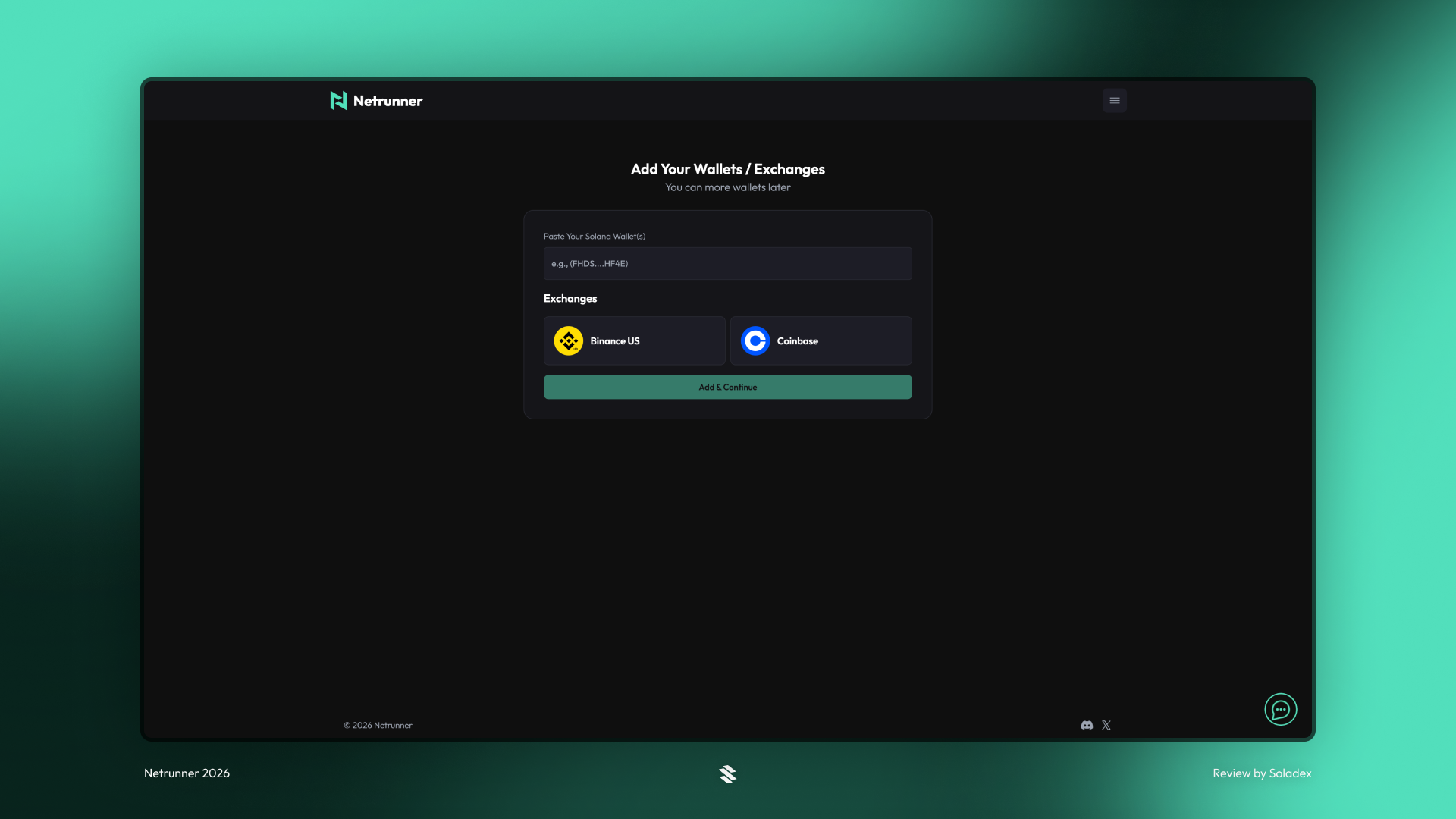
Netrunner currently supports Binance and Coinbase as centralized exchanges where data can be pulled to calculate the taxes of its users.
Netrunner Dashboard
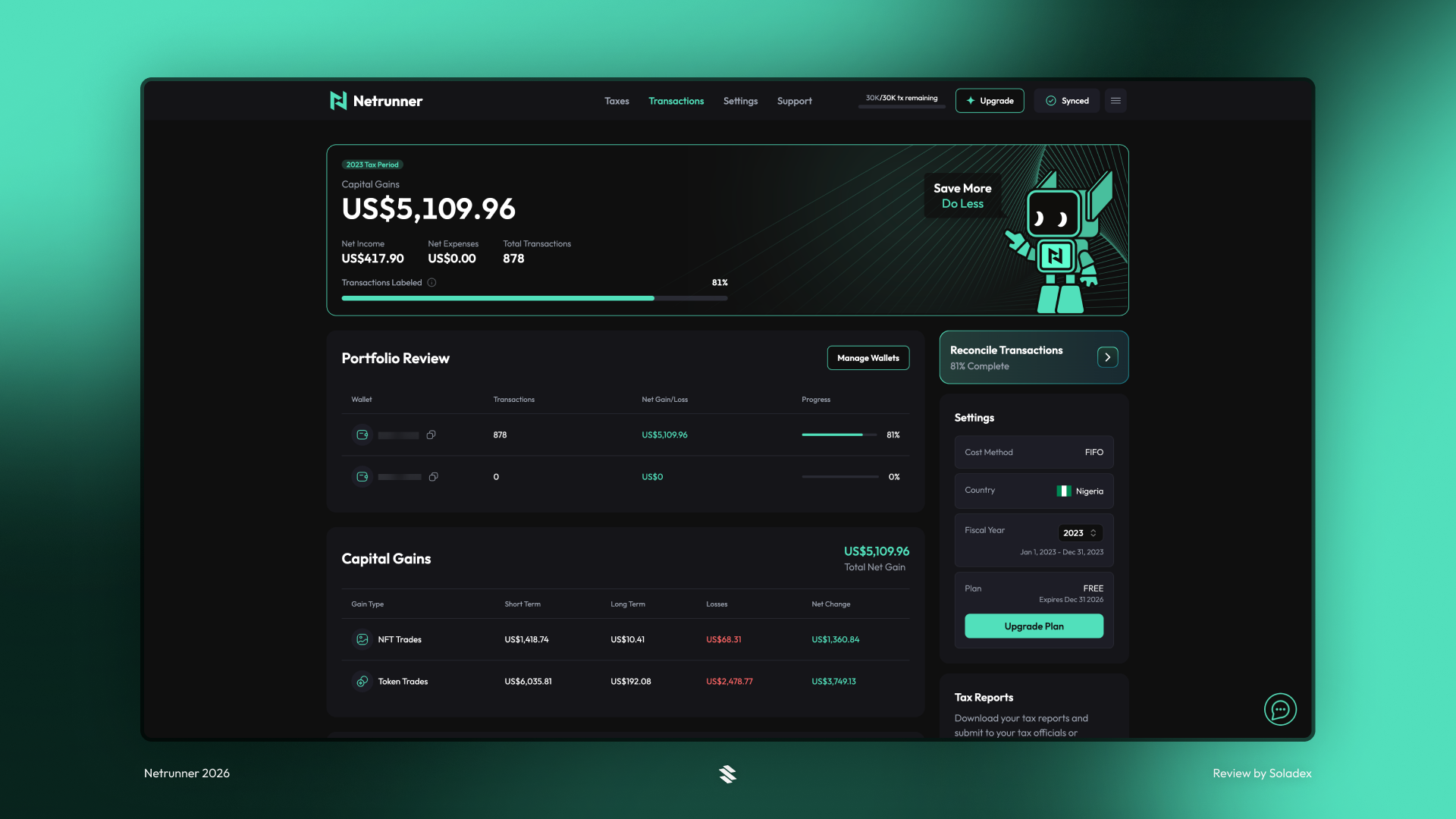
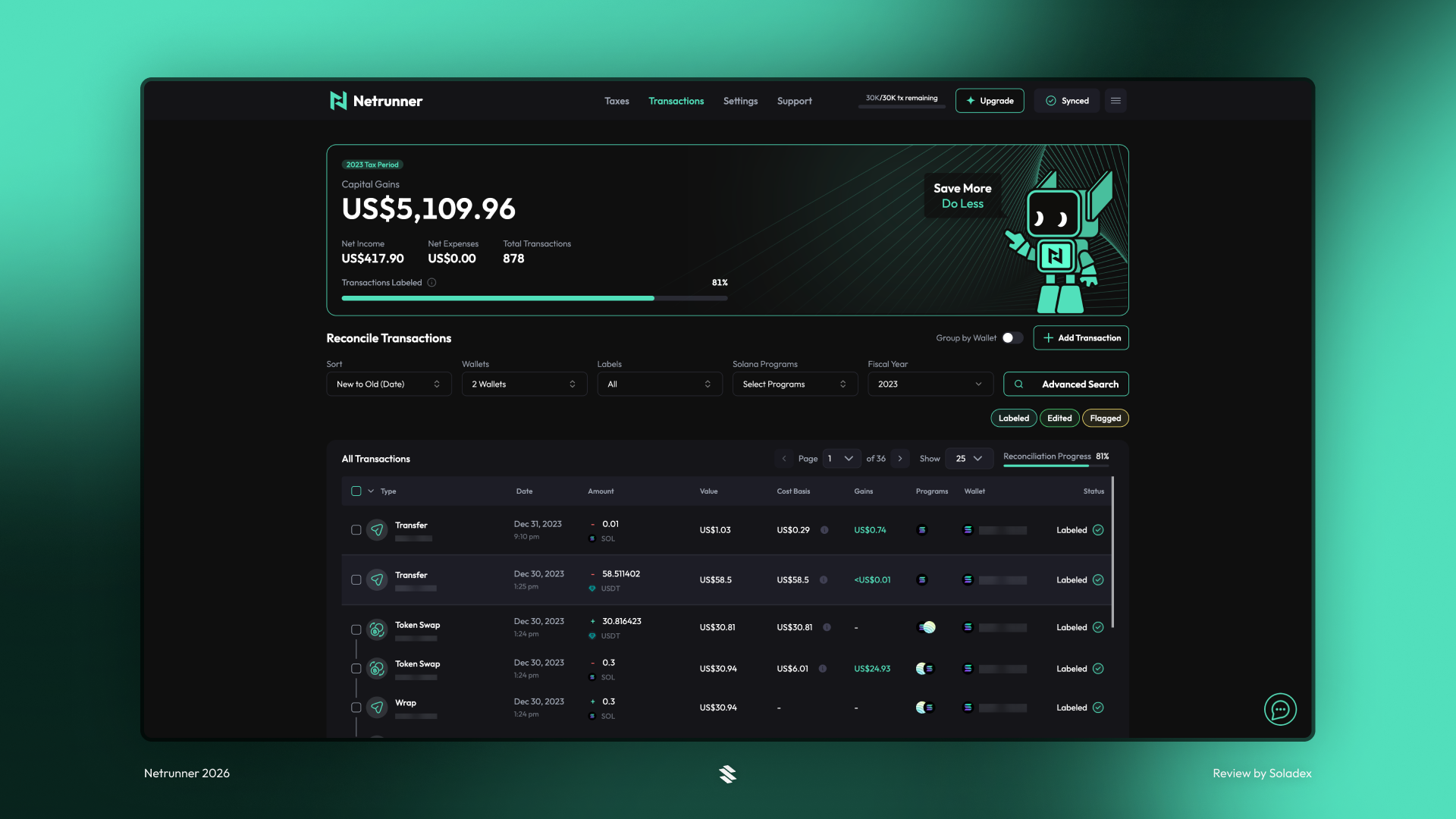
Netrunner’s dashboard provides an overview of taxable activity, net income, gains, and expenses, along with detailed breakdowns of transactions and tax categories. Users can reconcile their data, manage multiple wallets, and export CSVs or filled forms for filing with accountants. The tax tool also has an AI recommendation engine that analyses your on-chain activity and suggests accurate tax labels for transactions that need attention. With this feature, users spend less time manually reviewing transactions.
Taxes
Netrunner calculates the capital gain from the sale of assets in a user’s wallet. This capital gain is then taxed based on the mode of taxation employed by the country of residence of the user.
Transactions
Past transactions are queued and labelled based on the type of action executed on-chain. Some of them are token transfers, token swaps, NFT trades and many more.
Settings
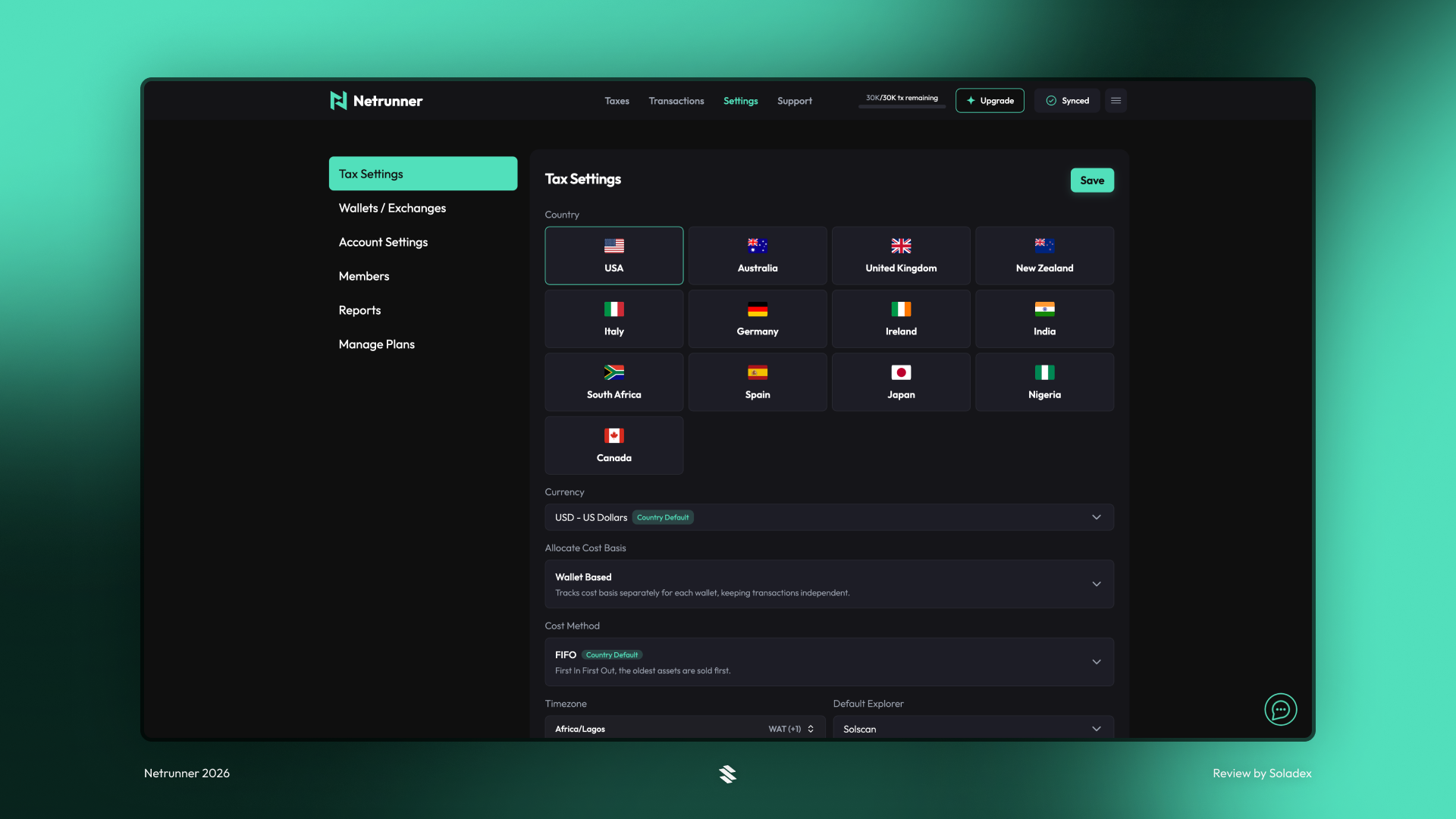
In the tax settings, there are options such as the user's country, the currency to use for calculating the value moved through the wallets, and the method used to calculate taxes.
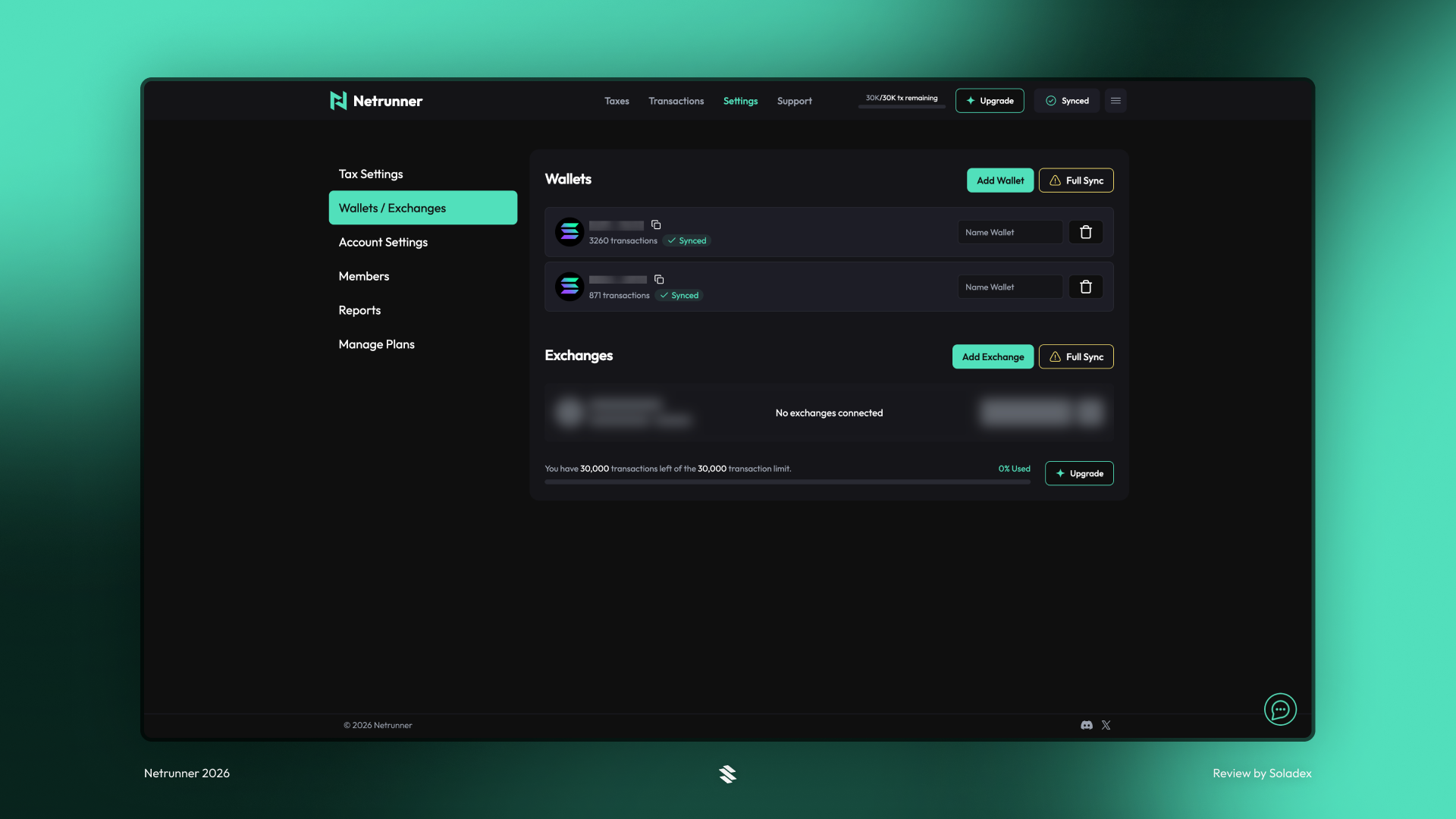
In the Wallets/Exchanges tab, users can add more wallets or exchanges where the Netrunner software can pull data.
Members
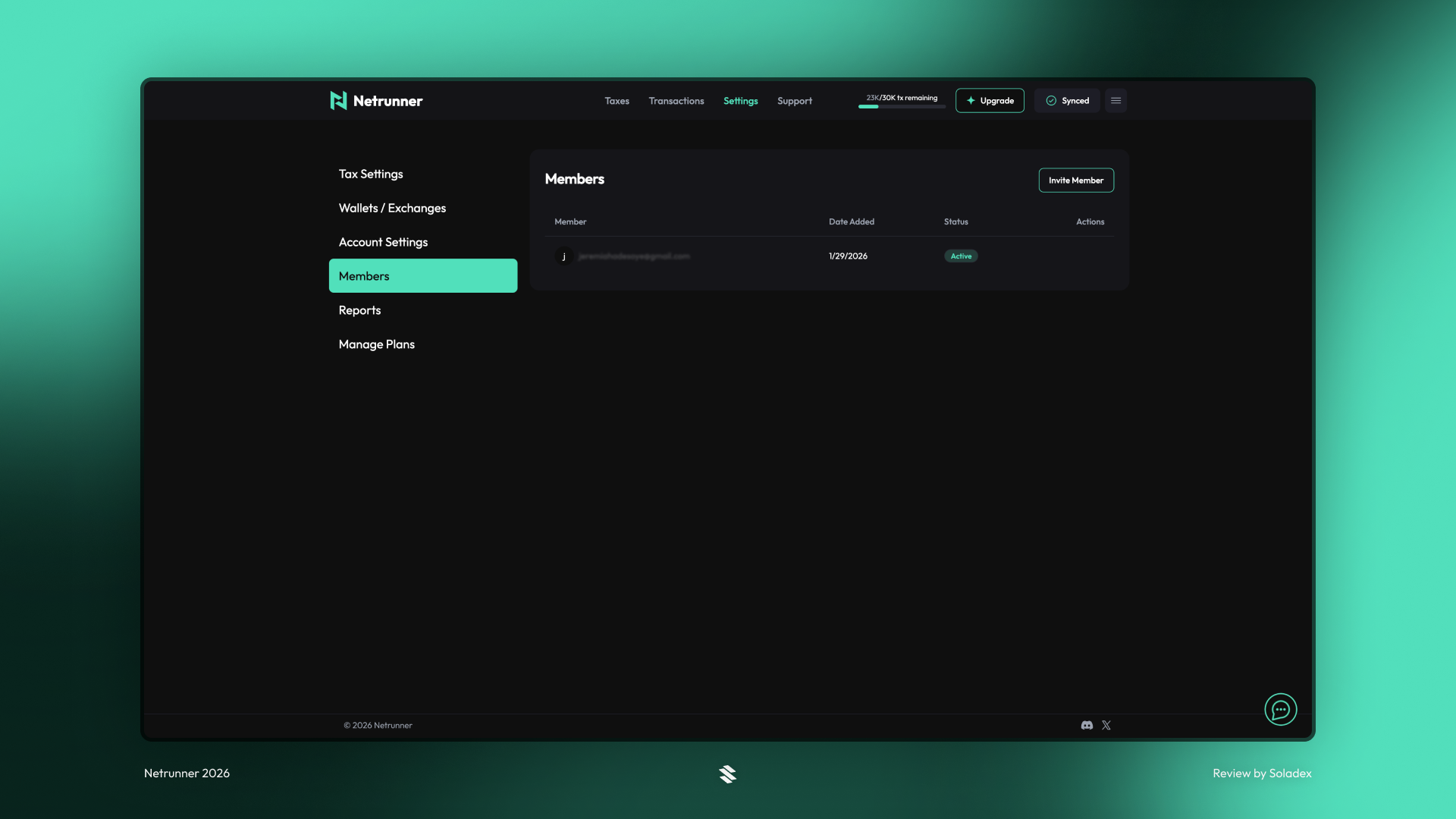
Members serve as a collaborative feature that lets a user invite a tax accountant or an auditor to their profile so that they can explore the transaction data in the wallet addresses provided to Netrunner. To access the Members feature, users must connect to Netrunner with a Gmail account or an active Discord profile. This setup can also be completed in the Account Settings tab above the Members section.
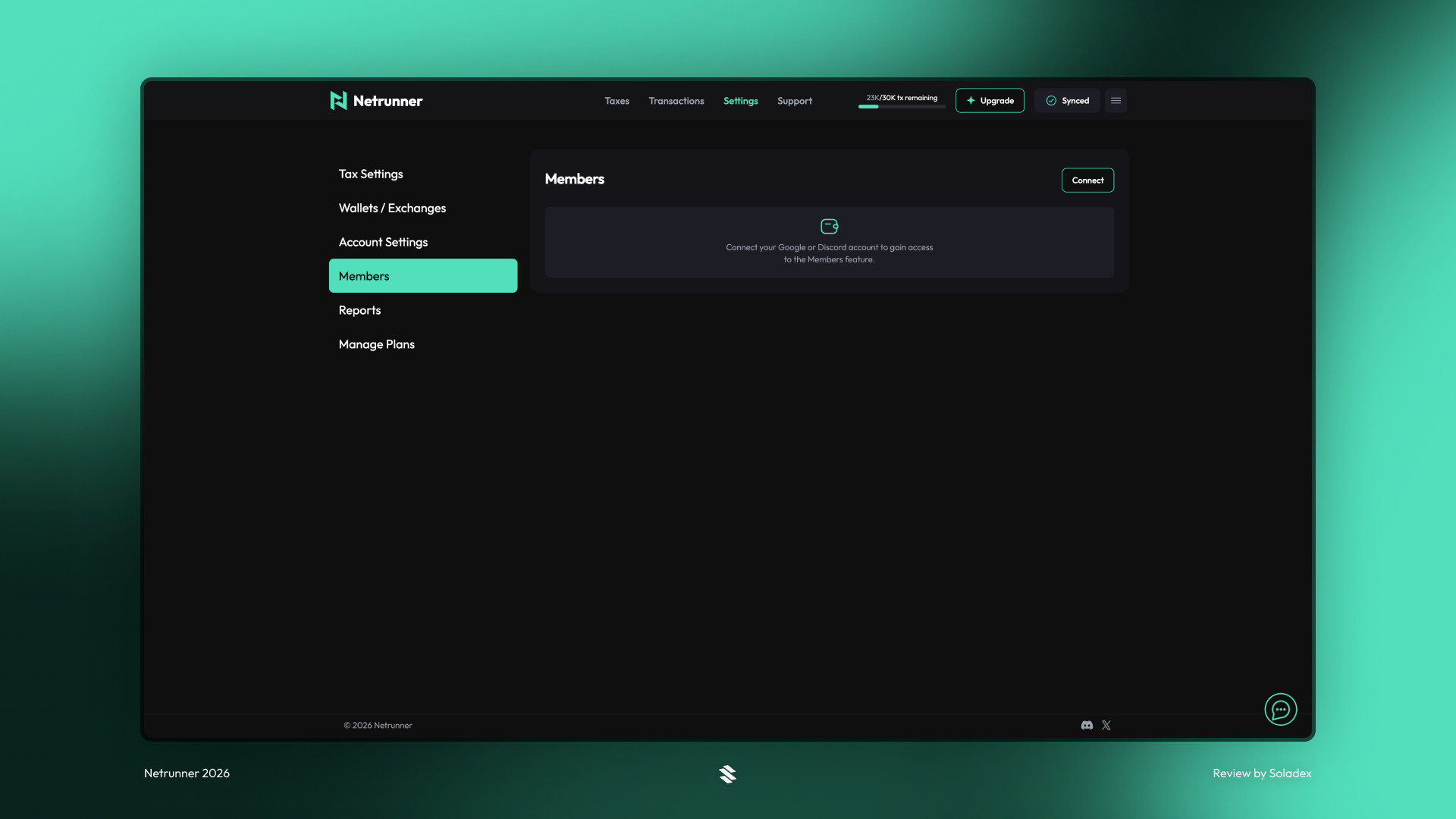
All the members with access to a Netrunner profile are listed, and more can be included by inviting another member to the account.
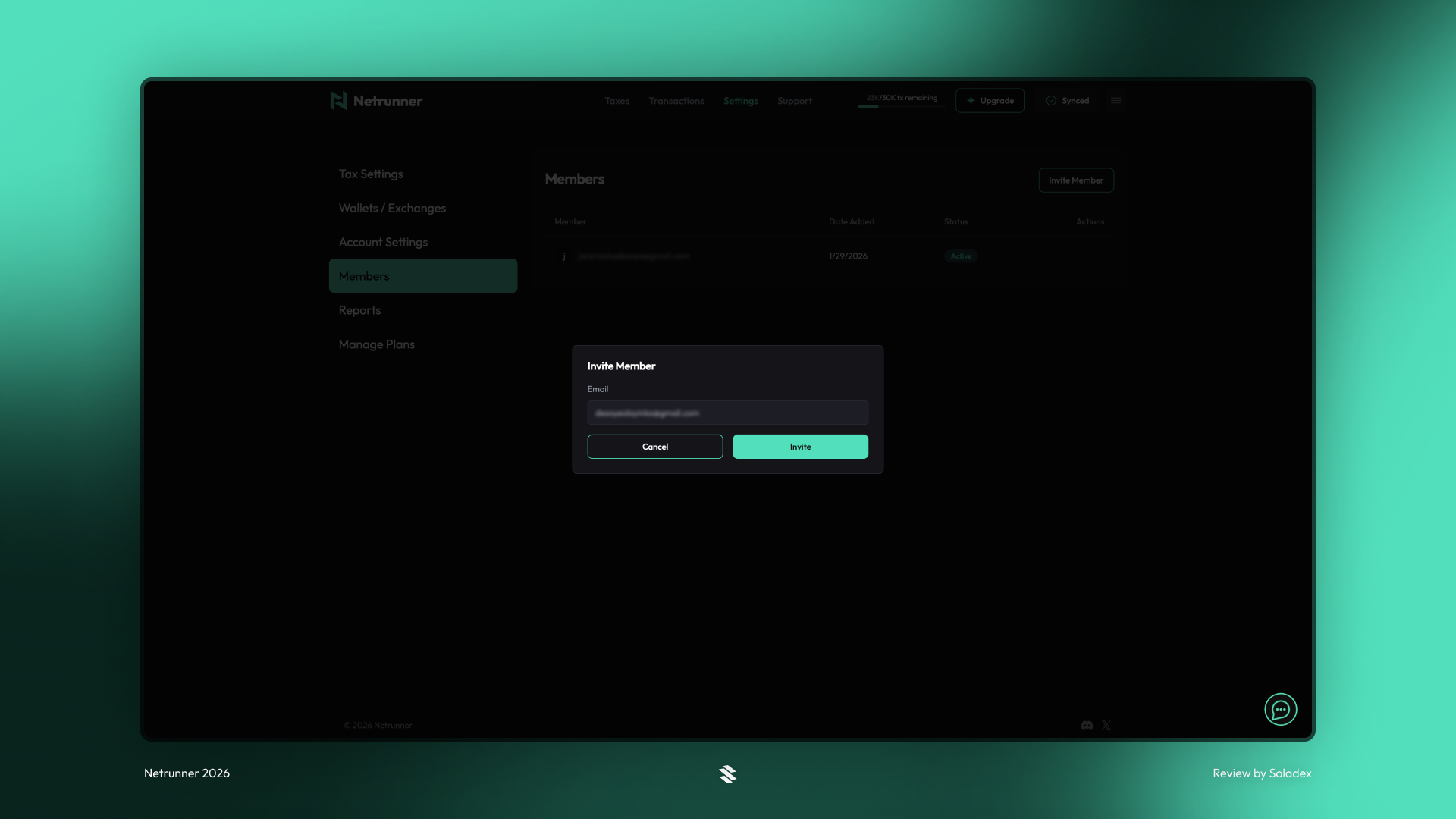
Input the email address of the user who is to join your profile as a member. This grants the member access to the tax records only.
Native Perps Support
Solana perps traders have mostly had to rely on tax tools that don’t really understand perps. Some miss transactions completely, others misclassify them as spot swaps, export CSVs and expect you to figure it out. But every swap, position update, and funding payment can be its own taxable event, and so active traders can end up with tens of thousands of entries. Getting that into a clean report has usually meant hours of manual cleanup. Netrunner now fully supports perpetual futures trading. Every perp trade is parsed, labelled, and reflected in your tax calculations automatically.
The tax tool automatically indexes all Jupiter Perps and Flash Trade Perps activity, correctly classifies perp transactions, tracks opens/closes, realized PnL, funding fees and liquidations, and removes the need for manual categorization and reconciliation.
Conclusion
Netrunner provides Solana users with portfolio tracking and automated tax reporting in the blockchain environment. Whether you’re an active trader, a degen, or an NFT collector, Netrunner helps you create tax-compliant reports that avoid costly mistakes. It works by indexing all transactions in a user’s account to provide clear and exportable documentation.