



What Is Tab Markets?
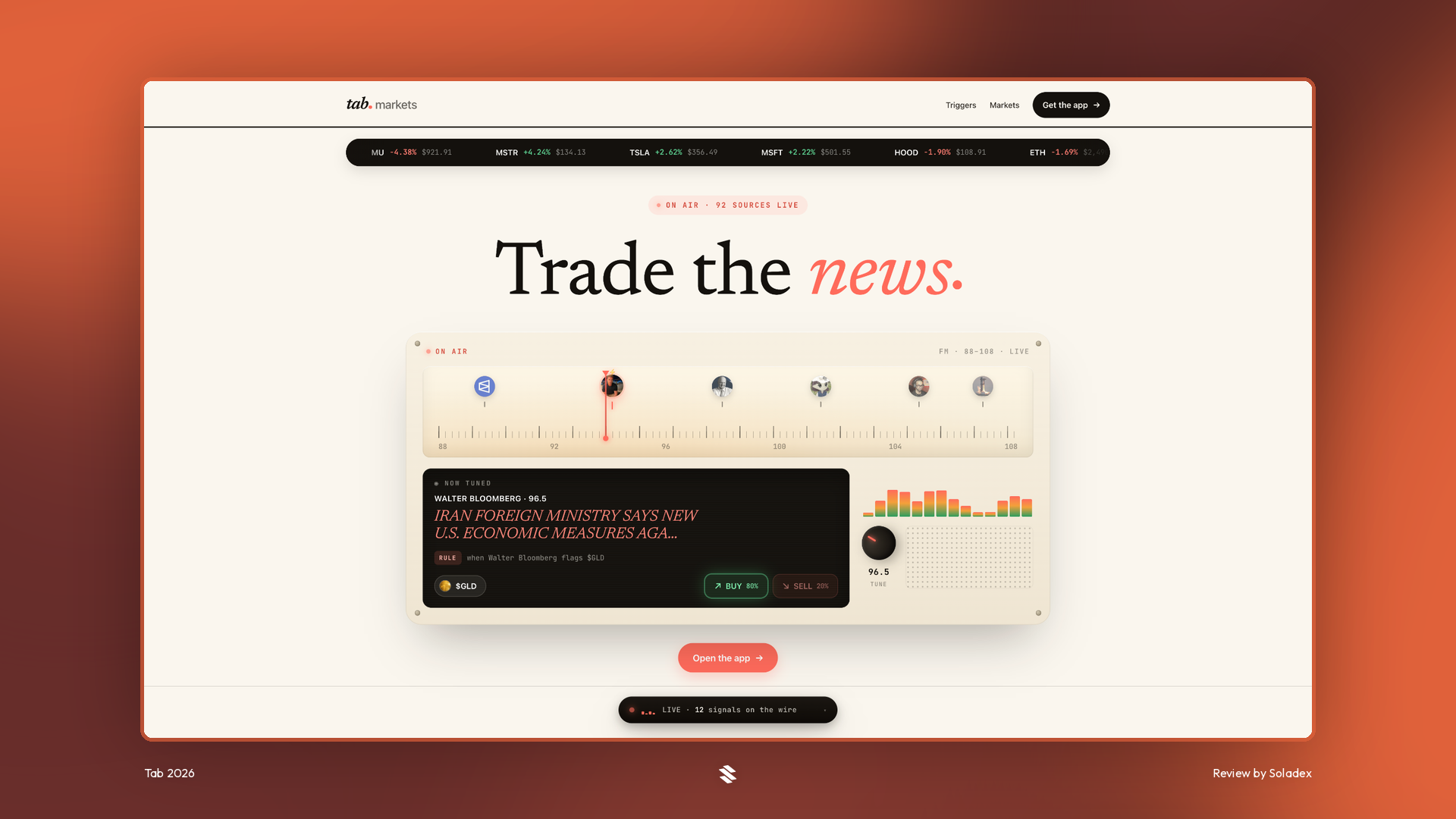
Crypto markets never stop, but traders cannot monitor every price move or news event. Tab Markets automates this process with customizable triggers and workflows that turn real-time market signals into alerts or perpetual-futures trades. Tab Markets lets users define three basic elements:
- What to watch: A source, keyword, news event, or price movement
- What should happen: Send a notification, buy, or sell
- When to activate it: Arm the trigger and allow Tab to monitor the market
A trigger can work independently or become part of a workflow containing several sequential actions.
Using the Tab App
Sign up with an email address or connect with an X (formerly Twitter) account. The app does not require an initial wallet connection because it creates a new wallet that is for trading on Tab alone.
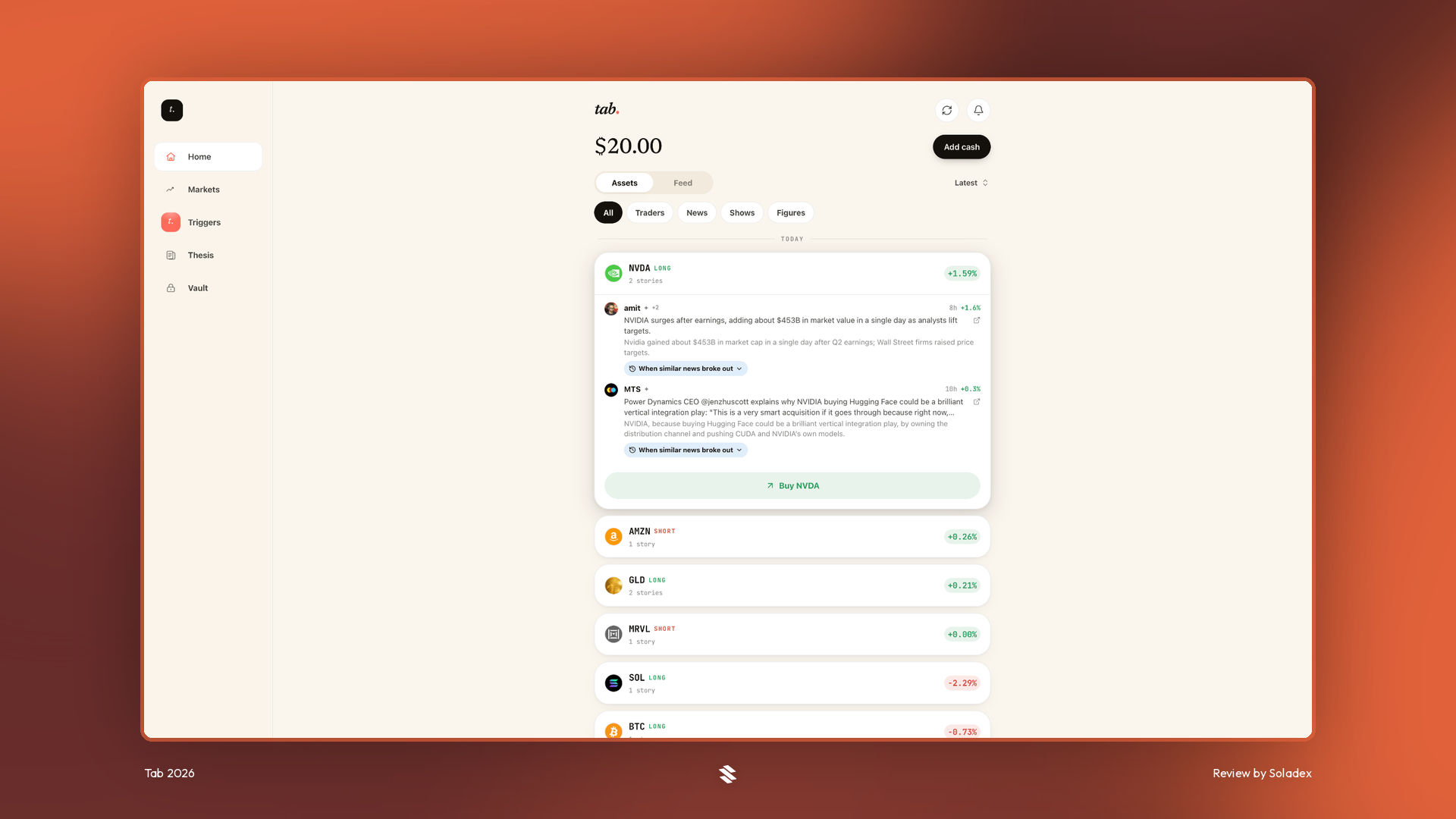
Home
The Home page provides an overview of Tab Markets, showing how users can monitor prices, news sources, and the sentiments in the financial markets. From here, traders can create rules, connect actions, and manage strategies that generate alerts or execute perpetual-futures trades.
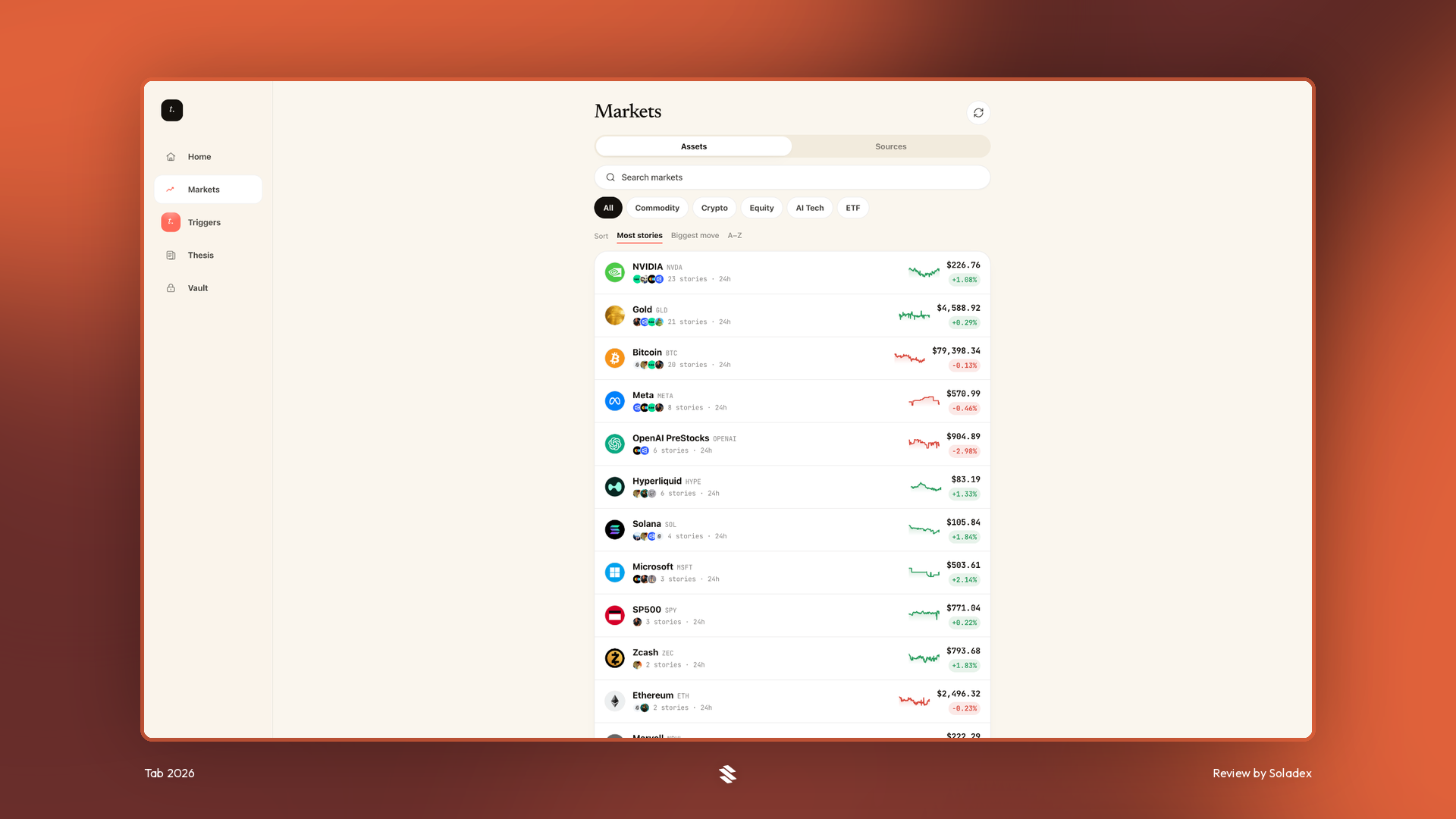
Markets
The Markets page lets users browse available assets and market activity to identify potential trading opportunities. Traders can select a market, define price- or news-based conditions, and connect them to automated buy, sell, or notification actions.
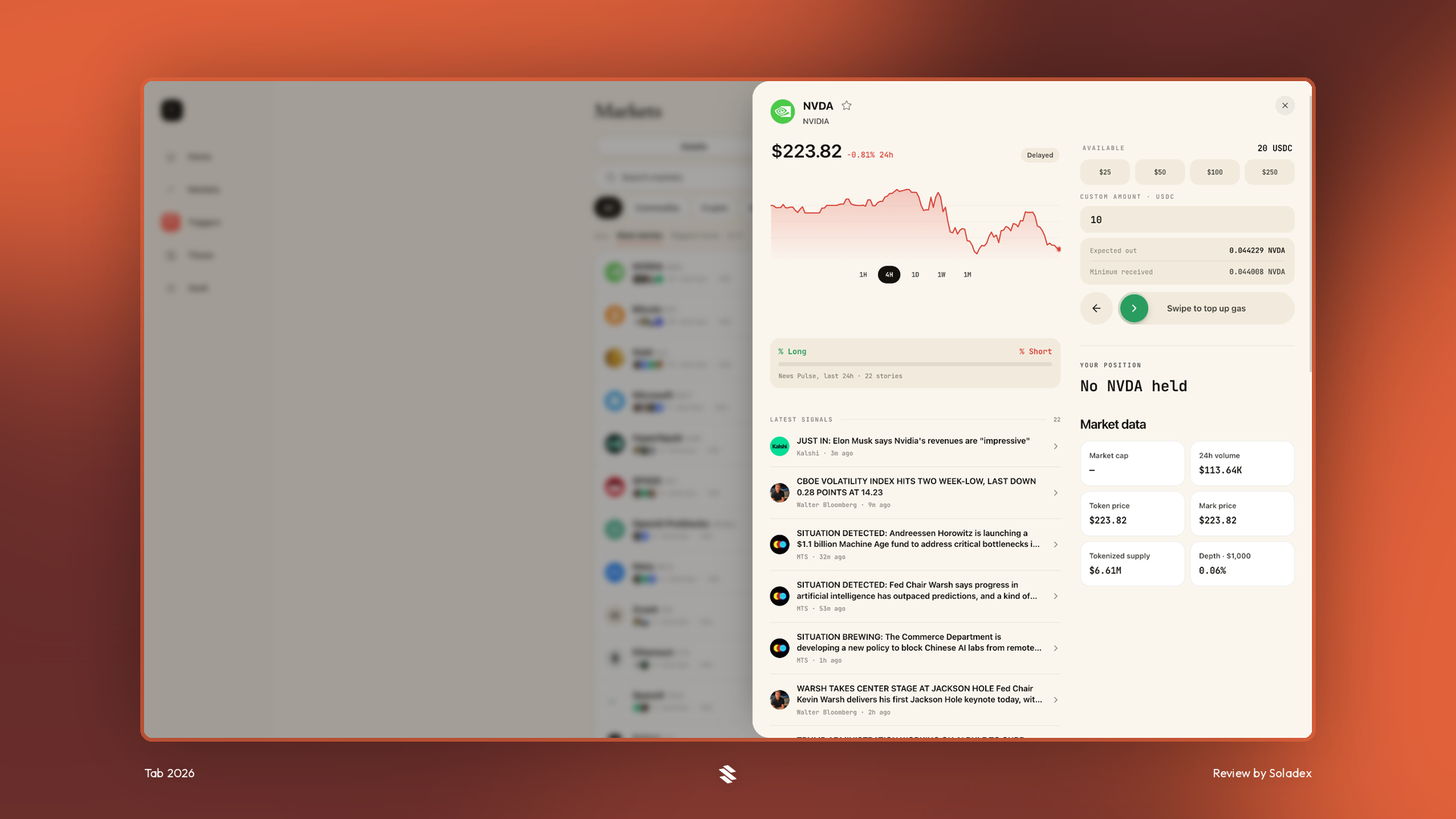
A trader can also go long or short the assets in the market directly from this page.
Triggers and Workflows
Triggers
A trigger is a one-shot automation rule that monitors the market until all configured conditions become true. It then executes its assigned action once and finishes. For example, a trader could configure a trigger to watch a selected news source, confirm that an asset reaches a chosen price, and open or close positions.
Workflow
A workflow links multiple triggers into a step-by-step trading plan. One trigger can arm the next, allowing the sequence to progress automatically. A workflow might contain an entry trigger that opens a position, a take-profit trigger that closes it after a favourable price move, and a stop-loss trigger that exits if the market moves against the position.
Only the entry step is initially armed. The remaining steps stay paused. When the entry fires, it activates the next relevant step, enabling the workflow to move forward without constant manual input.
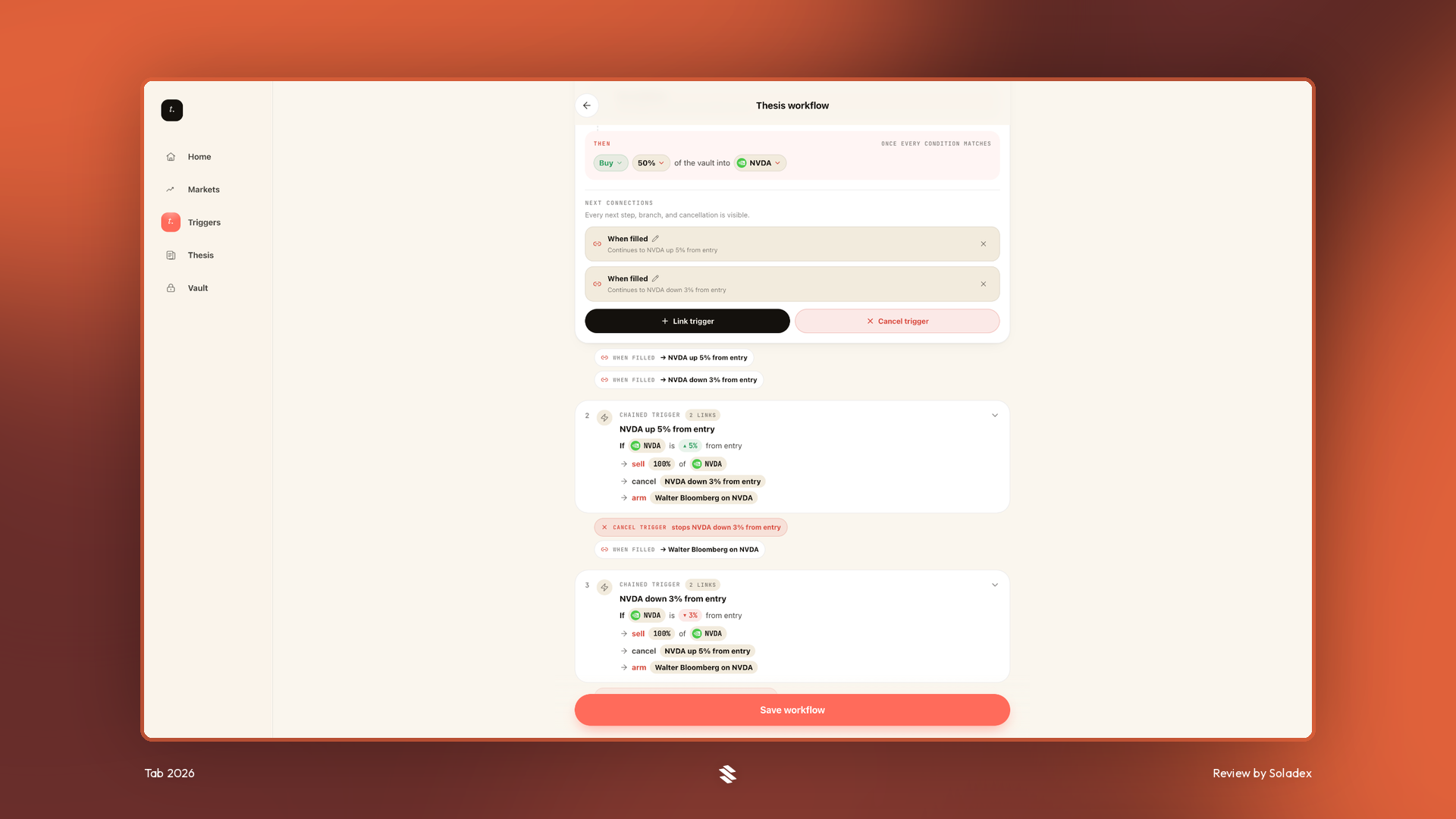
In the example below, I built a workflow on one of the top market signals, Walter Bloomberg, on the NVDA asset, using multiple triggers.
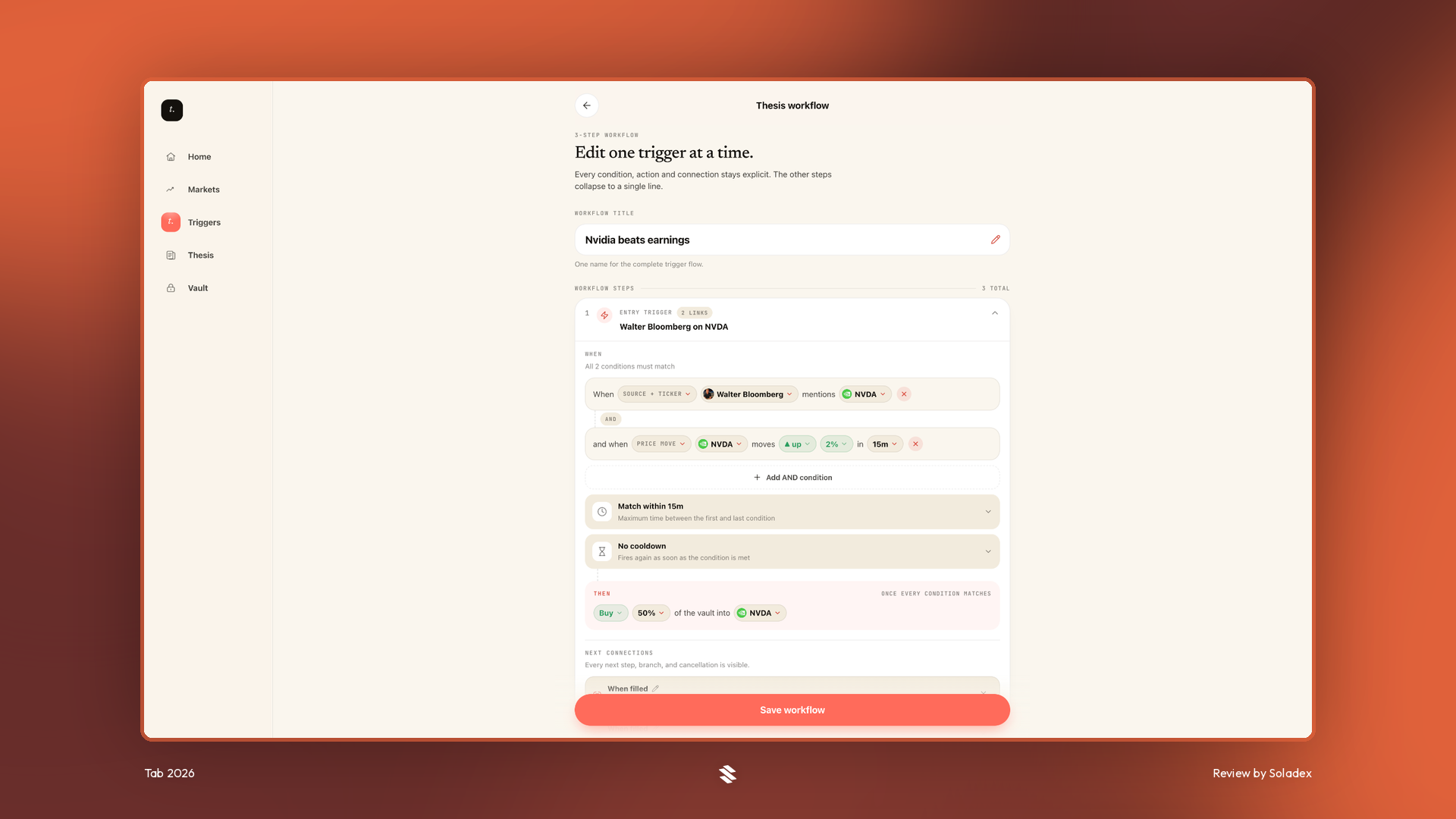
Workflows can be restarted, paused, resumed, or looped. Restarting resets the workflow by re-arming the entry step, pausing later steps, and clearing previous trigger records, while pausing preserves its current progress for later. Looping workflows allow later steps to re-arm earlier triggers, creating a repeating strategy that runs until disabled, although repeated trades may increase fees and risk.
Thesis
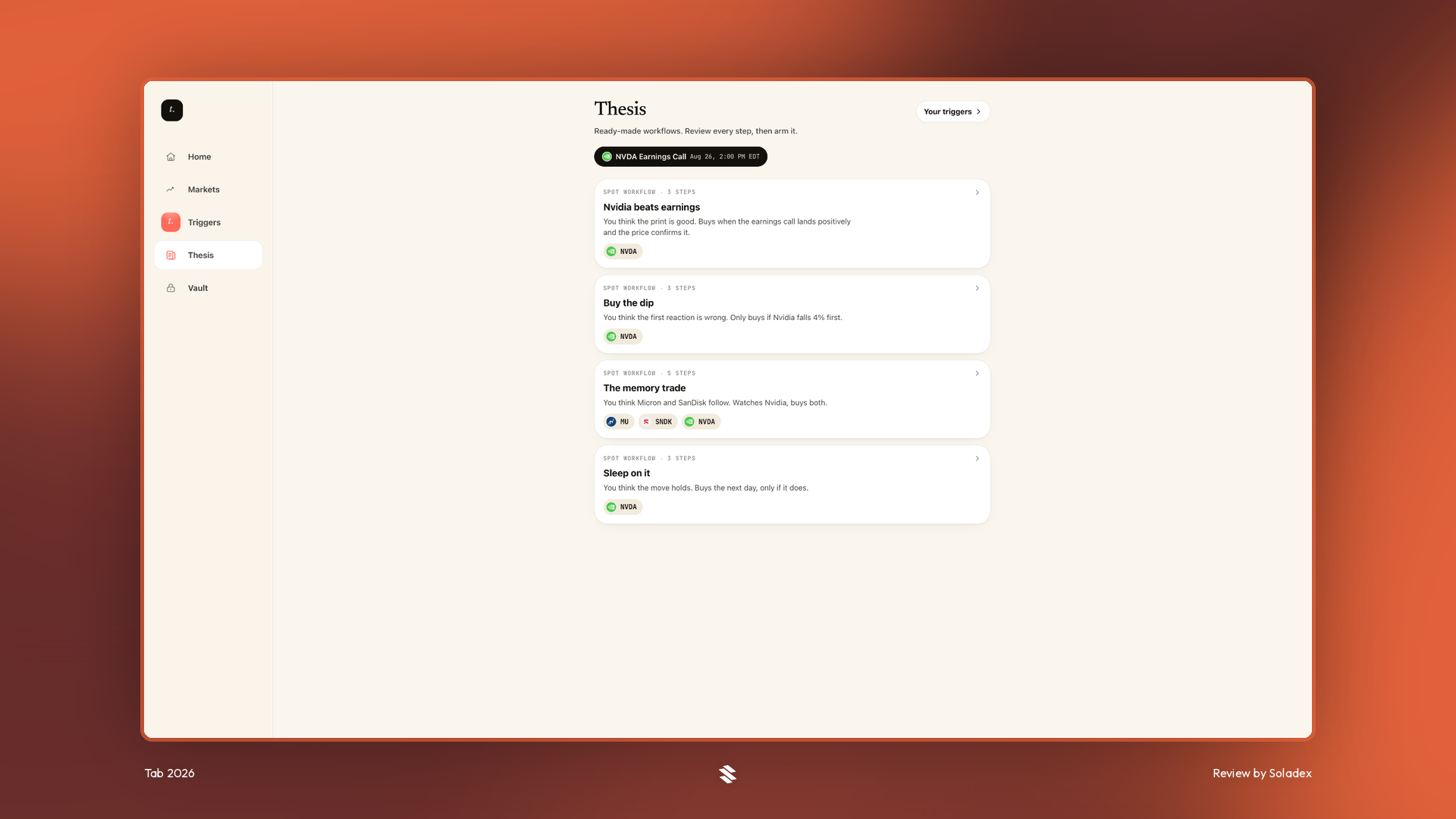
This is where users create and manage their trading strategy by defining what the protocol should monitor and how it should respond. You can combine news, keywords, source, and price conditions with alerts or perpetual-futures actions, using a dedicated USDC trading vault that keeps your primary wallet unused.
Vault
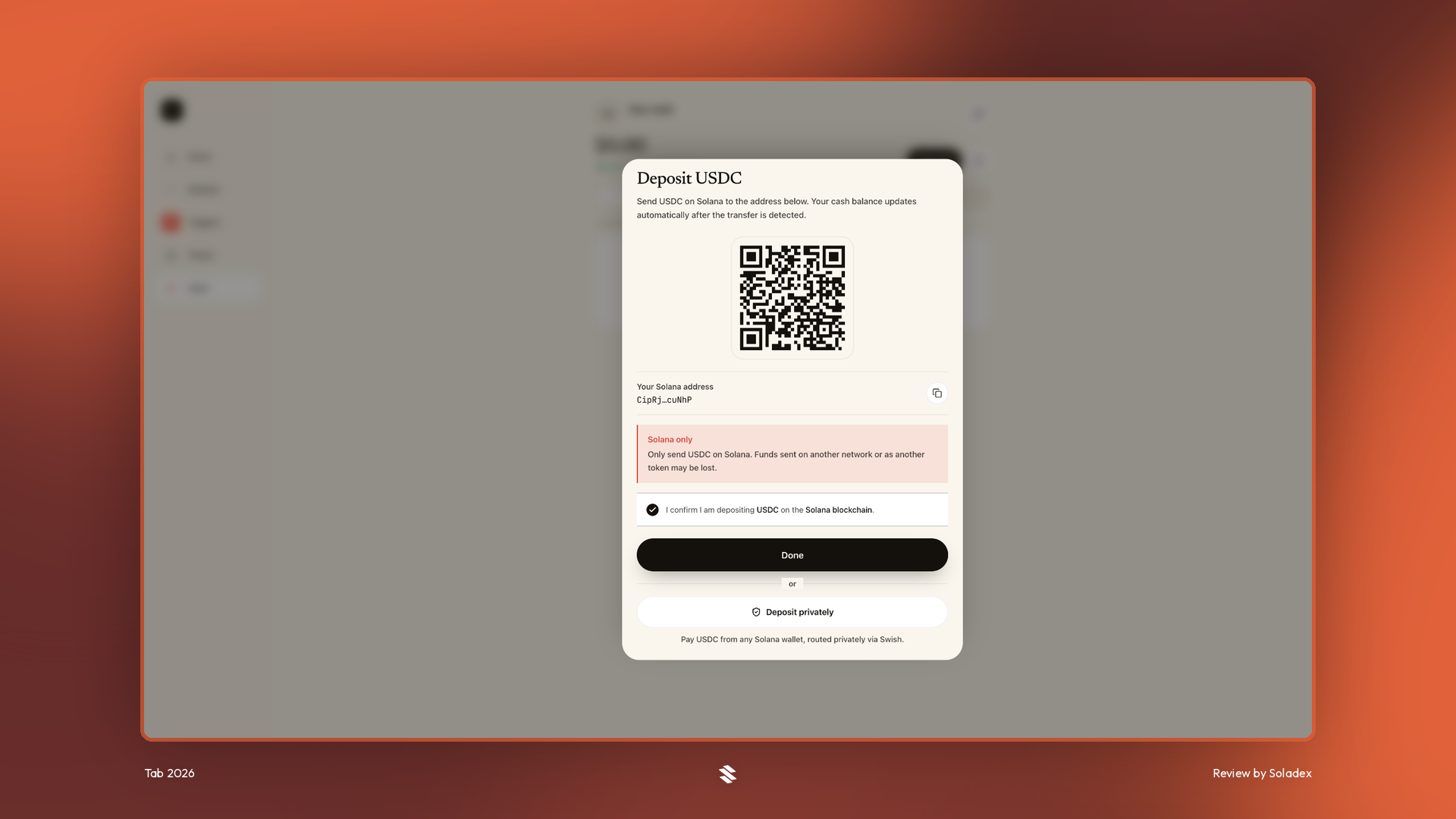
A trading vault is a separate wallet owned by the user that stores the USDC used by a workflow. It isolates trading funds so that your primary wallet remains untouched. If no vault exists, you must create and fund one in the prompt that would be displayed immediately after you select “Add cash”.
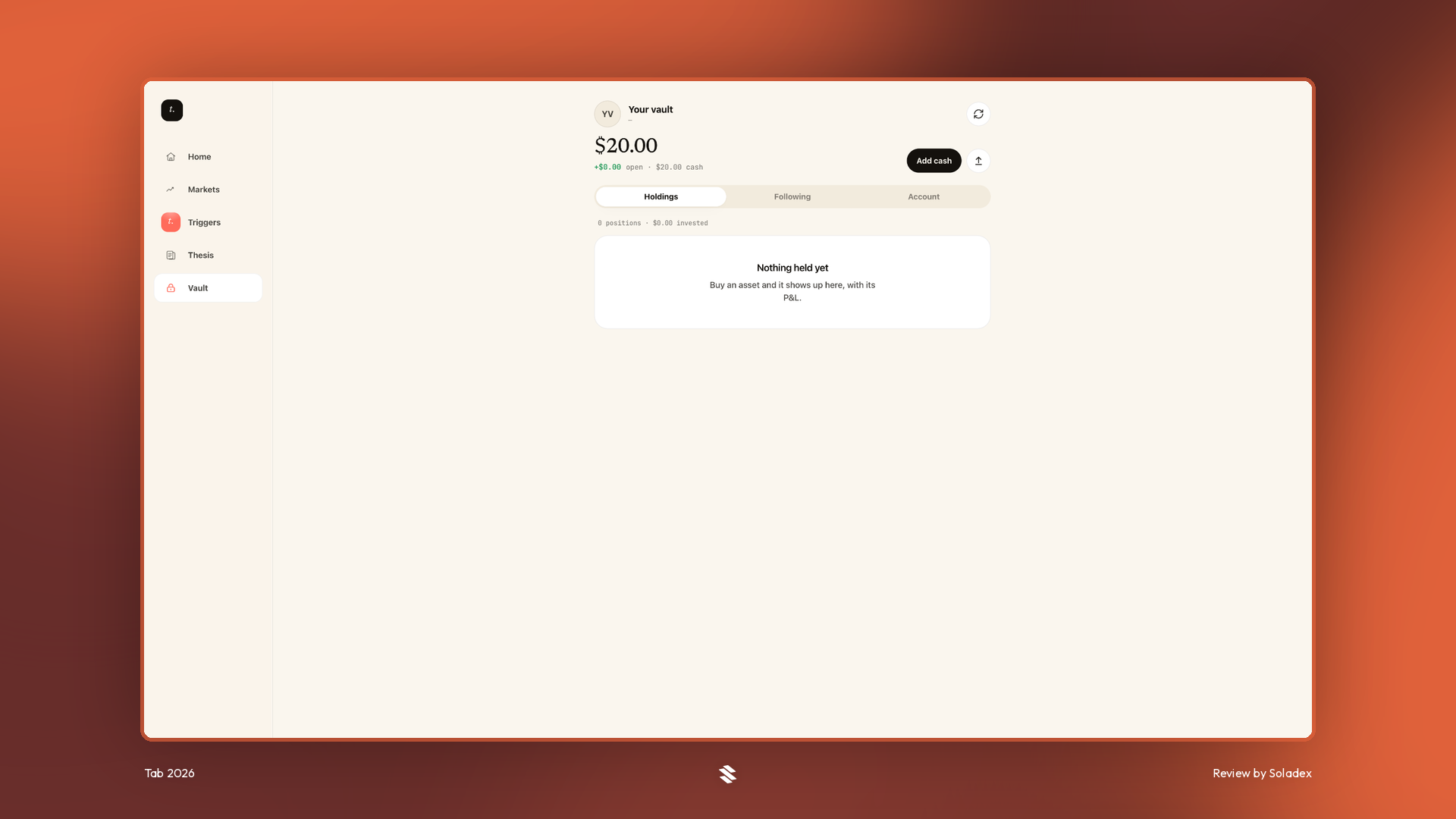
In the screenshot above, I clicked “Add cash” to get the wallet address of my newly created vault and then deposited $20 into the app.
Risks and Limitations
Tab is useful for traders seeking continuous market monitoring, news- and price-based automation and multi-step trading strategies, but this automation does not guarantee profitable or timely execution. Users should consider that perpetual positions can be liquidated and any poorly designed condition may activate at the wrong time. Some of the additional risks include volatile price movements between executions and smart contract risks.
Conclusion
Tab Markets combines market monitoring with rule-based crypto trading. Its one-shot triggers suit individual actions, while workflows allow users to build sequential strategies involving entries, exits, pauses, restarts, and loops. Nevertheless, you should test simple rules with limited capital before attempting looping workflows. Automation can improve consistency, but it cannot remove market risk or compensate for a poorly designed strategy.