


What is Phoenix?
Phoenix Trade is a trading platform on Solana that allows users to trade perpetual futures, also known as perps. Unlike spot trading, where you buy and own the actual asset, perpetual futures let you trade the price movement of an asset without directly holding it. On Phoenix, users can go long if they believe a market will rise, or go short if they believe the price will fall. The platform uses USDC as collateral, meaning users deposit USDC into their Phoenix account and use it to open and manage trades.
Using Phoenix Trade
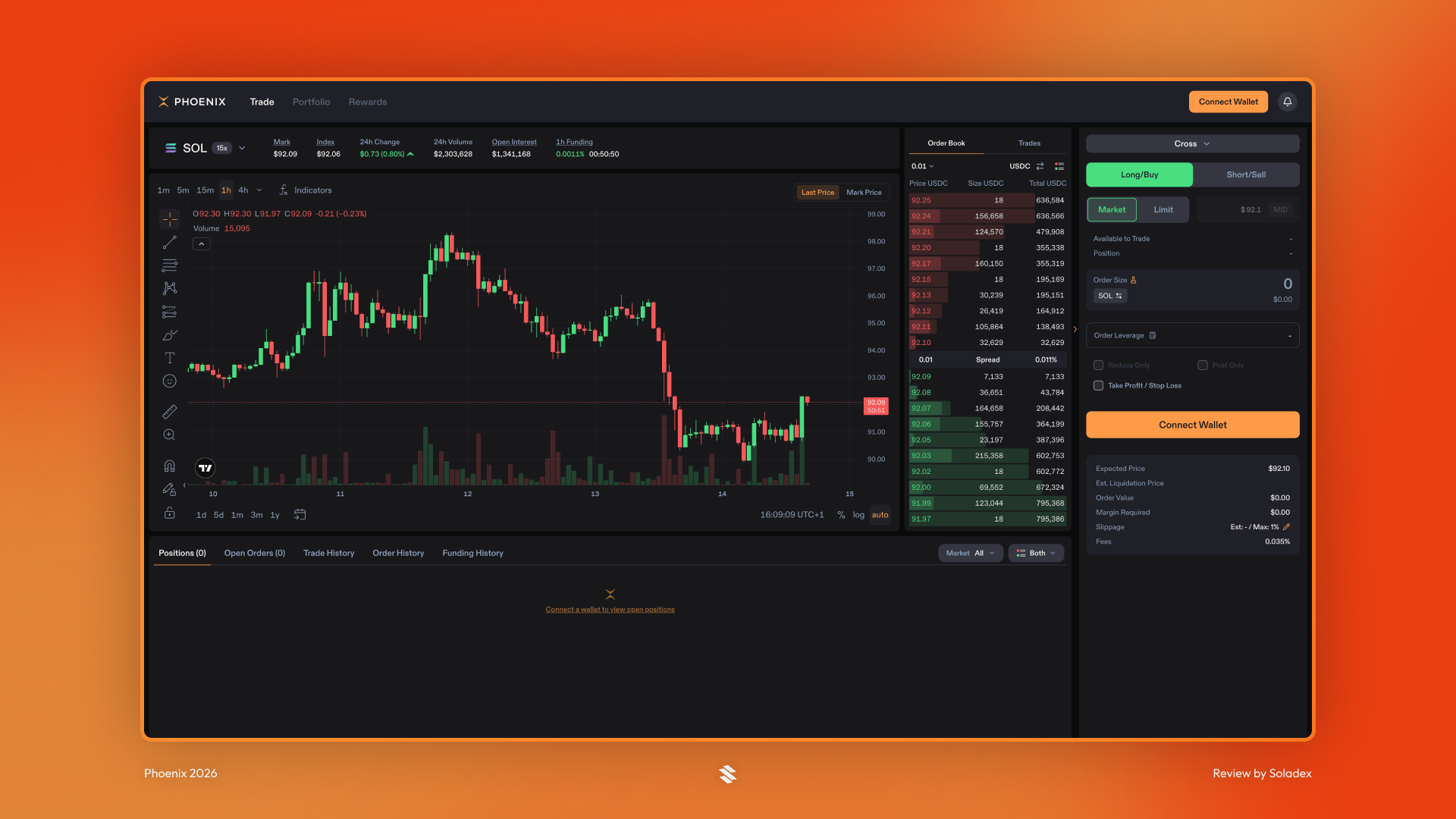
The user flow on Phoenix is simple. Users connect their wallets, deposit USDC and then choose a market. Then they long or short the token with their order type, size and leverage. Finally, they monitor their positions after entry.
Depositing USDC
To use Phoenix, a trader connects a Solana wallet and deposits USDC as collateral. This collateral is what open positions depend on, and the value determines how much risk the account can take. The more USDC in the account, the more leverage it can capture. I deposited 40 USDC in my account to proceed.

Long or Short
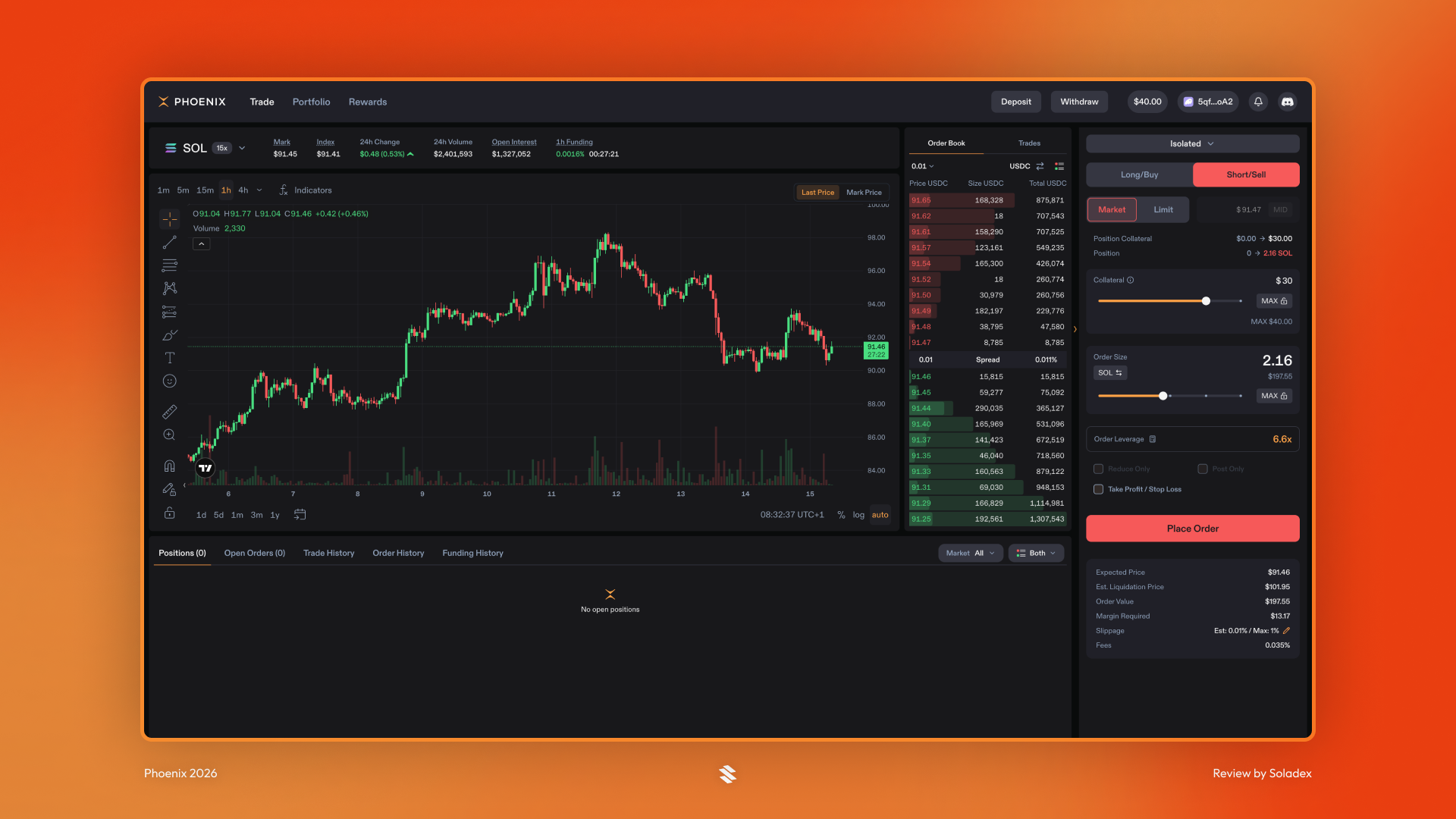
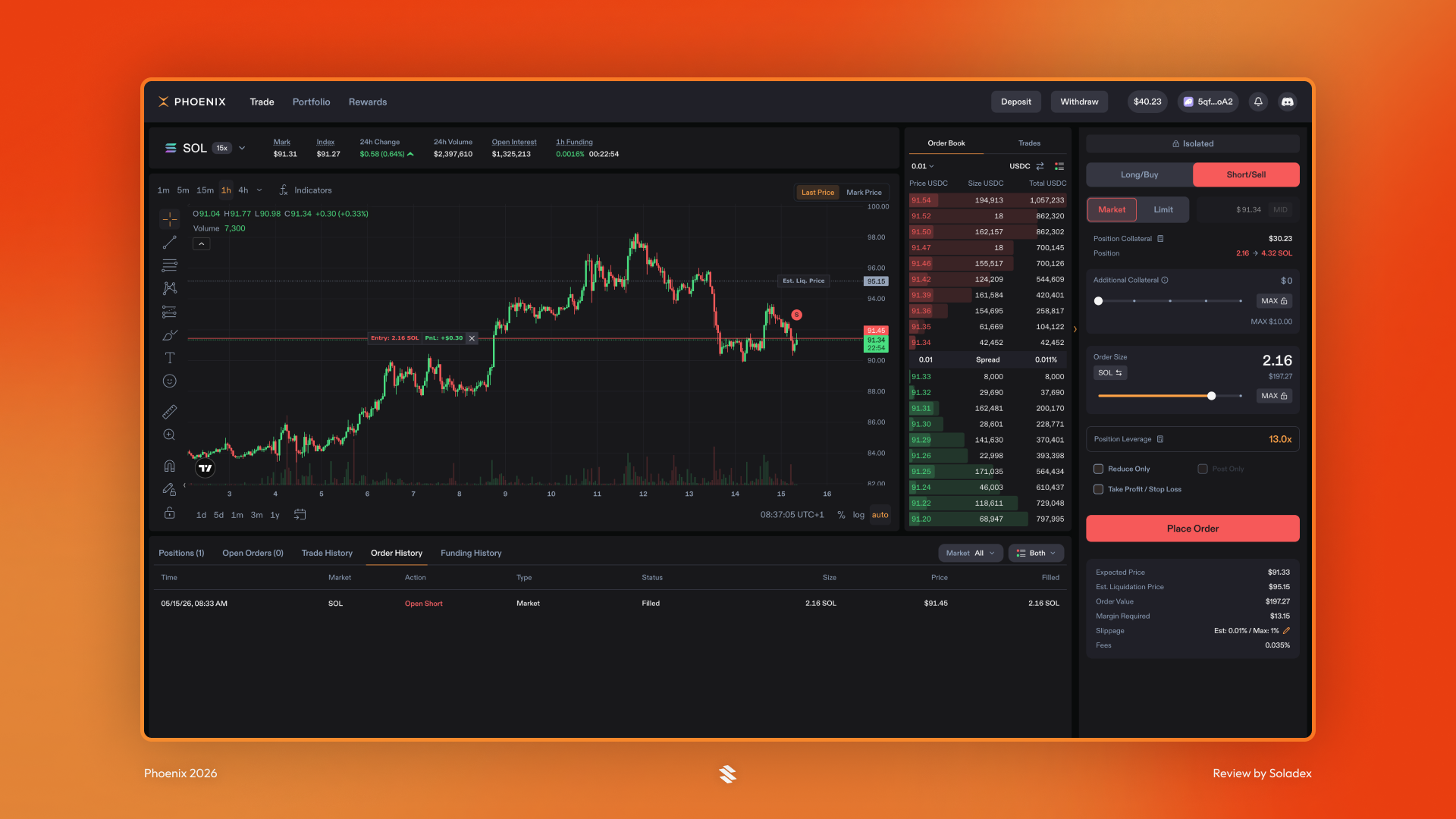
Once USDC is deposited, the user can choose a market, decide whether to go long or short, select an order type, set position size, and place a trade. A long position means the trader expects the price to go up. A short position means the trader expects the price to go down. In the example below, I used the market order type to short SOL on the exchange.
Order Types
Phoenix supports different order types depending on how the user wants to enter or exit a trade. A market order is used when speed matters most to the trader. It buys or sells immediately at the best available price. A limit order lets the user set the price they want. This gives traders more control over their entry or exit price.
Cross and Isolated Accounts
Phoenix supports both cross and isolated accounts. A cross-account uses one shared collateral balance across multiple positions. An isolated account keeps risk separate for a single position. This means losses in that isolated position are limited to the collateral assigned to it.
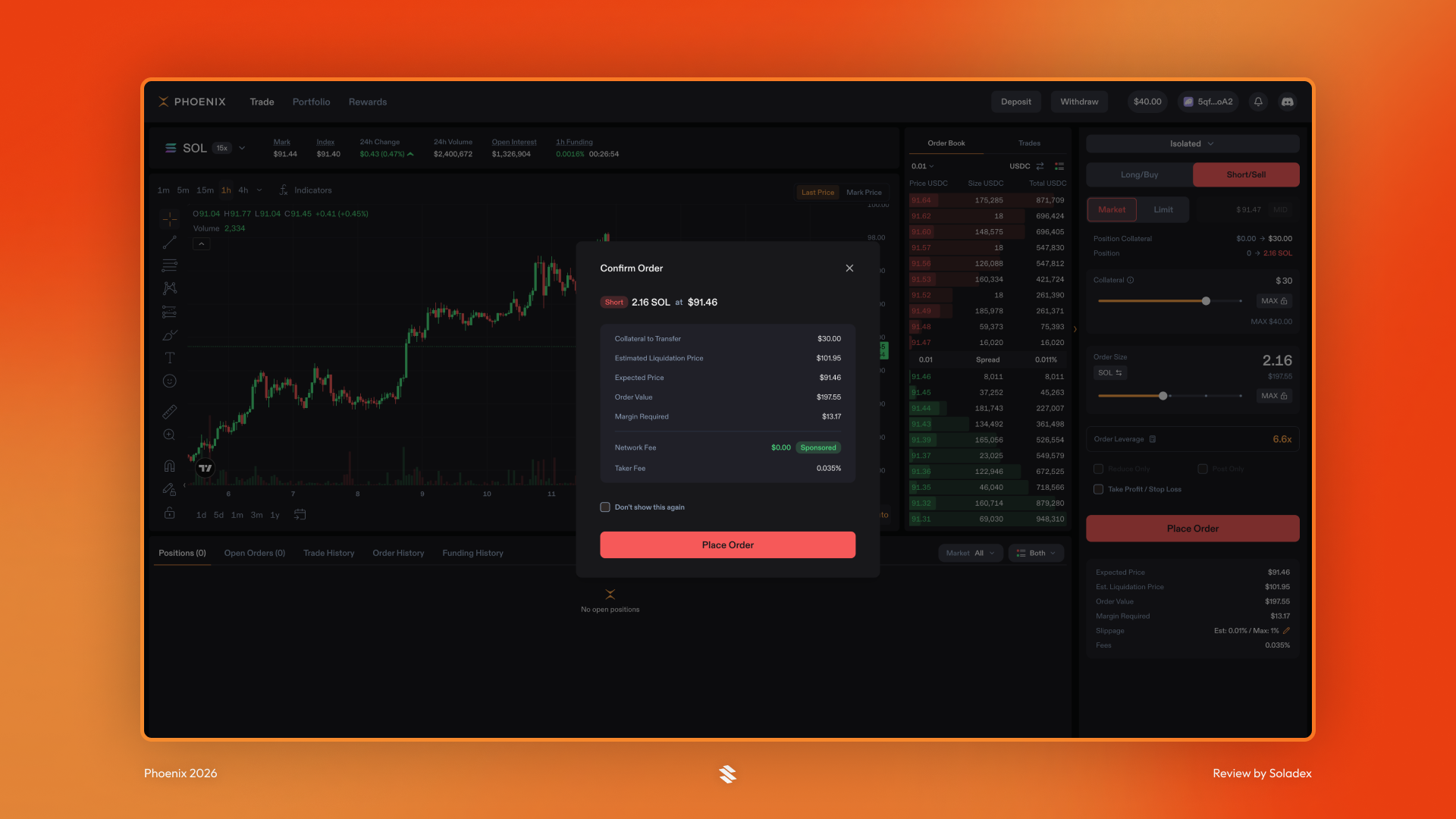
By clicking “Place Order,” Phoenix displays a summary of the trade and by selecting “Place Order” again, the trade is initiated.
Take Profit and Stop Loss
A Take Profit order helps close a trade when the market reaches a profitable level, while a Stop Loss order helps close a trade when the market moves against the trader to reach asset liquidation. For example, if a trader opens a long position on SOL, they may set a take profit above the entry price and a stop loss below the entry price. These tools help reduce the need to constantly check the chart. I set the stop loss in the trade below at 10% for both gain and loss.
All open trades are displayed in the Positions section beneath the chart with details such as the size, unrealised P&L, liquidation price and margin.

Trade History
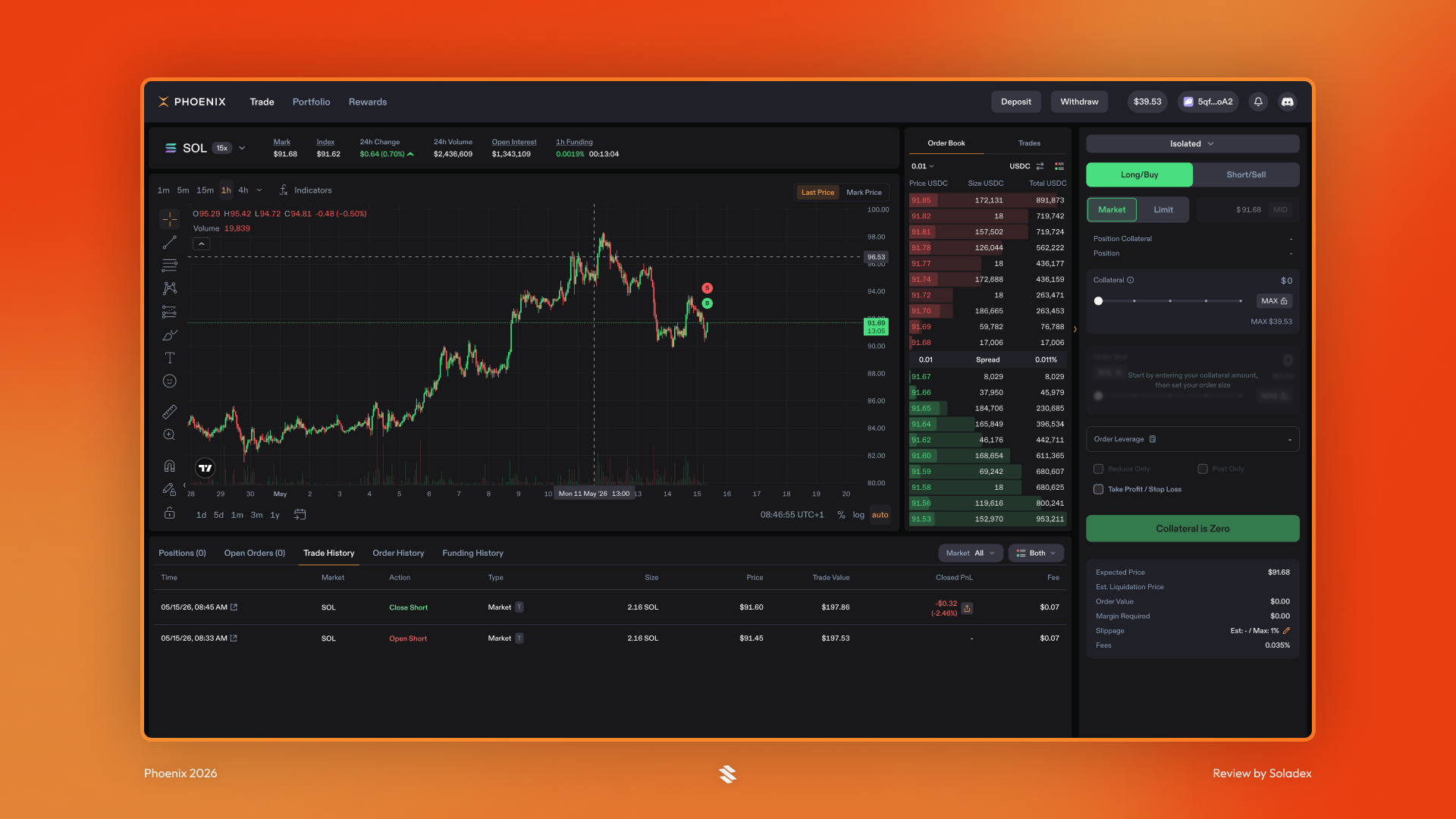
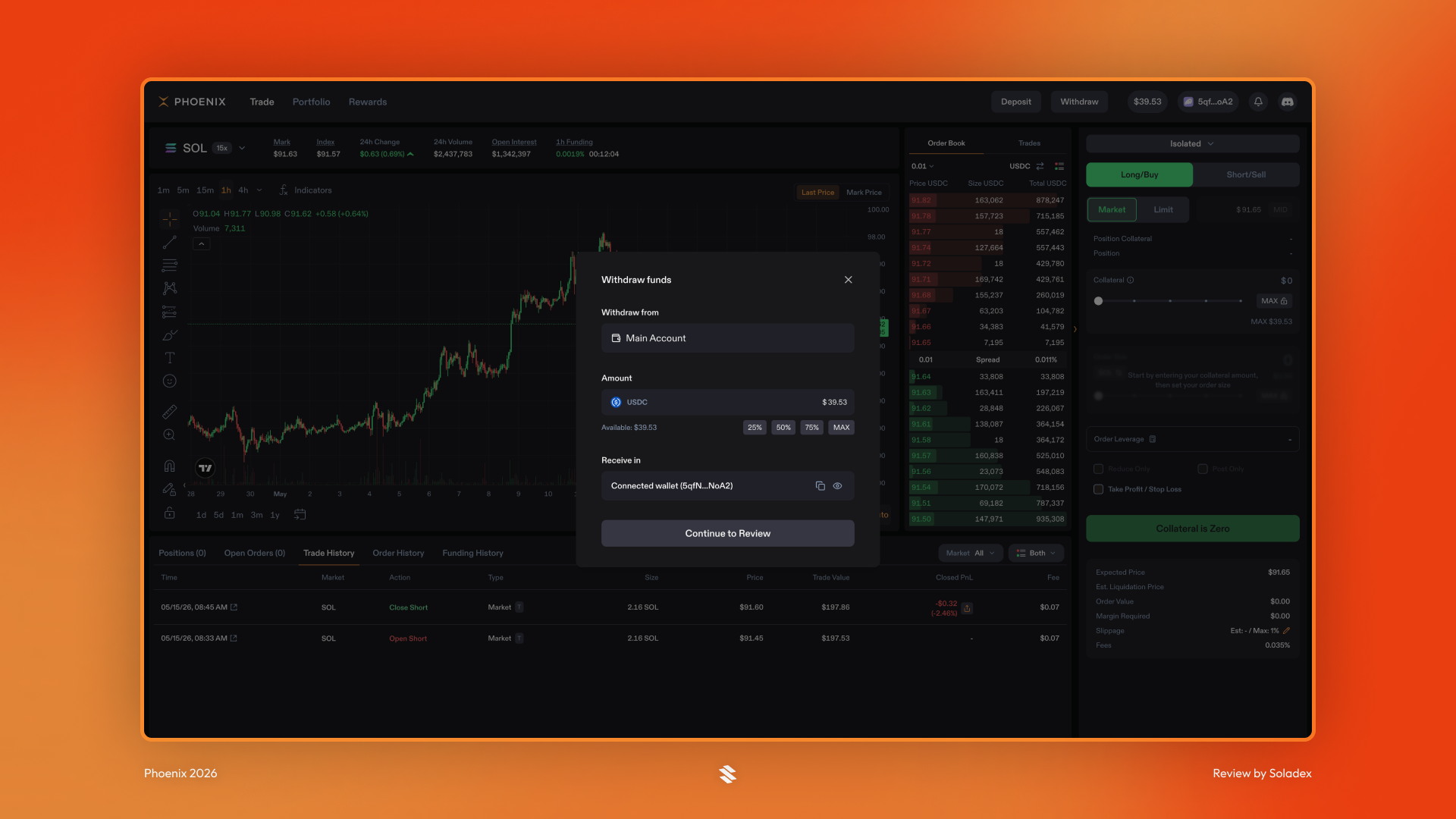
All trades executed on Phoenix from an account are recorded in the Trade History section. Additional on-chain details can be accessed by clicking the arrow beside the timestamp. It leads to the transaction on a Solana explorer. It helps in verifying final costs and fees paid.
Order History
The order history shows all placed orders, both the ones that are open, filled or cancelled. It provides the trader with a complete history of their actions and intentions while using Phoenix.
Portfolio
The portfolio page provides a chart for the value of a user’s account and other details such as the trader’s current market exposure, collateral and the amount of unused USDC. Total amount traded, cumulative PnL and daily PnL are also some of the data displayed.

To get a quick view of the account stats on Phoenix, click the button with the portfolio balance. In the example below, the figure to click was the $40.01 button, as that is the balance in my account on Phoenix. Other information, such as funding, margin, and unrealized profit and loss, is displayed.

Rewards for Traders
Users who trade at least $10,000 on Phoenix are eligible for a referral code. This gives them a 20% Fee share and a discount of 10% for those they refer to Phoenix.

After completing a trade, to withdraw assets, click “Withdraw” to remove deposited funds from Phoenix.
Conclusion
Phoenix Trade is a futures platform on Solana that allows users to trade long or short using USDC collateral. It offers a fast trading experience with different order types, leverage, account health tracking, take profit, stop loss, and transparent fee structures. It is useful for traders who want more than basic spot trading and are comfortable managing margin and liquidation risk.