


What is Poll?
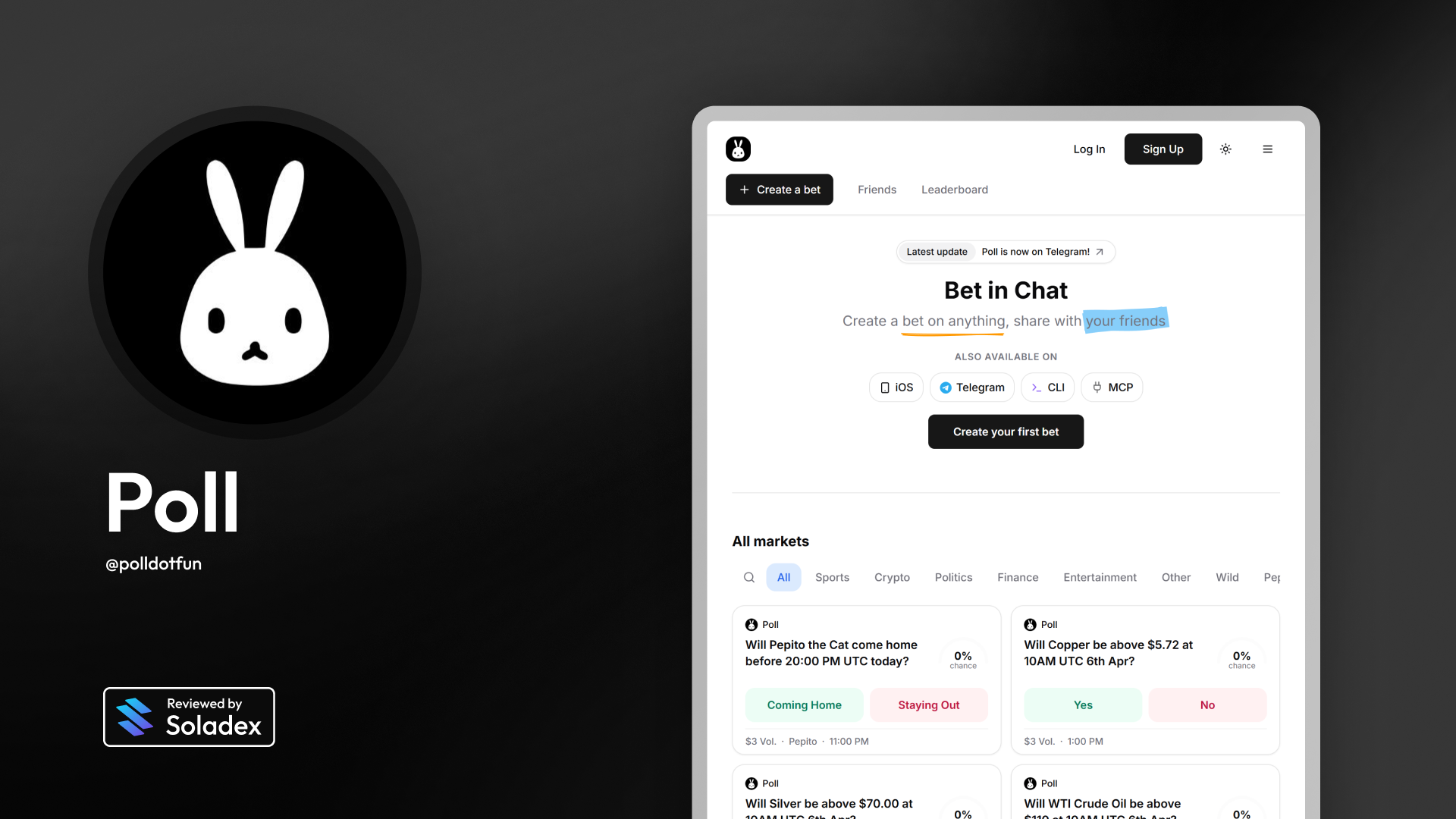
Poll is a peer-to-peer betting layer, allowing you to bet on anything from crypto token prices to sports, current events, or whatever you and your friends want to wager on. It runs on Solana and uses USDC for on-chain settlements and instant payouts. Users can predict on Poll by depositing through USDC directly or via Apple Pay through Coinbase.
How It Works
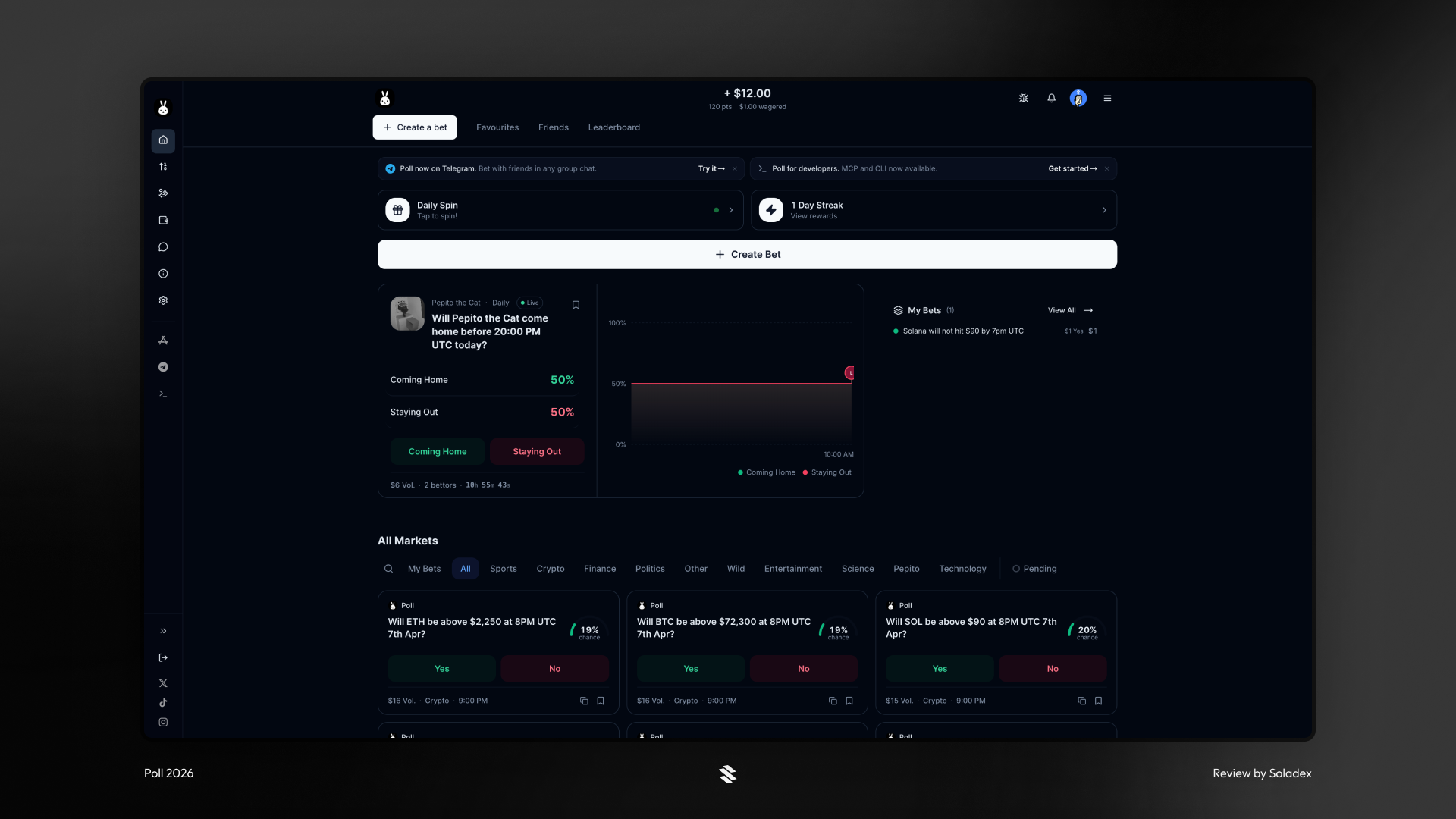
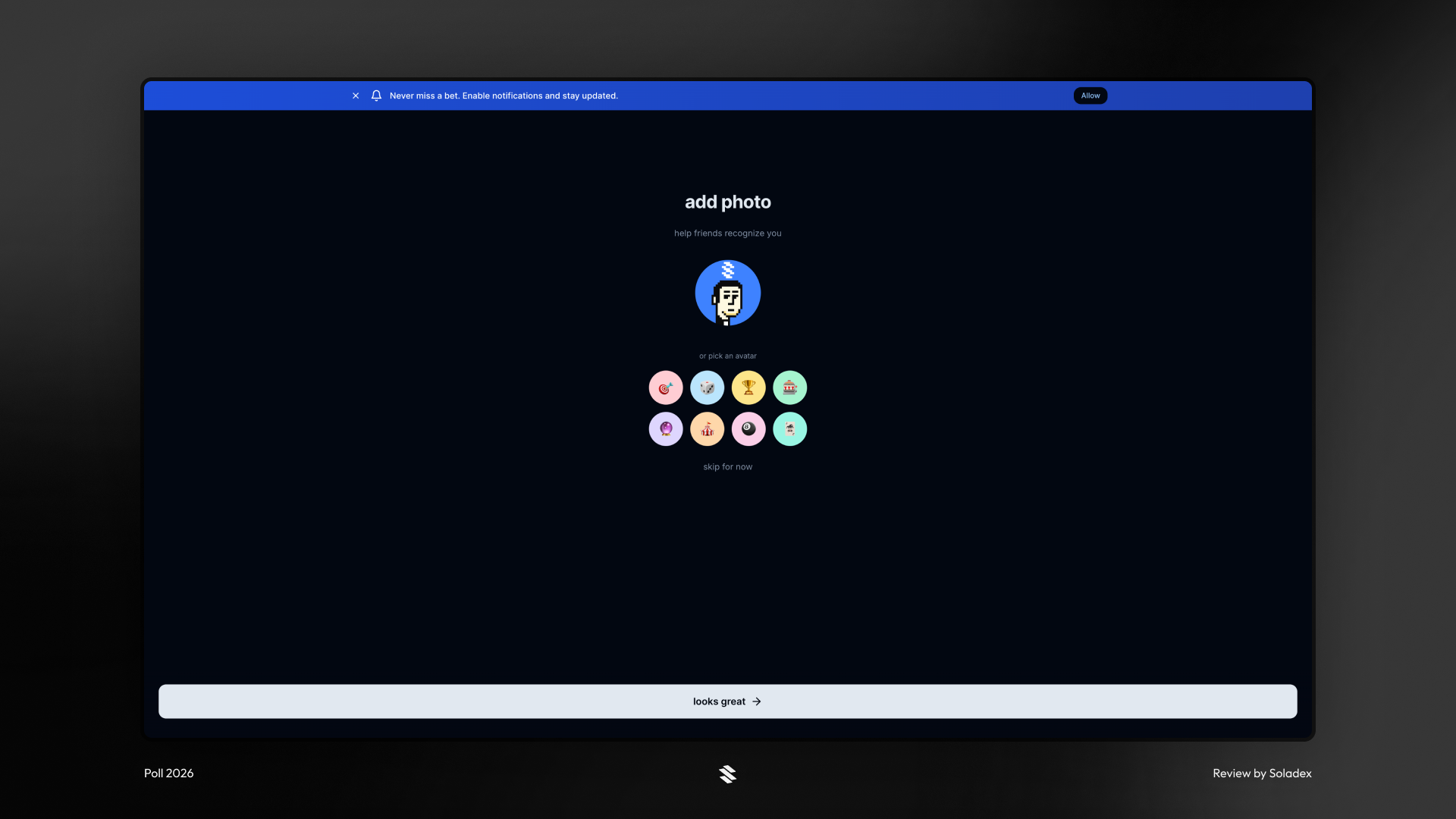
Getting started on Poll is easy - sign up with your Google or Apple account, deposit funds, and now you’re ready to place your first bet! Set up your profile with details such as name and profile picture (upload your own or select an avatar), to start using Poll.
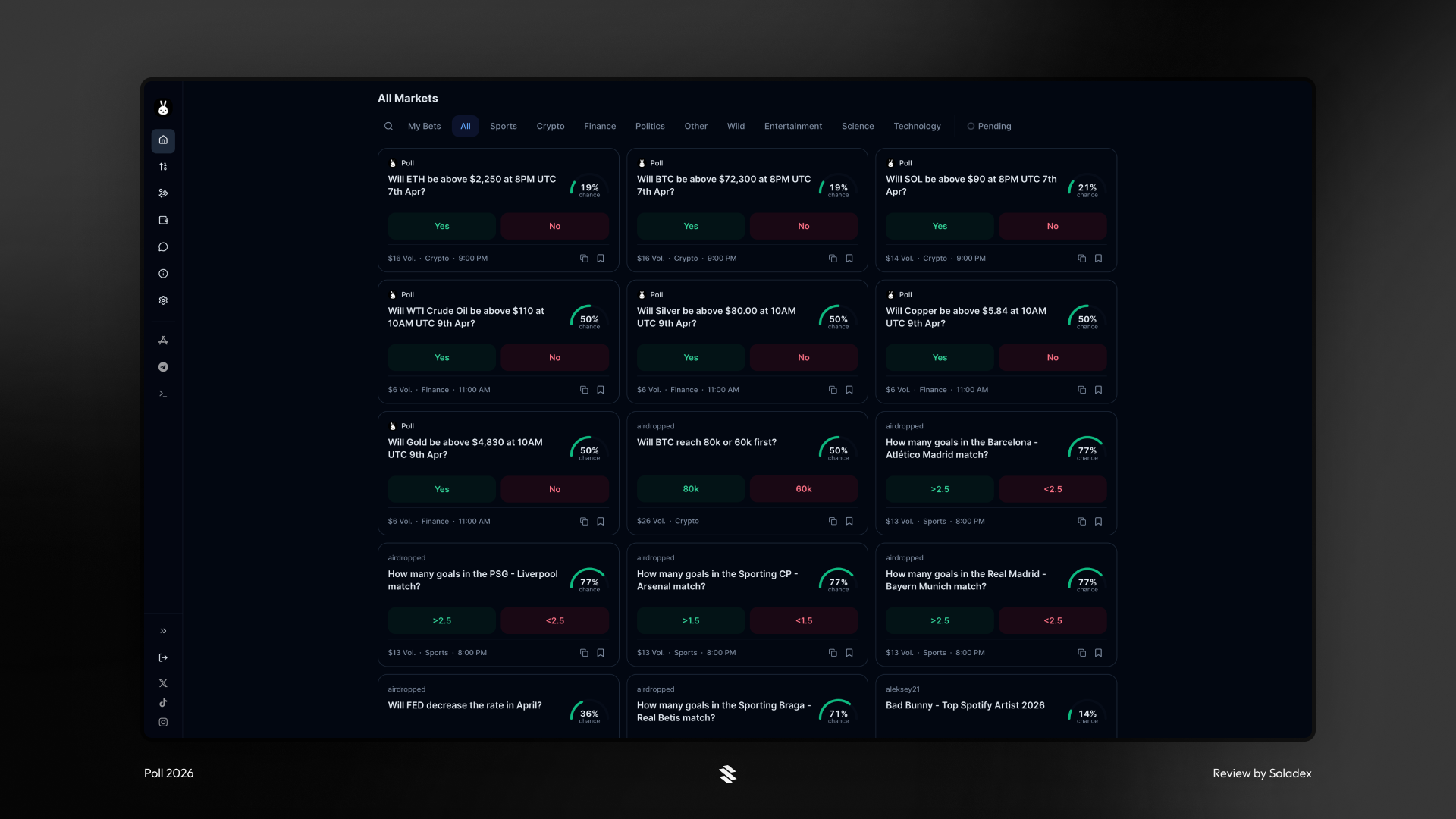
Once you're in, you can browse open markets and pick a side. Poll shows you the current odds displayed as a percentage chance, so you always know what you're getting into before you commit. The primary options available are Yes or No, where “Yes” means you agree with the statement in the bet, and “No” means you disagree. Poll also includes custom options with outcomes such as Win/Loss and Team A/Team B.
Deposits can be made in crypto without any limits, or through Apple Pay up to $500. The Apple Pay option is limited to the Coinbase on-ramp support available in a user’s region. To make a deposit using Apple Pay, click on “Deposit”.
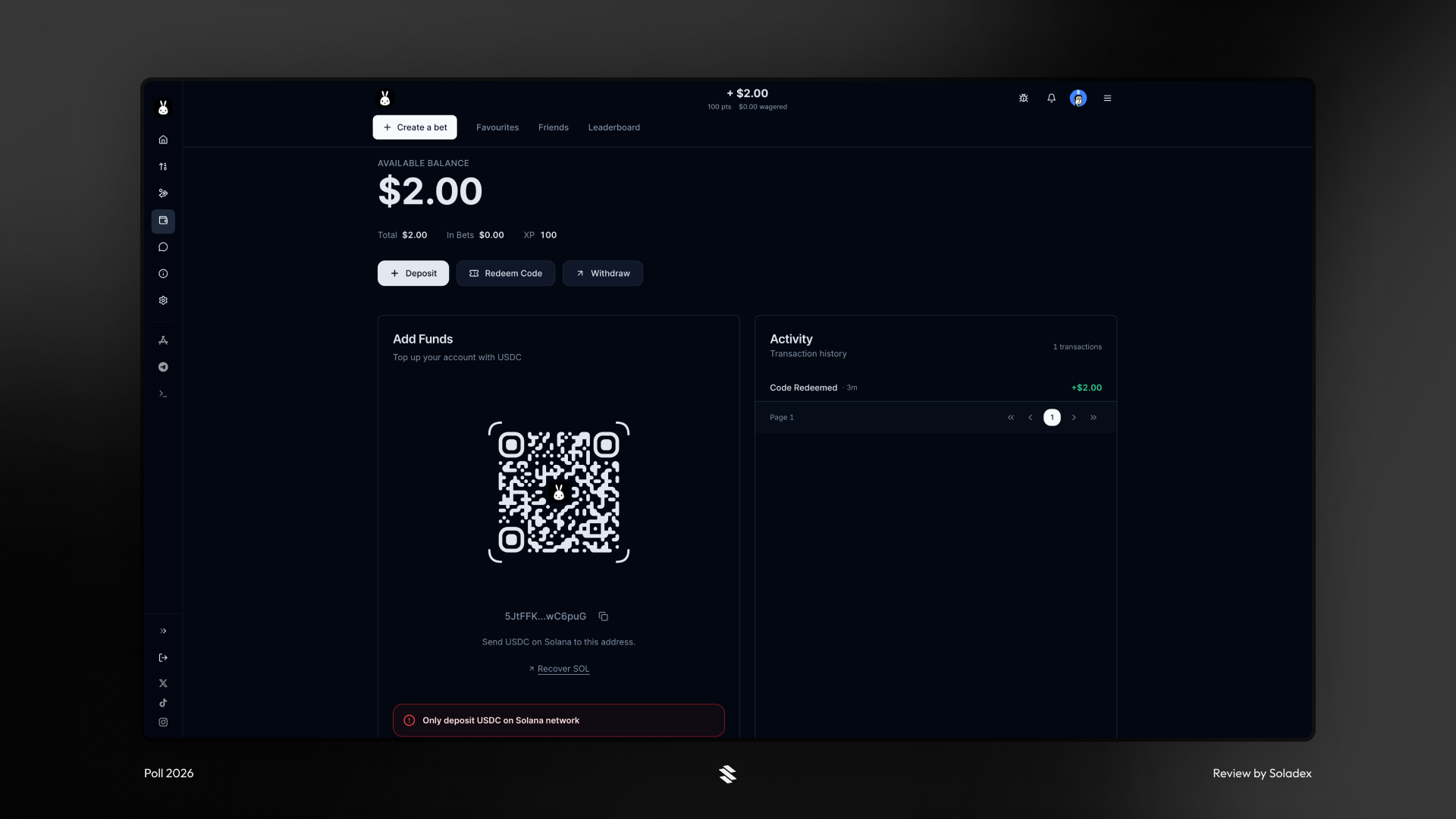
Select Apple Pay and proceed with the steps through Coinbase.
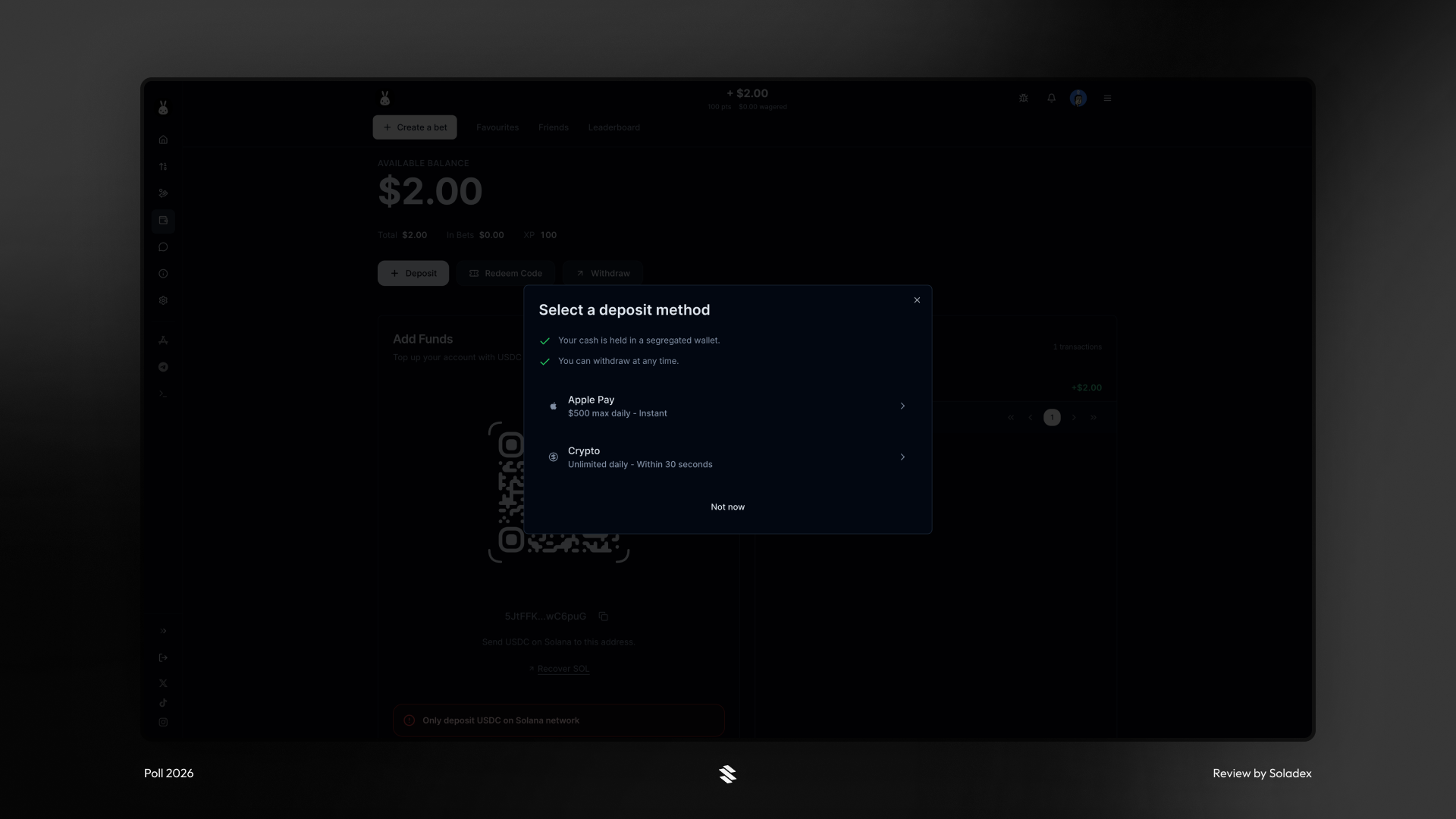
To deposit using USDC on-chain, click on “Crypto” after selecting Deposit. You can also copy the address displayed in the Add Funds section or scan the QR code.
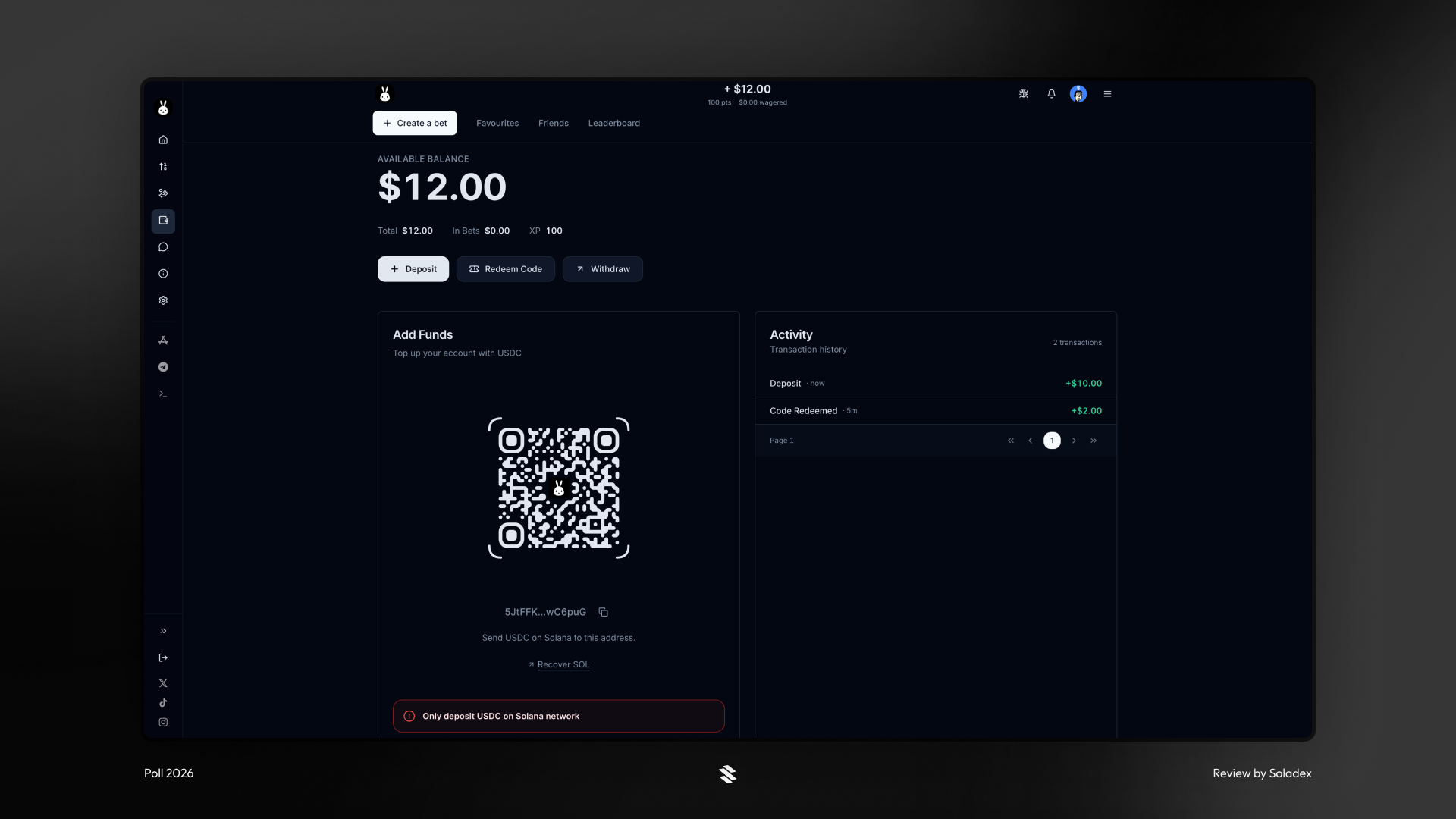
Creating a Bet on Poll
To create a bet on Poll, click “Create a Bet” at the top of the screen on the homepage.
After that, enter the title of your bet.
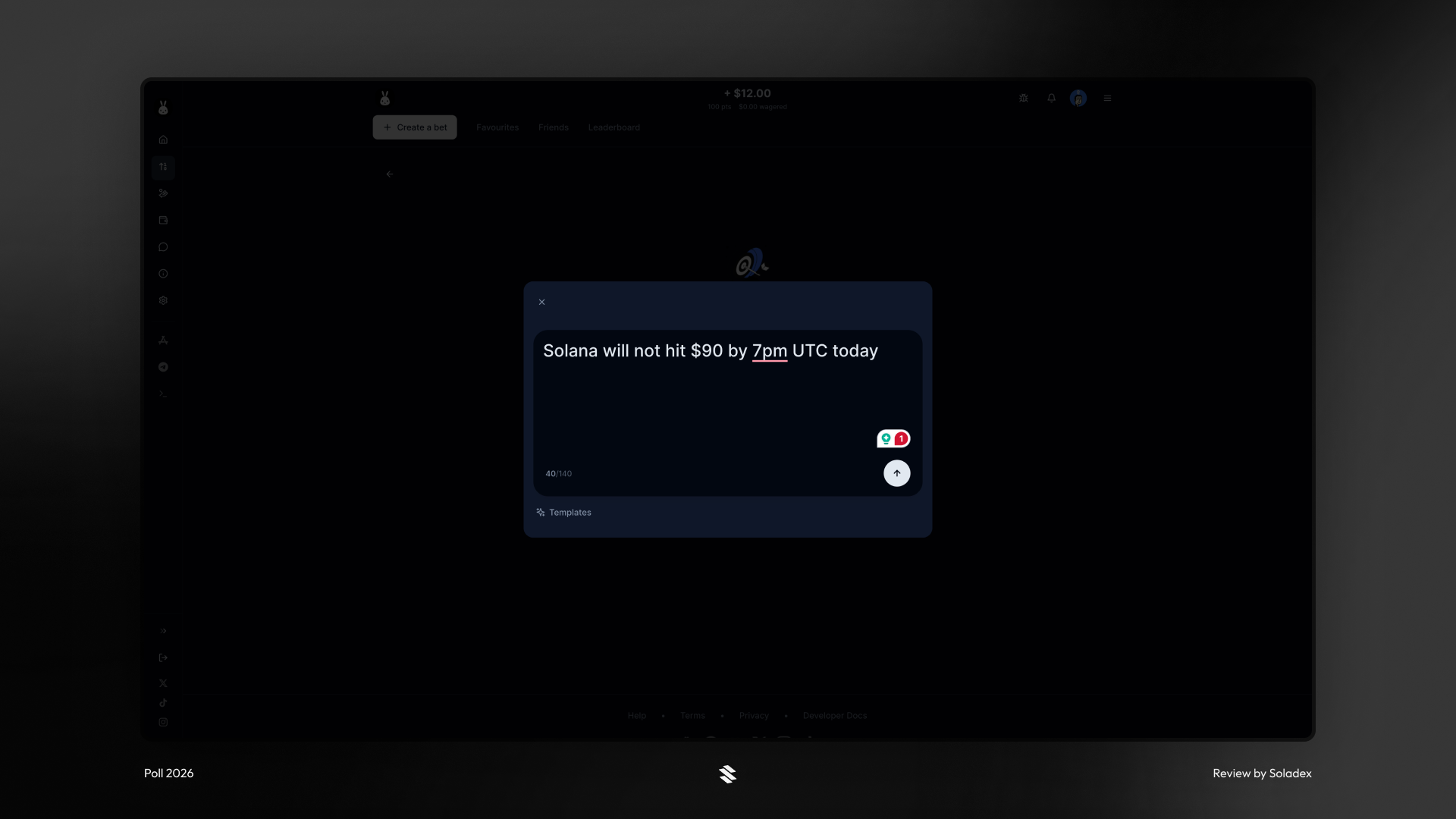
Bets on Poll can include additional details for clarity. In the example below, you see that a wager should have a deadline for when the bet does conclude, after which the winners get their share. If a creator does not include these details, Poll uses the default.
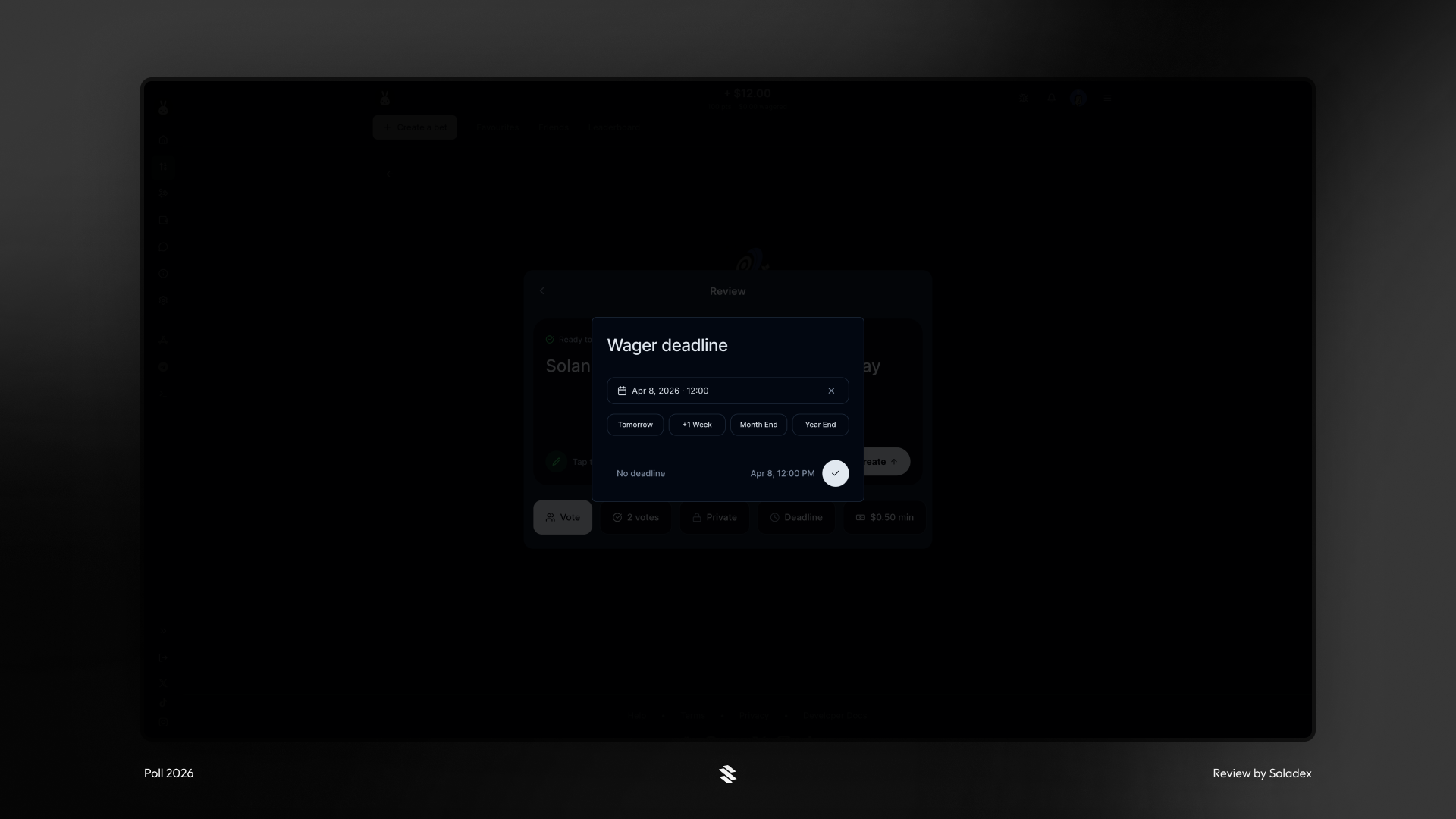
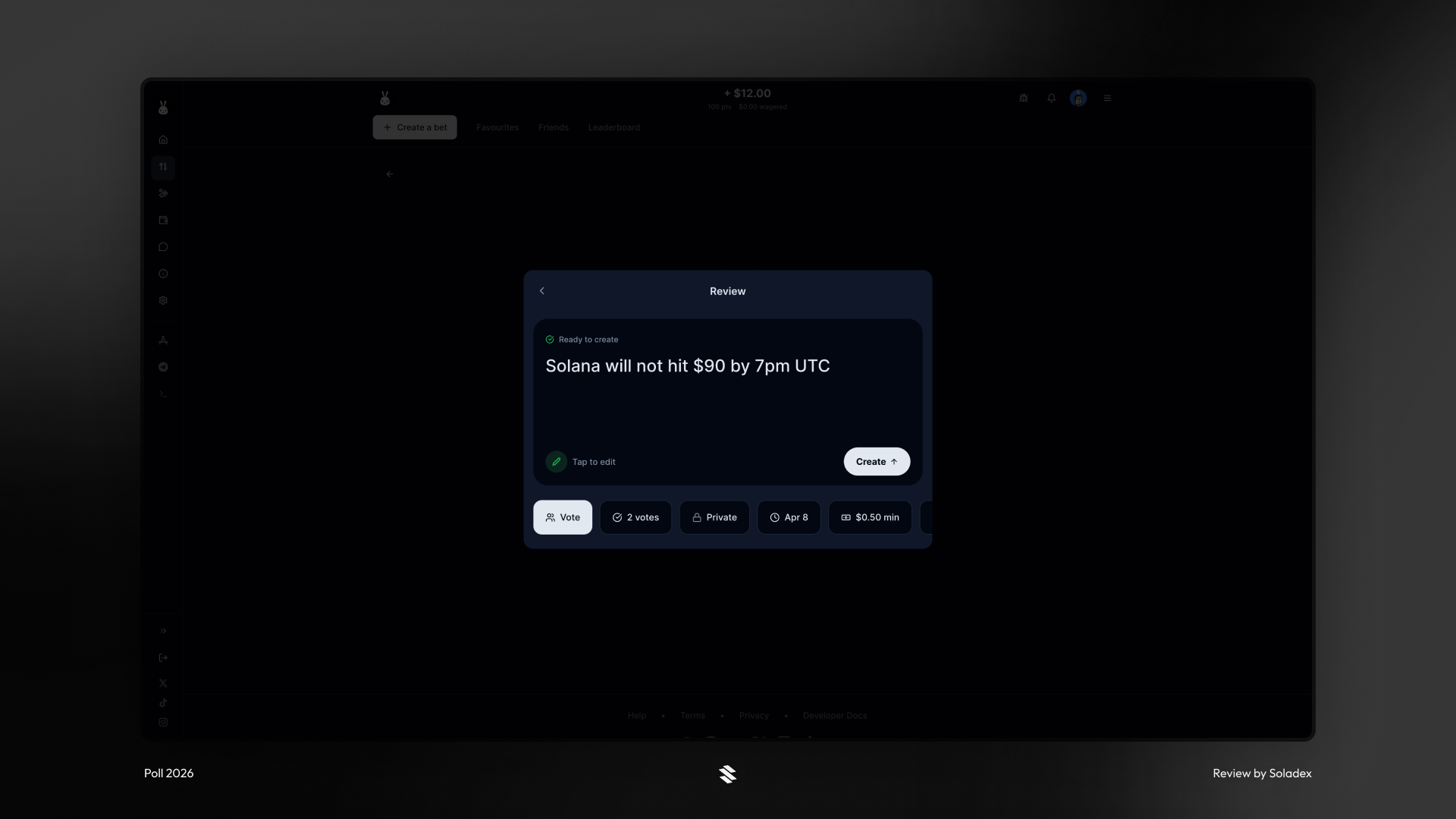
Creating a bet involves clearly defining the following necessary parameters, which govern the resolution of bets placed:
- Vote/You Decide: A creator can be the sole decision maker who provides the result of a bet. The alternative is to open the bet’s resolution to a vote between the participants. The creator sets the minimum number of votes, and each user who has wagered has 1 vote. It's a majority consensus, and if there is a tie, the wagers are refunded.
- Date: The date is the definite period when a bet reaches its participation deadline and moves to the resolution phase.
- Minimum Wager: The minimum amount required to participate in the open prediction. It can be as low as $0.02, and the maximum is $100.
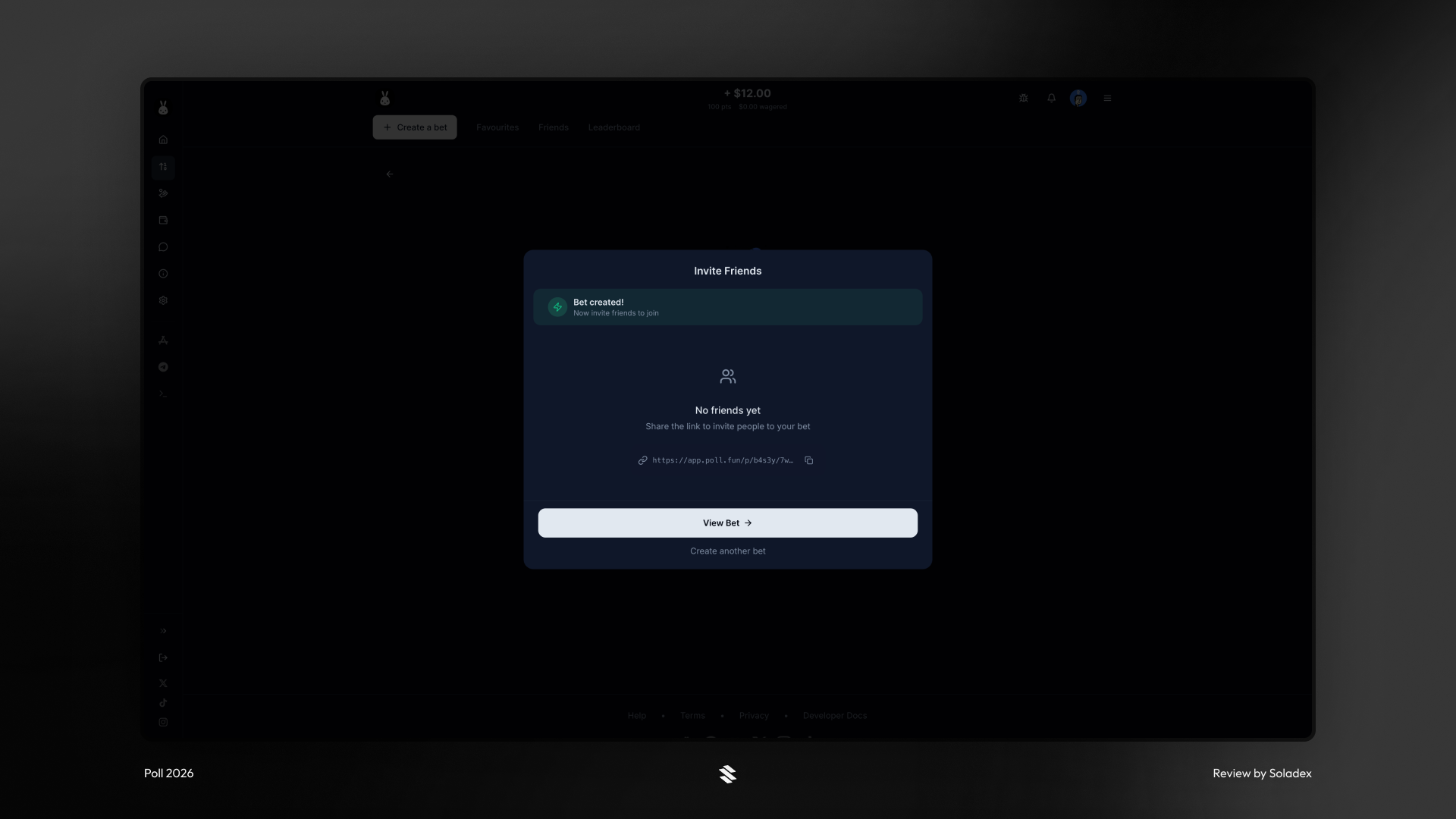
Once the bet is created, other users can predict the outcome while it is open. Poll provides a platform link that others can use to participate.
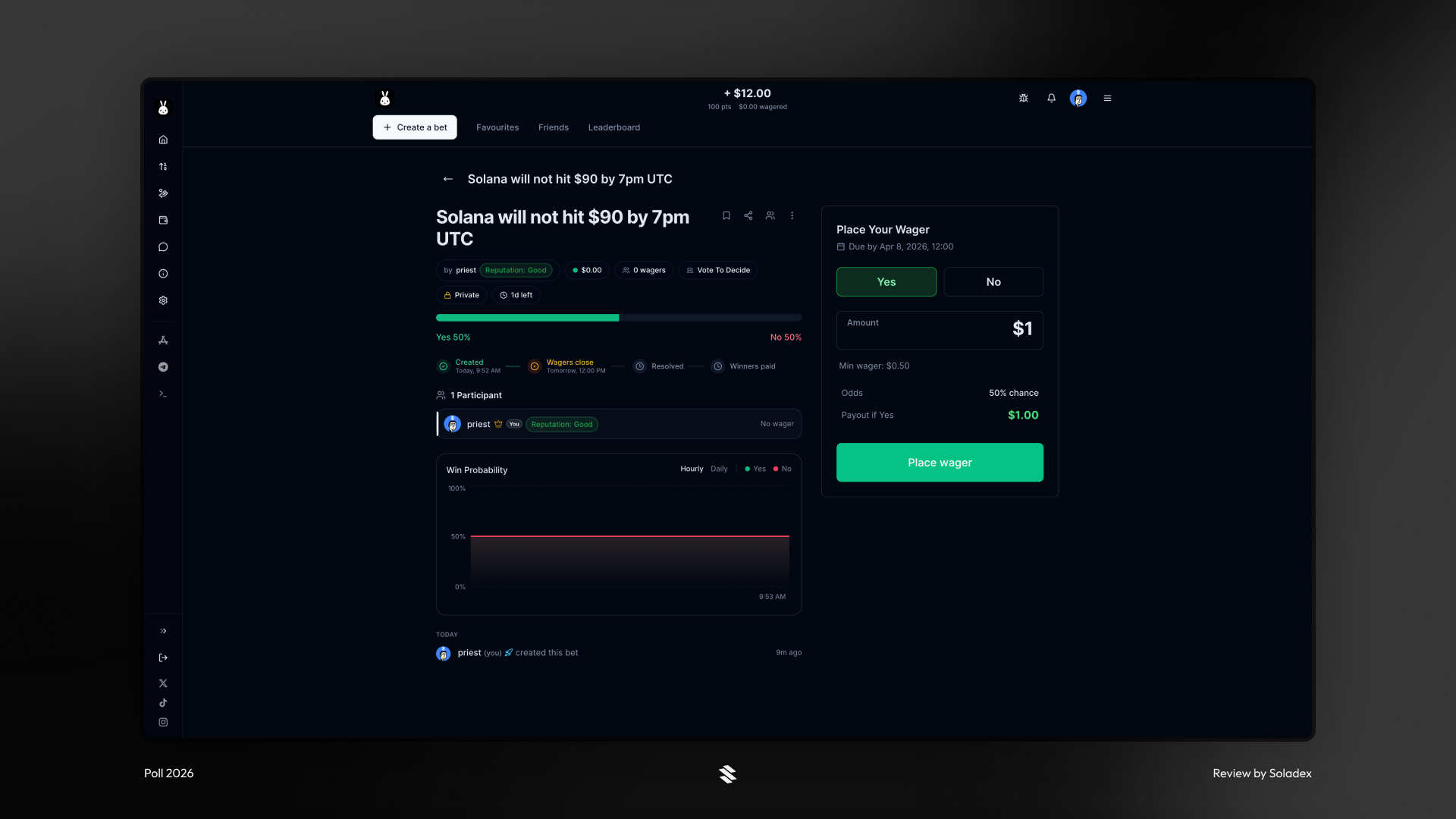
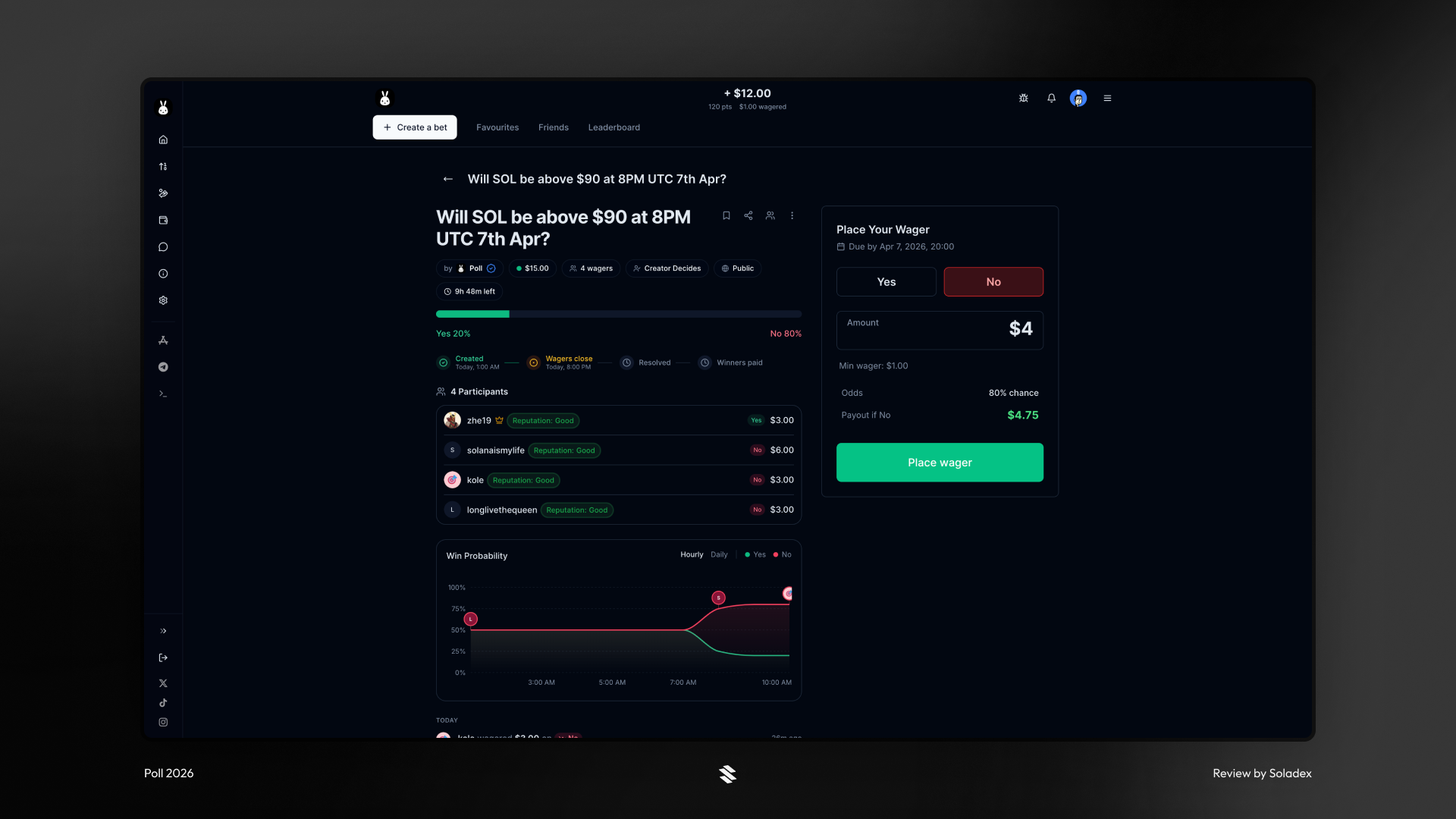
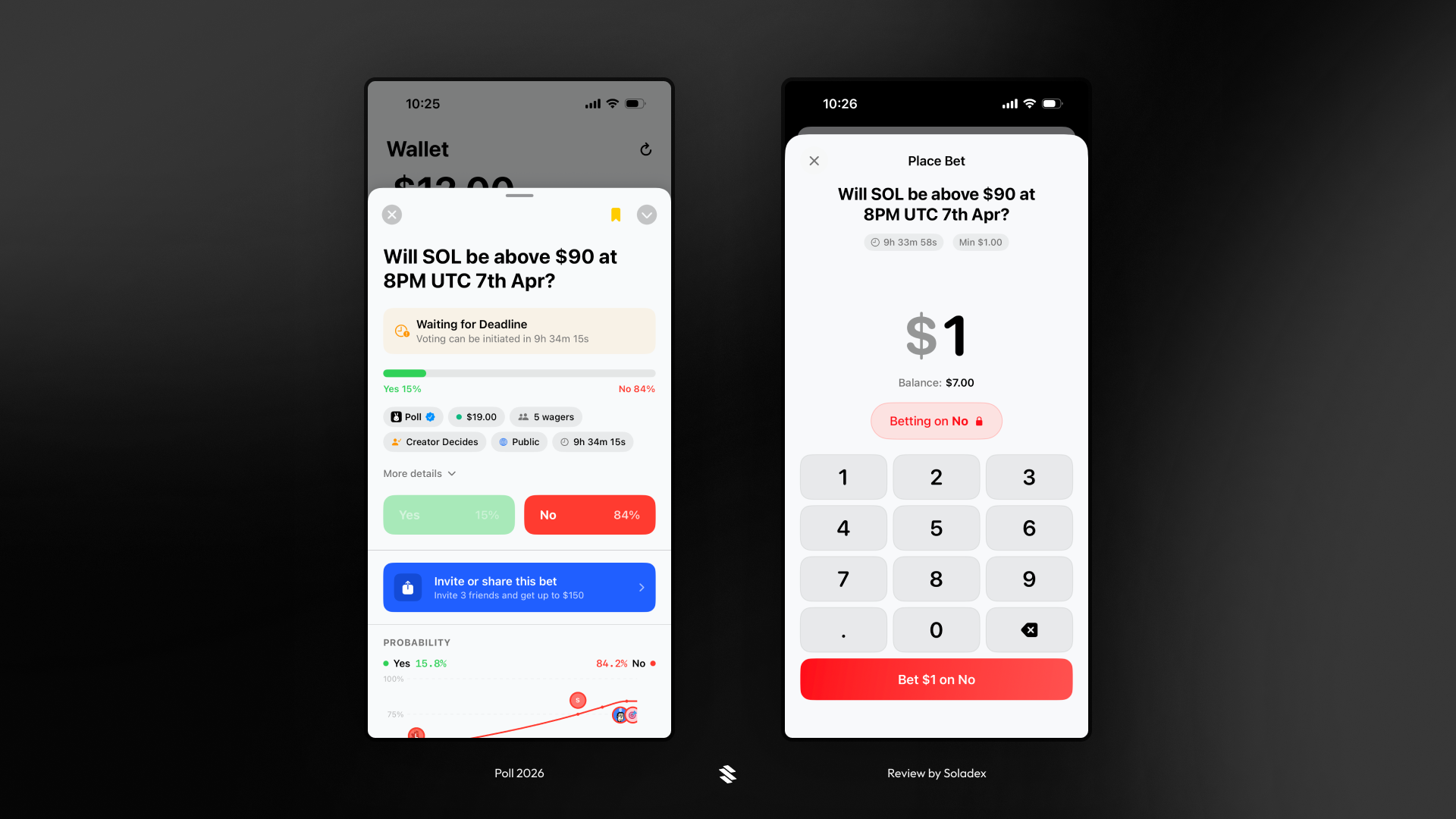
Placing a wager on Poll is super straightforward! Select a bet and input the amount you are willing to wager on one of the outcomes, either Yes or No. Click on “Place wager”, and now you’re set. Afterwards, you can only increase the amount of your wage by betting on the same outcome as selected initially. For example, I chose “Yes” below. It means I can no longer choose the “No” option, but I can add more money to increase my size in the initial wager.
In the example below, I opened a bet and predicted “No” as the outcome of the result. By placing $4, I am shown to earn about $4.75 from the bet if my prediction is correct.
Poll App
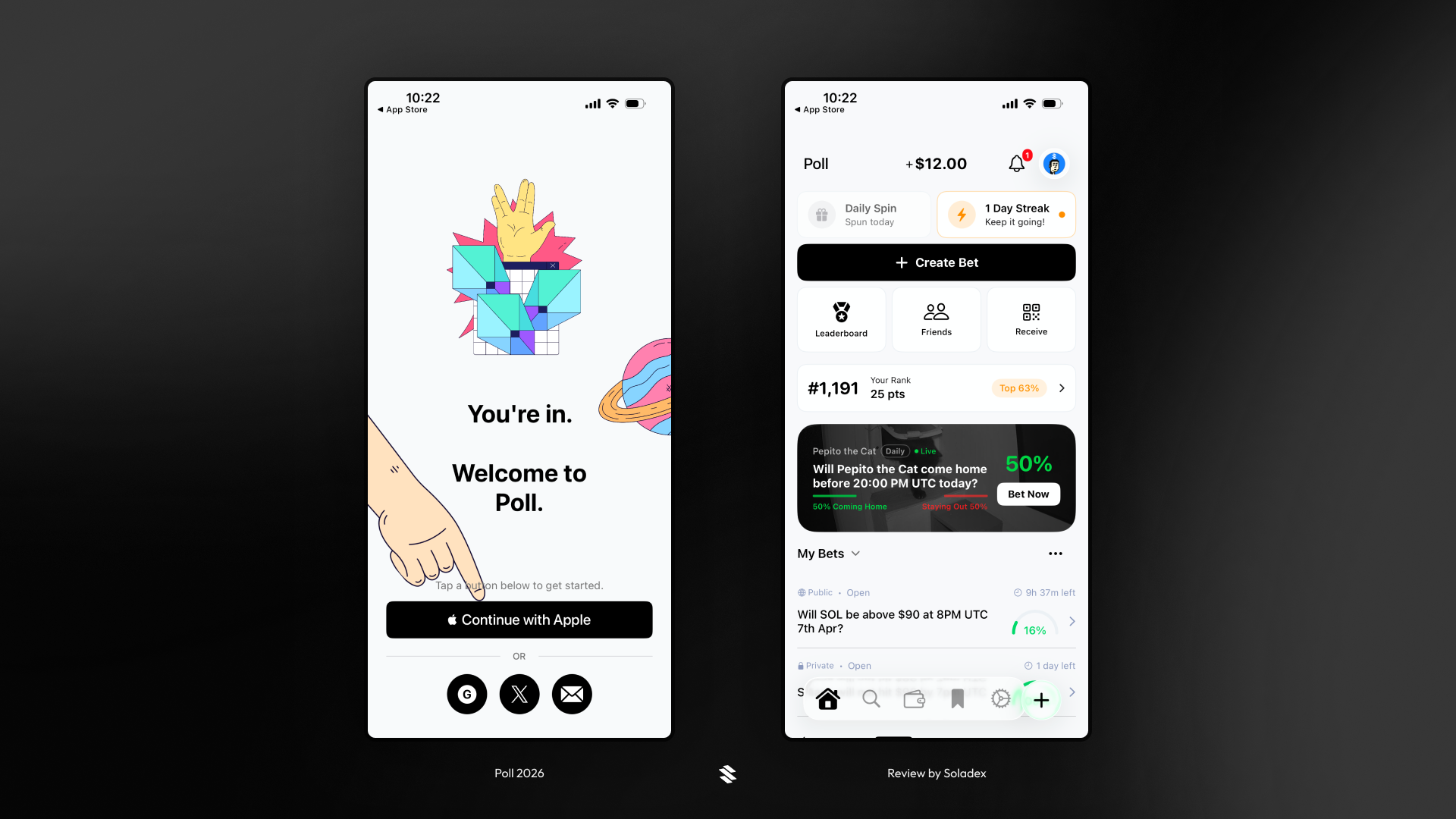
The Poll iOS app is an easy-to-use mobile application developed for iPhone users. Poll has made all of its features natively available for prediction market traders who prefer a mobile experience. You can download the app here.
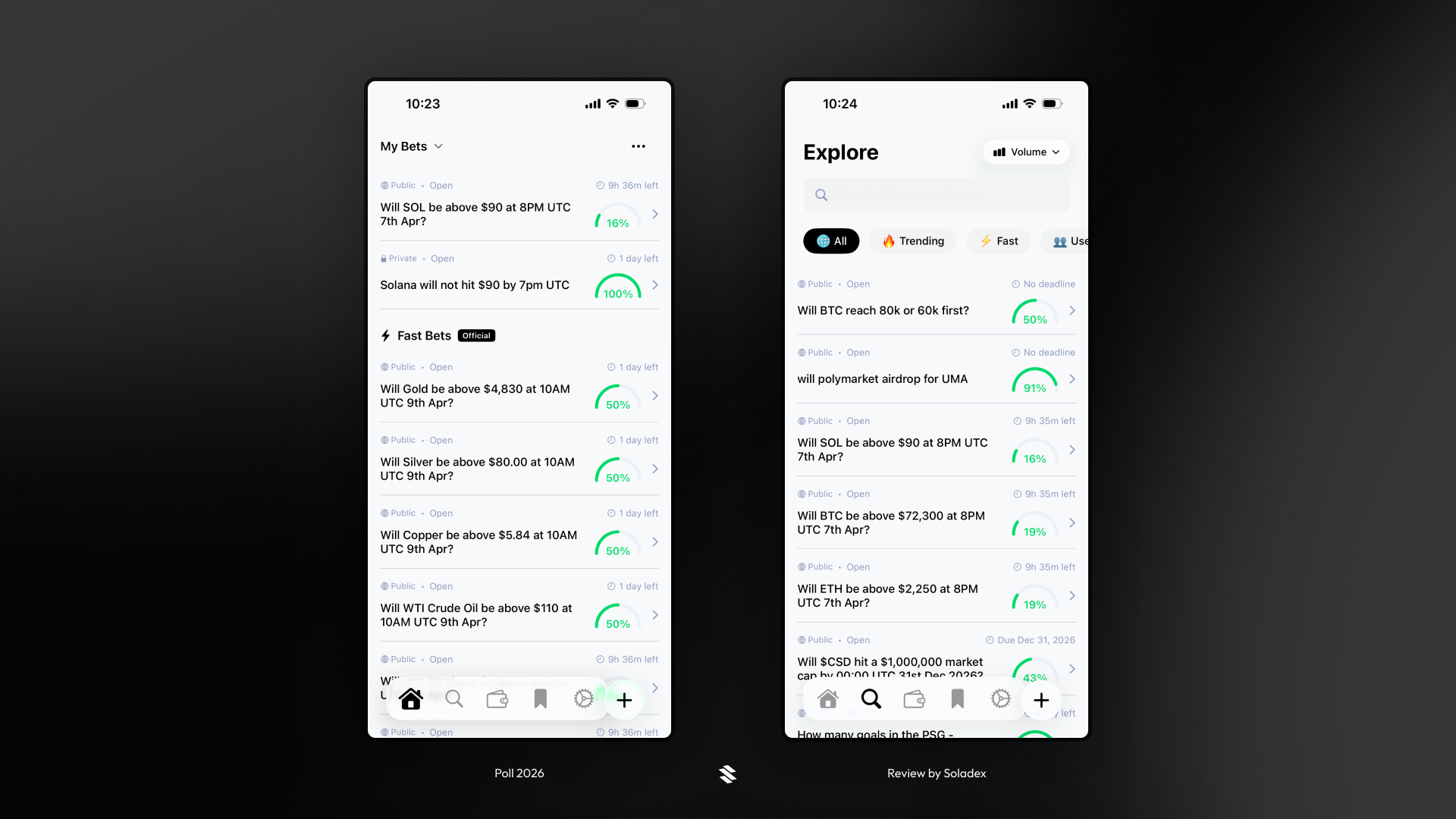
Bets are organized into categories, listing the ones you are currently participating in (bets where you have an active wager), bets with upcoming deadlines, and more. All these categories can be seen in the Explore section.
The Poll wallet page shows your available balance and how much you have currently wagered in the market. All your activity is recorded here, and you can click on any entry to see a full breakdown of that bet.
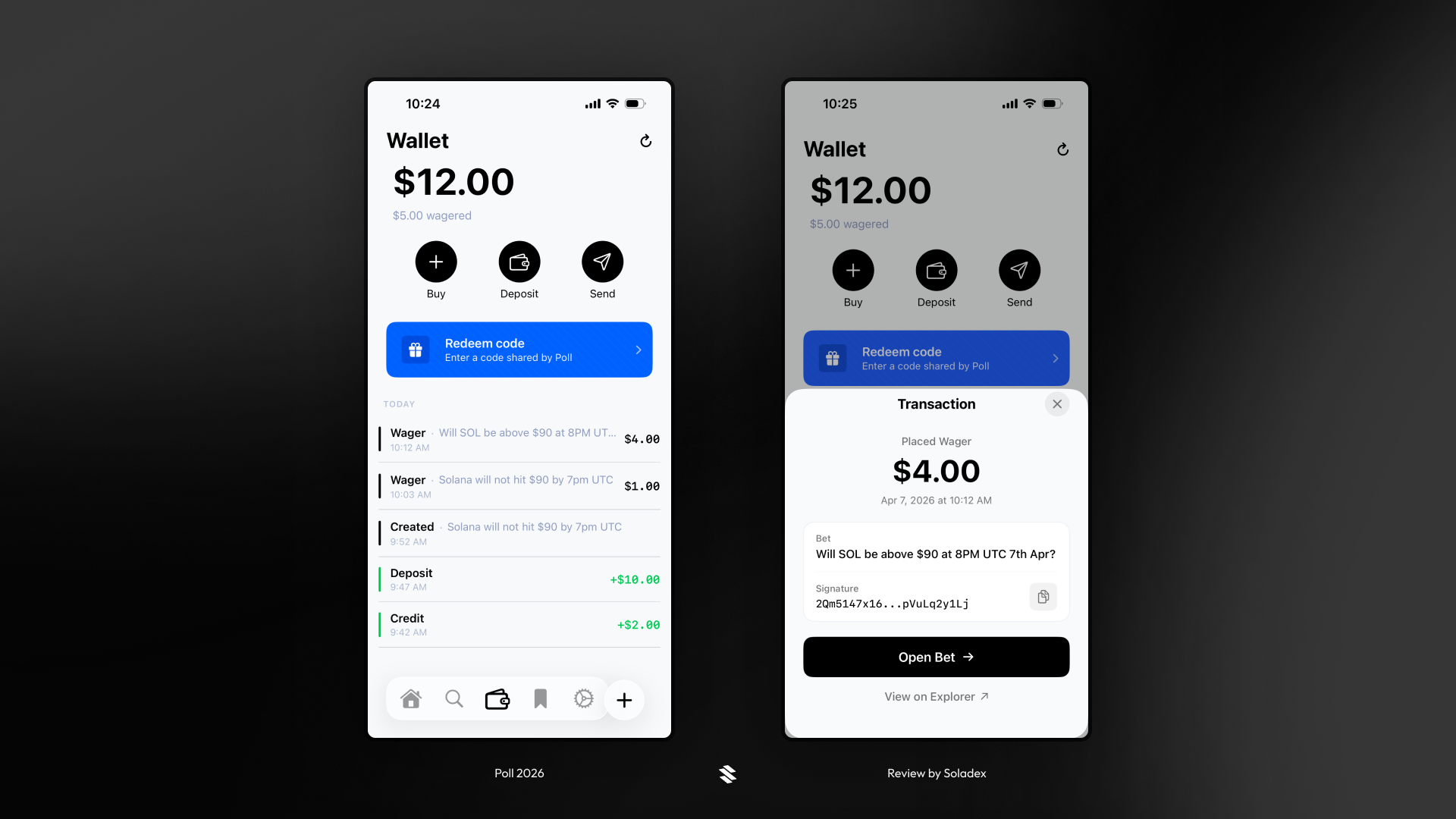
I clicked the “Open Bet” option above, and the details of the bet were displayed. I chose "No", and that choice is locked in permanently. I can only increase the size of my position from here.
The “Favourites” section is for bets you're most interested in. In the example below, you can see the same bet I placed a $4 wager on. The “Settings” page is where you can personalise your account on Poll and add extra security, like Face ID.

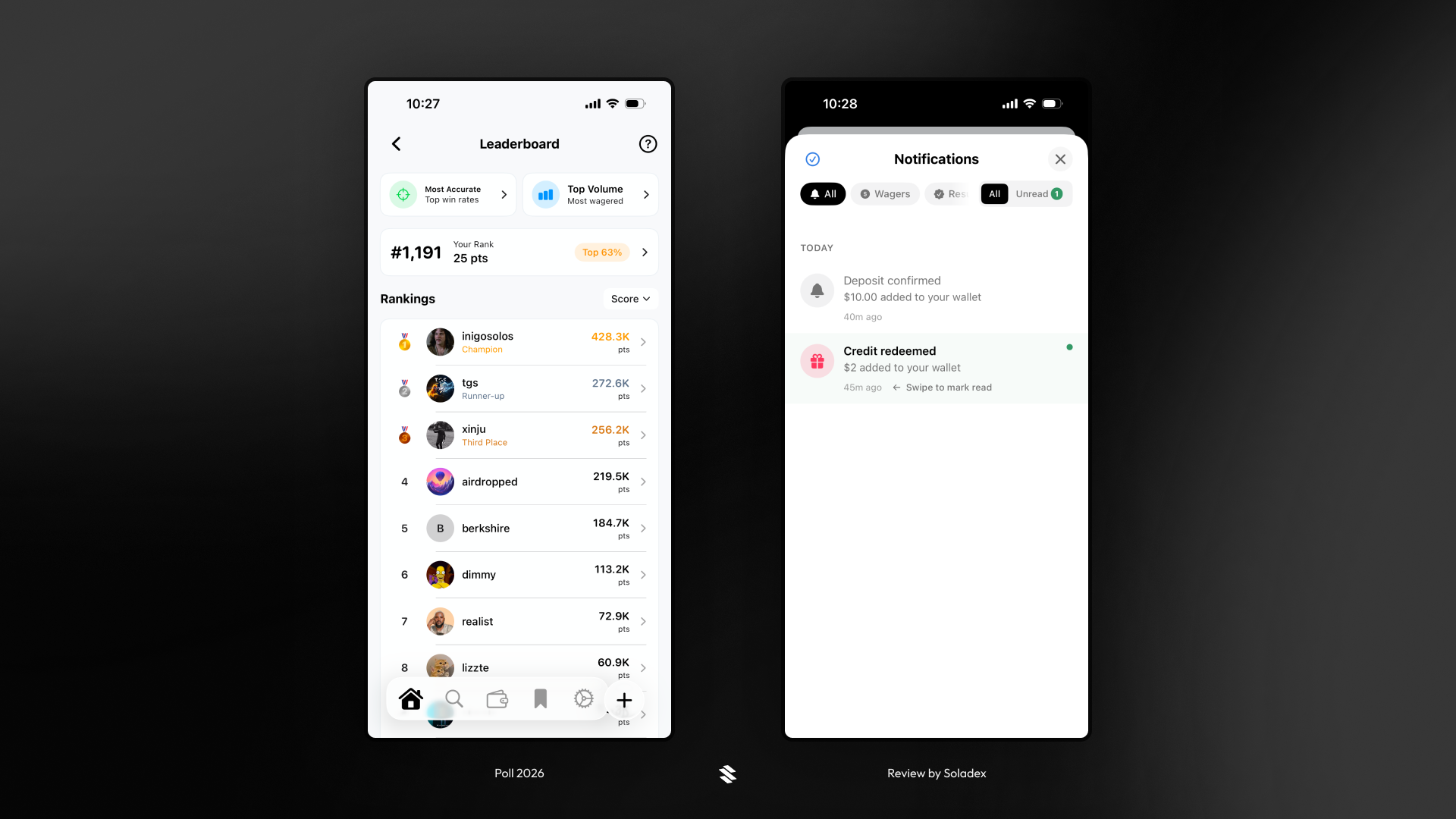
All users on Poll are ranked based on their points earned through volume traded and win rates. Poll also has a Notifications section that alerts the user of significant events, such as deposits, withdrawals, and more.
Poll Telegram Bot
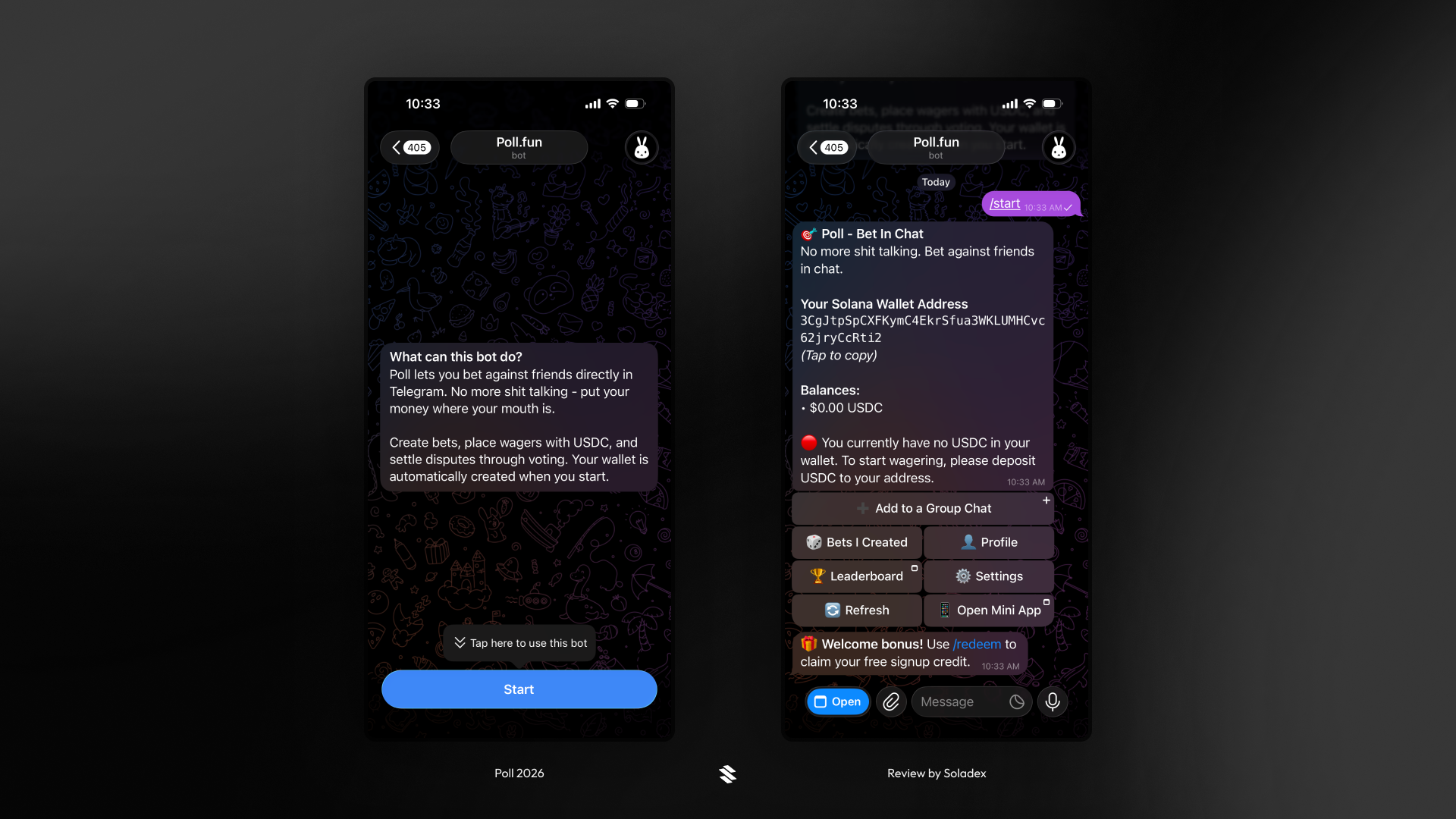
One of the outstanding features of Poll is their Telegram bot, which lets you place bets directly via a Telegram chat without opening the app on Mobile or Web platforms. For users who prefer a chatbot, the Poll Telegram bot works well as a “mini app” with the most minimal approach.
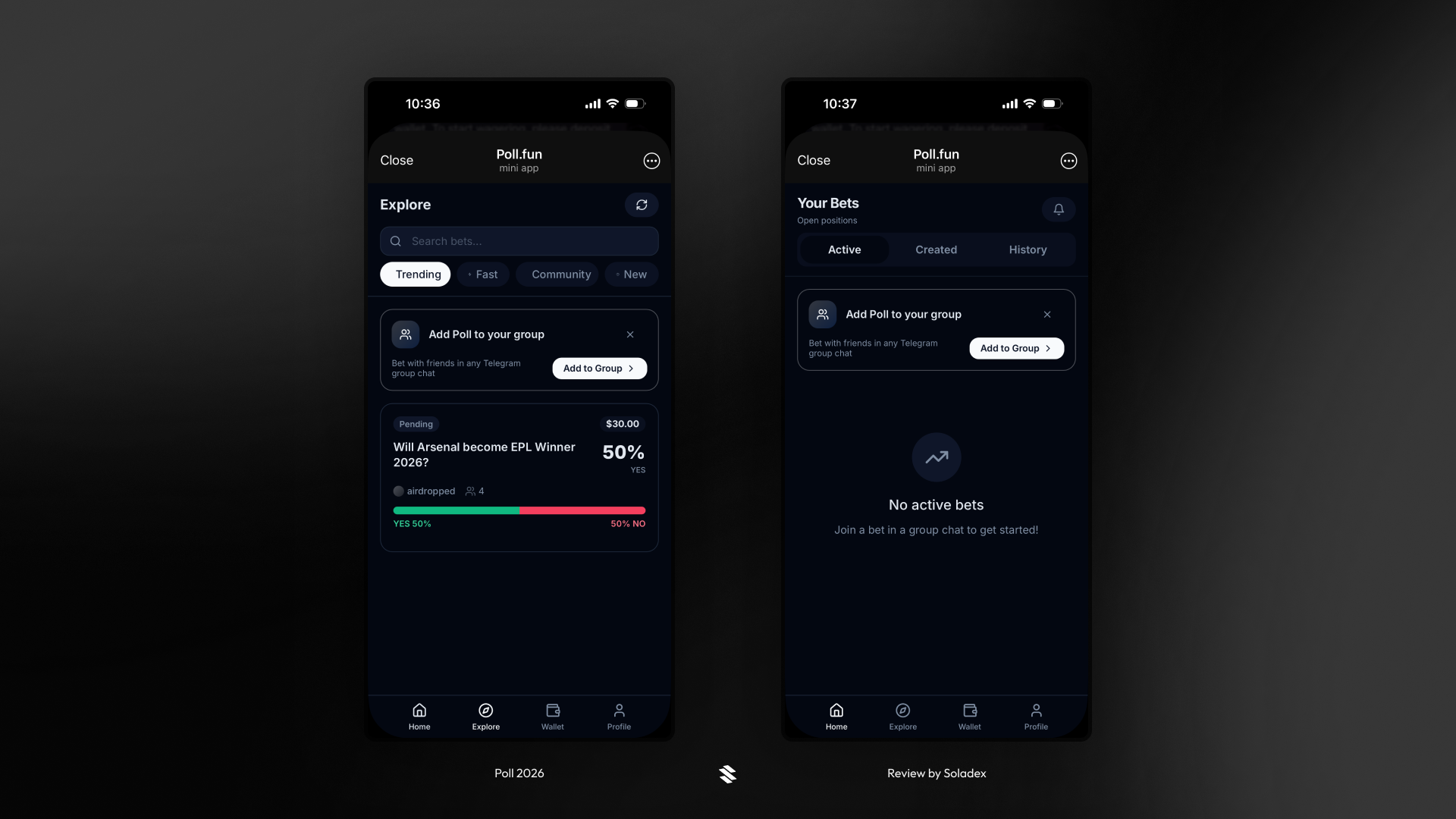
Users can view active bets or explore all bets with pending deadlines.
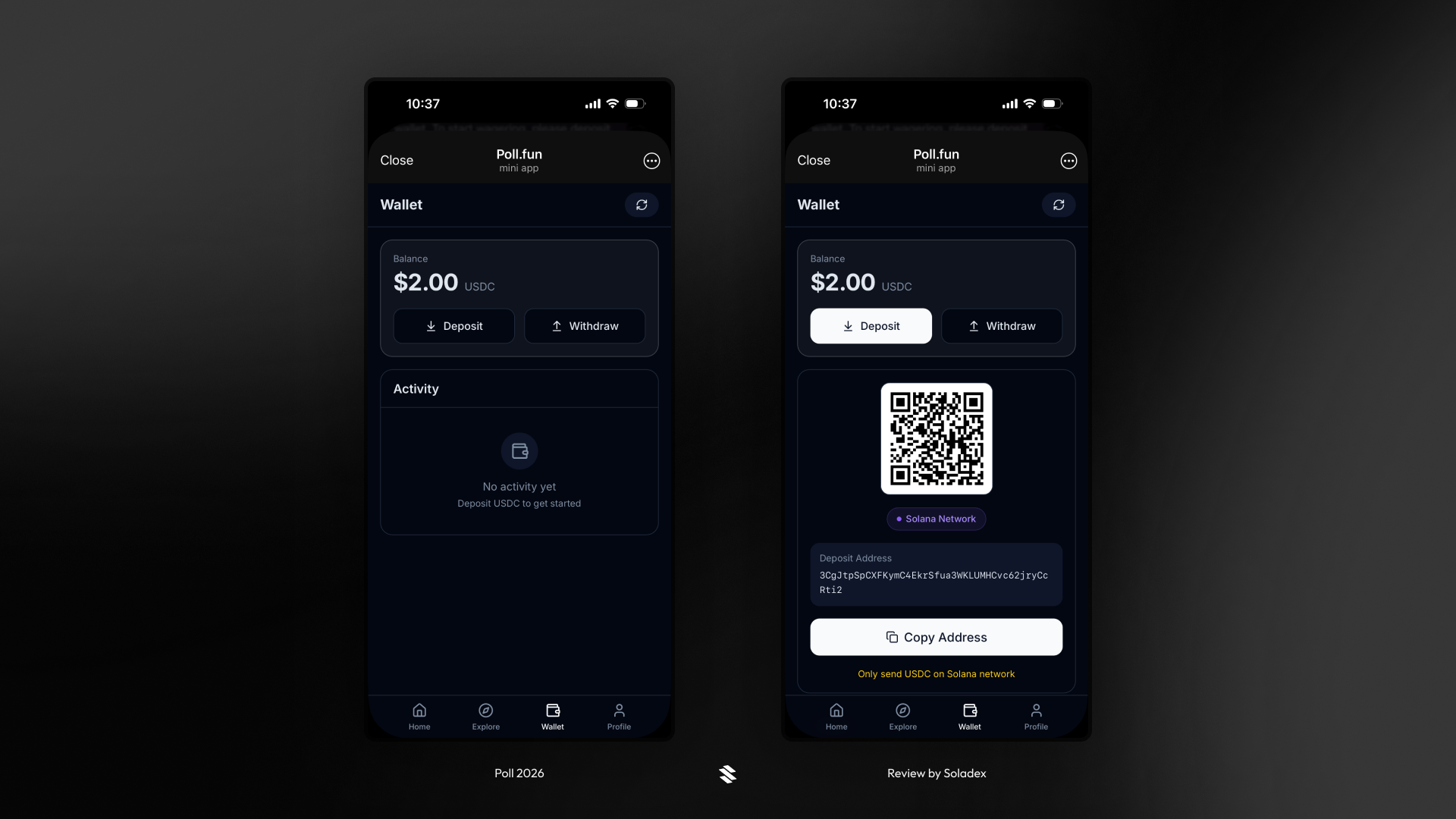
The same wallet created by the bot on Telegram is the wallet in the section below. Deposits and withdrawals can be made here.
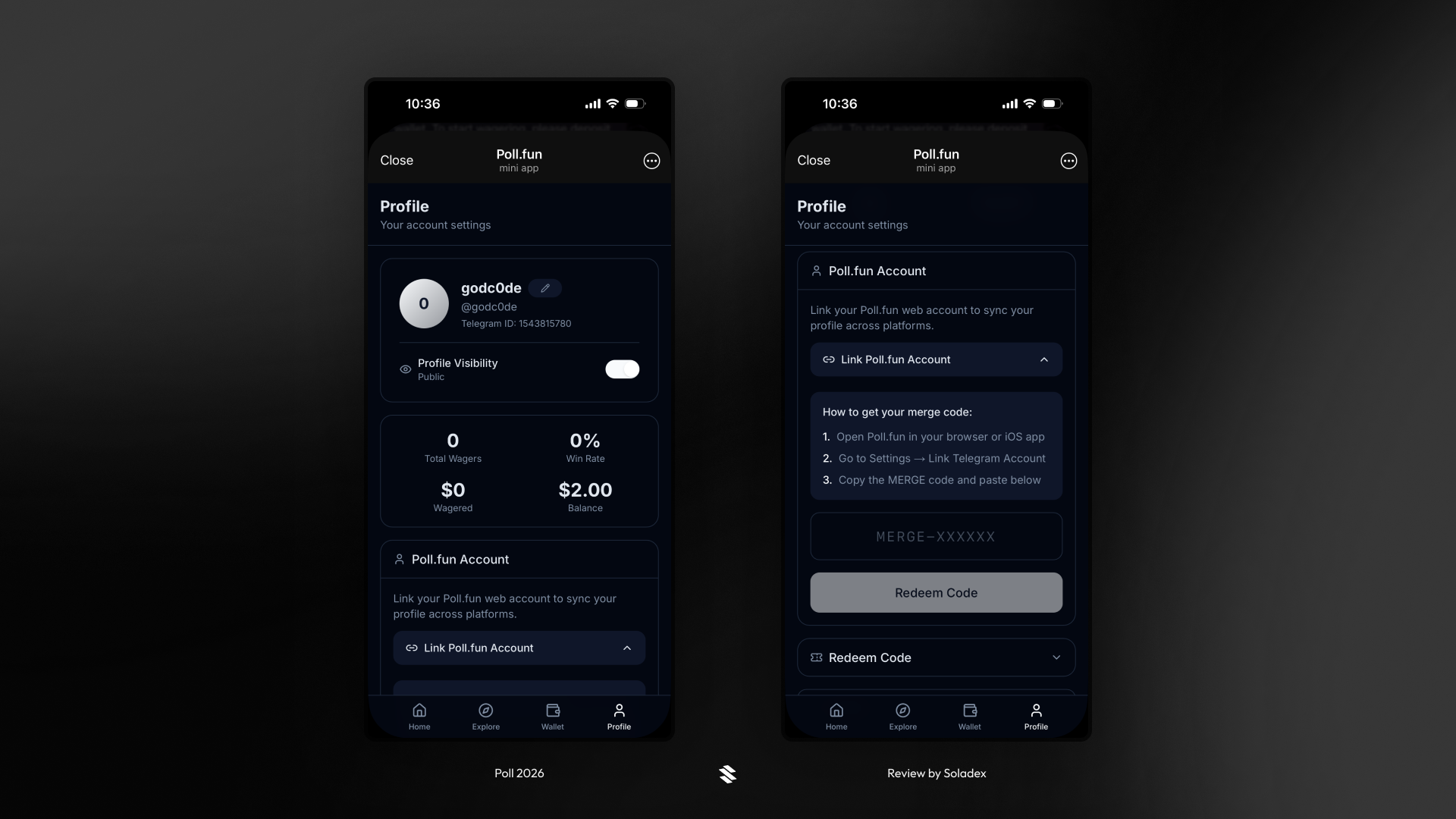
Linking an existing account on Poll to the Telegram bot is possible by following the steps in the profile page below. Poll provides a code that can be used to port the data from the existing account to the new account on Telegram.
Conclusion
Poll makes prediction markets accessible to anyone; just sign up with a Google or Apple account and start placing wagers through the Web platform, Mobile App, or Poll Telegram bot. Whether you're betting on crypto token prices, sports, or something you and your friends cooked up in a random conversation on iMessage or Telegram, Poll gives you the tools to create, share, and settle bets with real money, all handled by Solana.