


What is Imperial?
Imperial is an execution and routing layer for leading Solana perp venues. It gives traders a single interface, a unified account experience, and access to curated markets such as Jupiter Perps, Flash Trade, Phoenix, and GMTrade. Instead of making users manage different venues, collateral accounts, and execution tradeoffs on their own, Imperial brings that activity into one on-chain trading experience.
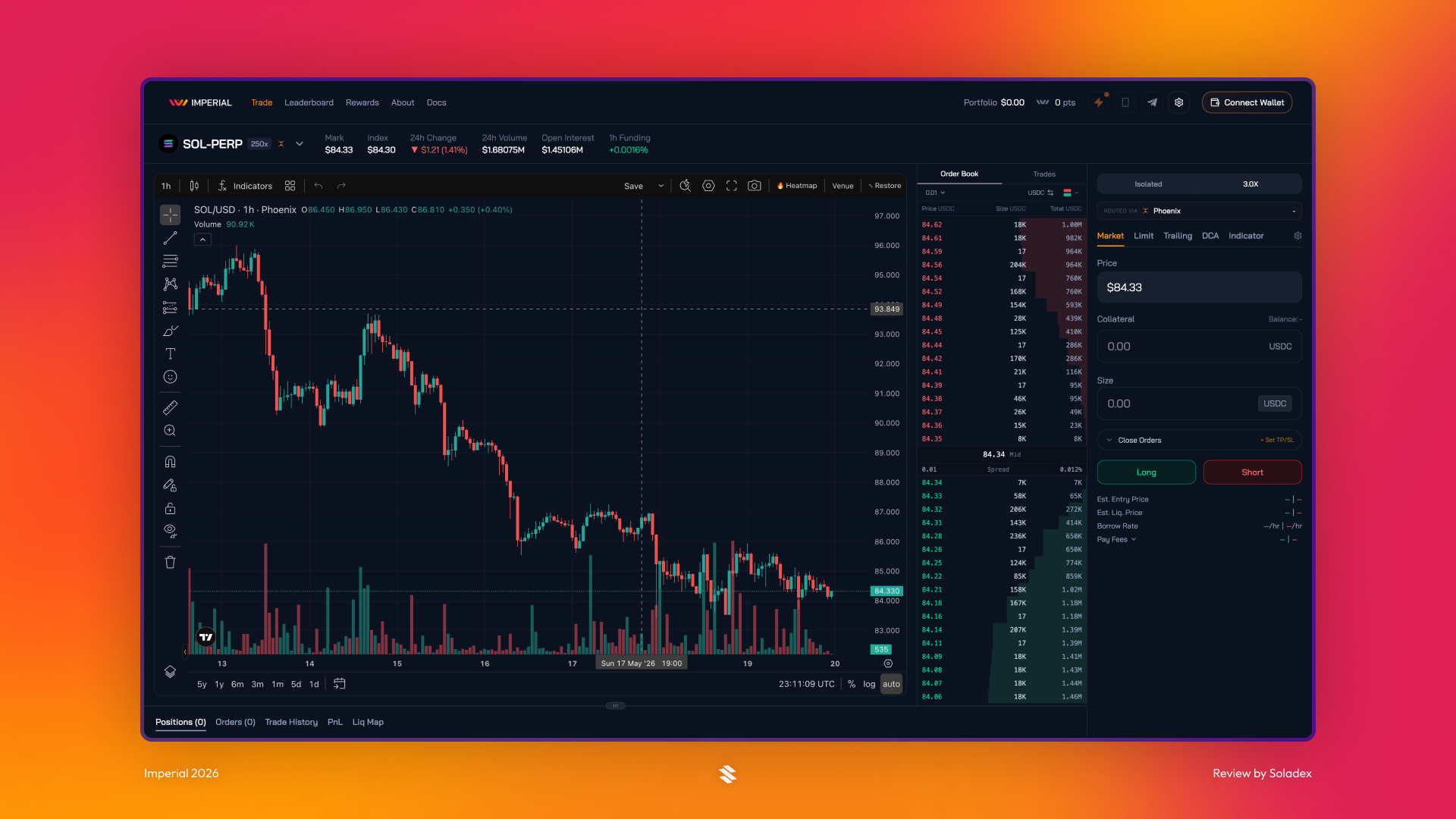
Imperial is not an aggregator because it does more than compare venues and route a trade to the best price. A typical aggregator, like a spot swap aggregator, is mainly trying to find where a user can get the most of one token for another. Perpetual futures are different. They are not one-time swaps; once a trader opens a position, that venue determines the rest of the trade, from entry and exit to funding or borrow costs, liquidation rules, and collateral treatment. Imperial takes these factors into account by checking which venues support the asset, which ones offer the desired leverage, and which venue gives the best overall execution setup for that specific trade.
How Imperial Works
Several Solana perp platforms now exist, each competing to serve different assets, trade sizes, order types, and leverage profiles. But traders should not have to figure out which venue has the deepest liquidity for a specific asset, which platform supports their preferred leverage, or where slippage is lowest. Imperial provides that abstraction for Solana perps, giving users a simpler way to access fragmented liquidity without managing every venue directly. This is why the team built Imperial around three core pieces of infrastructure:
- A frontend trading terminal where traders interact through one clean interface.
- Backend execution infrastructure that supports more advanced order execution and routing across venues.
- A smart contract position owner that allows Imperial’s infrastructure to execute trades in a decentralized way.
With this in place, Imperial automatically selects the best perp by scanning the markets to find the most suitable trading opportunity. It also looks through the available markets to compare factors such as leverage, liquidity, and overall conditions.
Using the Imperial App
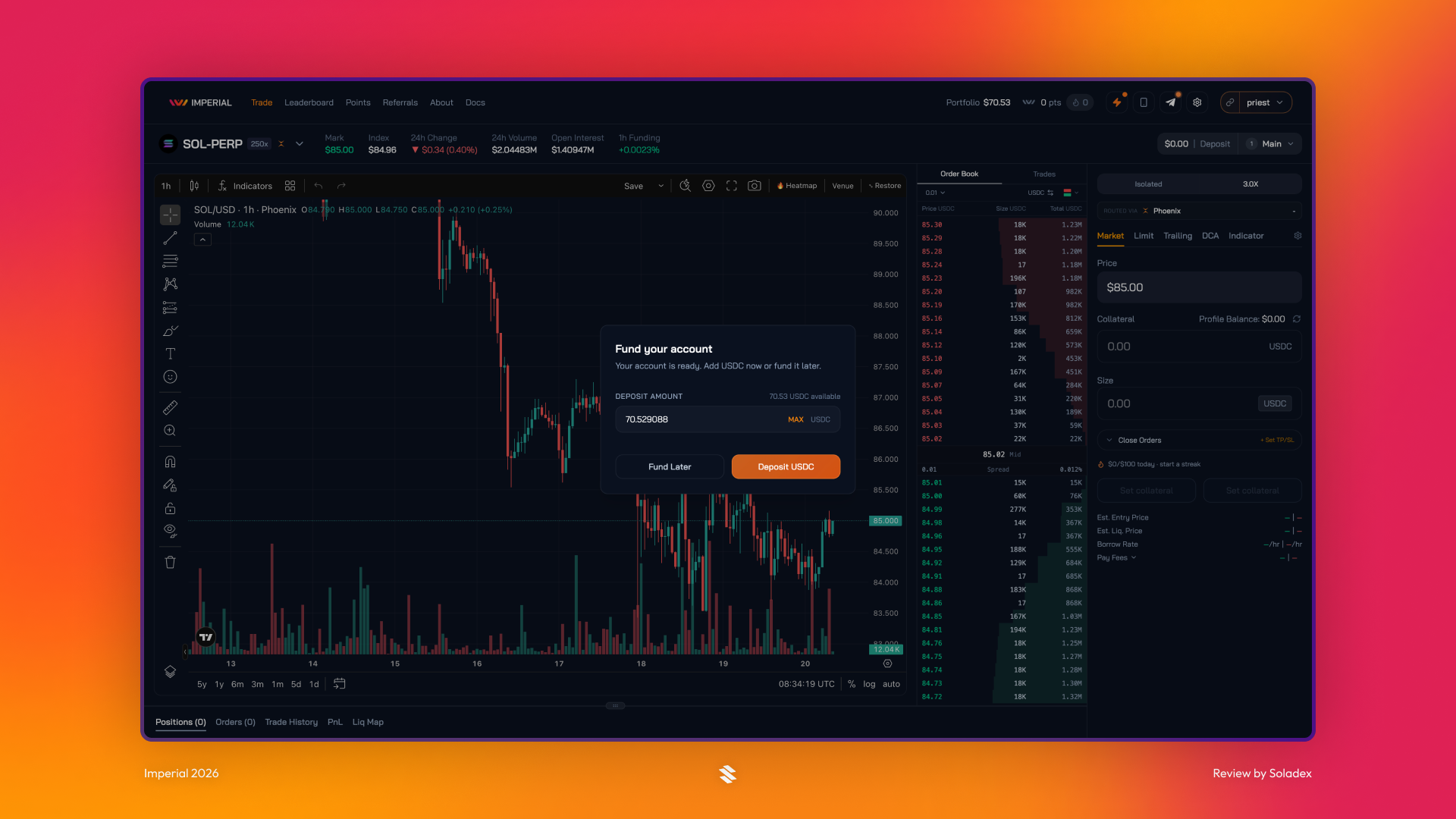
Depositing Funds
The Imperial app includes a profile name field where users can choose the name that will be visible to other traders. To deposit funds, users can click Main in the top-right corner of the page.
Order Types on Imperial
Imperial offers multiple order types designed to meet the needs of professional traders on Solana. These order types give traders more tools to trade with when opening and managing perp positions across supported markets.
Market Order
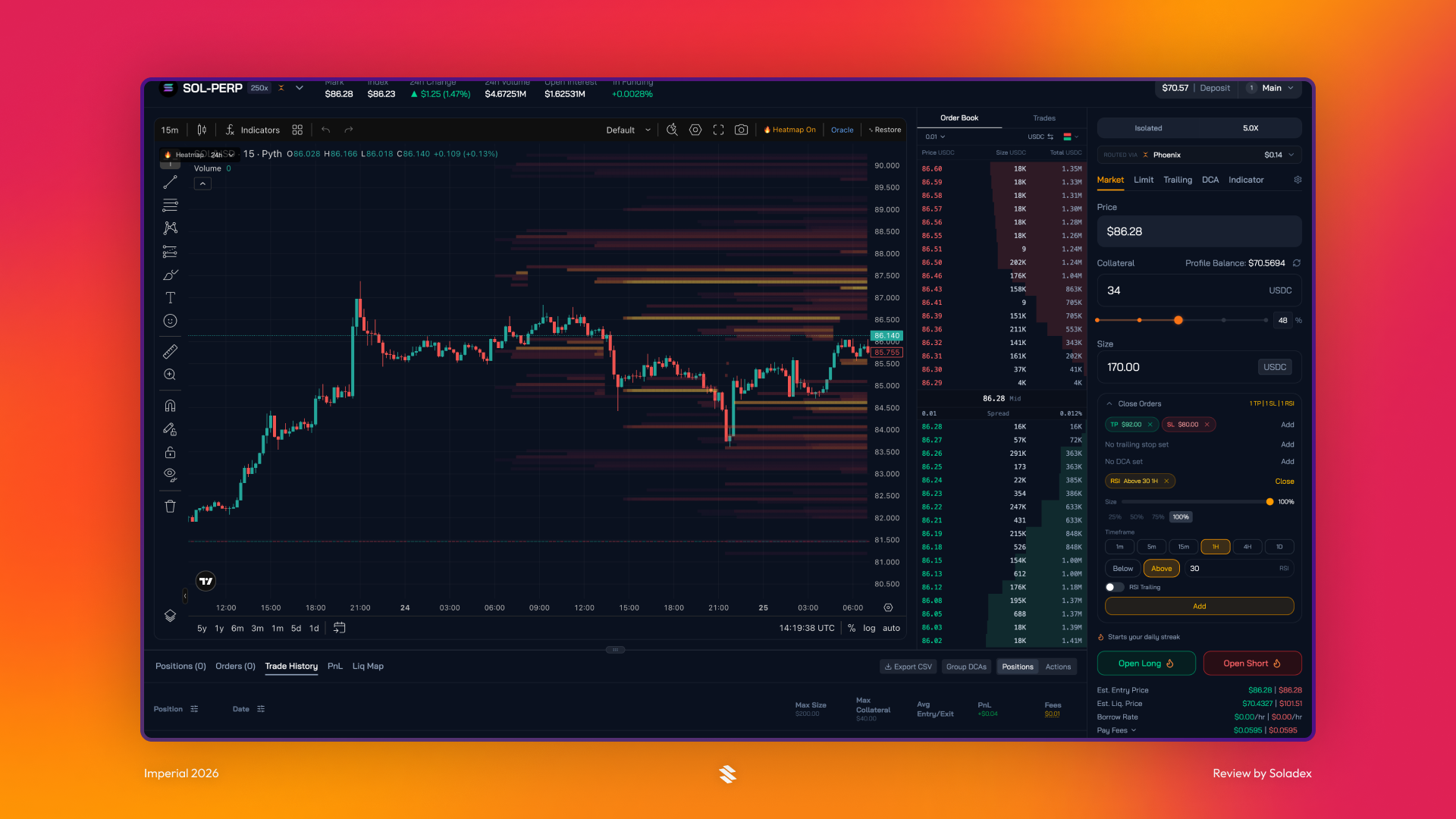
In a market order, Imperial executes a trade at the best available current price. It prioritizes speed over exact price, so the final price may vary slightly due to slippage. In the screenshot below, the mark price is automatically set. The trader only needs to enter the amount they want to deposit as collateral and select their preferred leverage. Before opening a Long or Short position using a market order, traders can also customize the trade flow with additional options. Setups such as Indicators, DCA, and Trailing orders can be added before executing the trade.
Limit Order
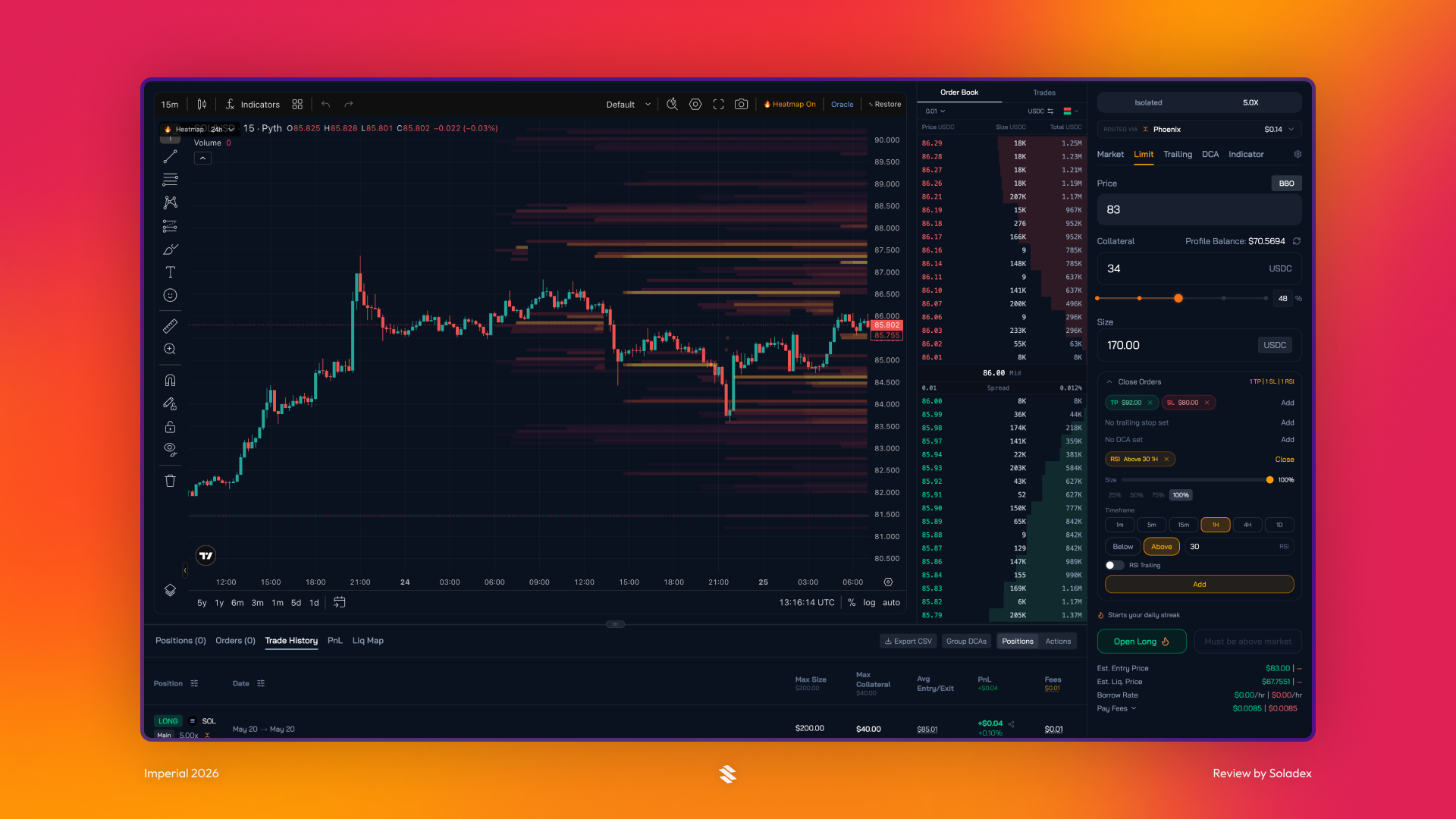
This is an order to buy or sell a token in the market only at a specific price or better. The trader has control over the price they want to trade at, but the order may not execute if the market never reaches that level. In the screenshot below, I set the price at $83. As seen in the Market Order above, other order types, such as DCA, can be included in the Limit Order.
Trailing Order
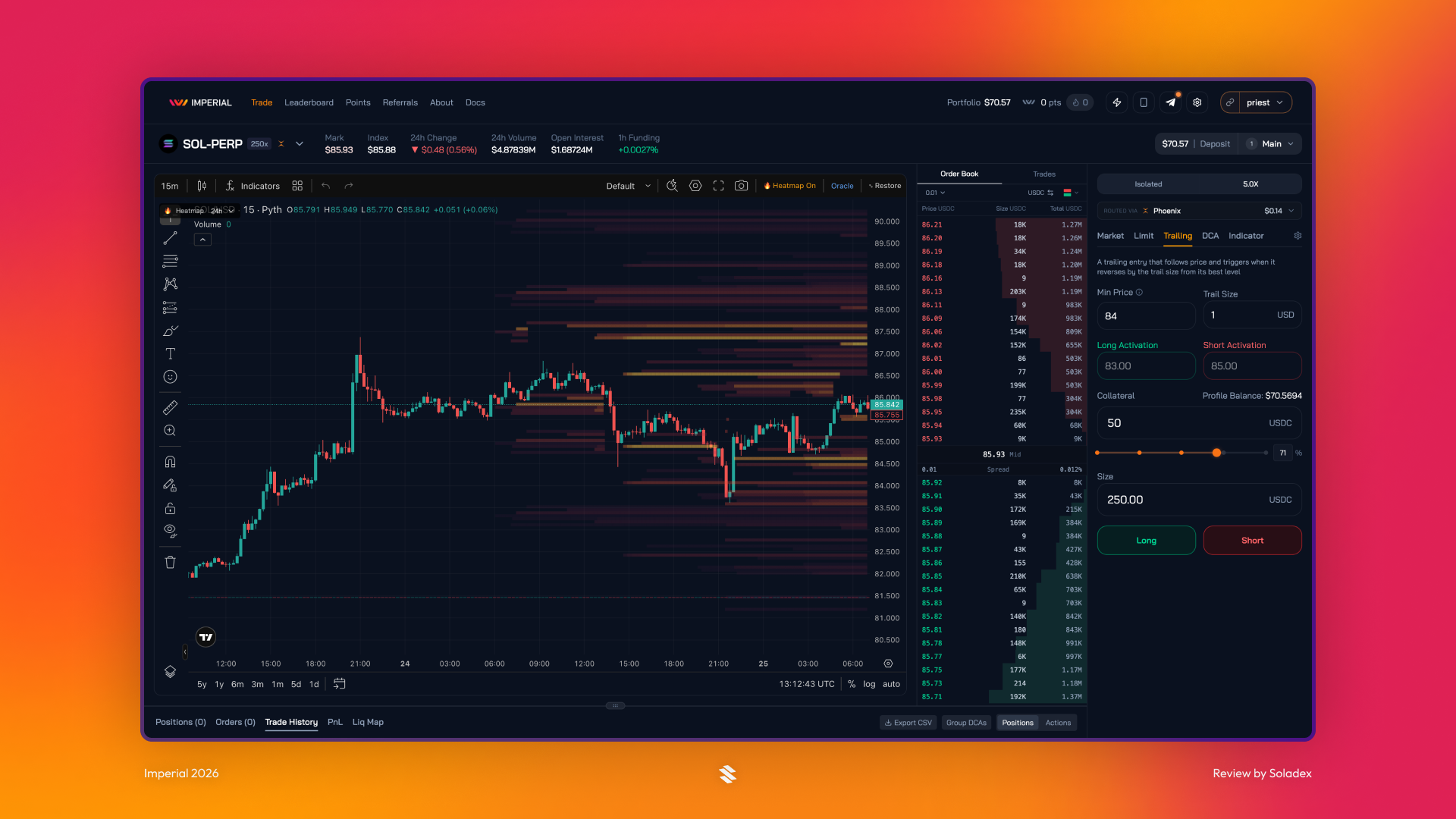
This order type follows the market price by a set interval, which is the trail size. It is a stop that helps a trader protect profits while allowing the trade to keep running if the market continues moving favourably. For a token at $85, setting a minimum activation price of $84 (as seen below) with a $1 trail interval creates two opposite setups:
For a long (buy) order, it remains inactive until the market dips to $84 or lower, after which it tracks the price downward and triggers a buy only when the token rebounds $1 from its absolute lowest point.
For a short (sell) order, it activates immediately because the market is already above $84. This locks in an initial sell trigger at $84 that will automatically trail upward if the price rises (e.g., triggering at $89 if the token hits $90) to protect your profits against a $1 drop.
DCA Order
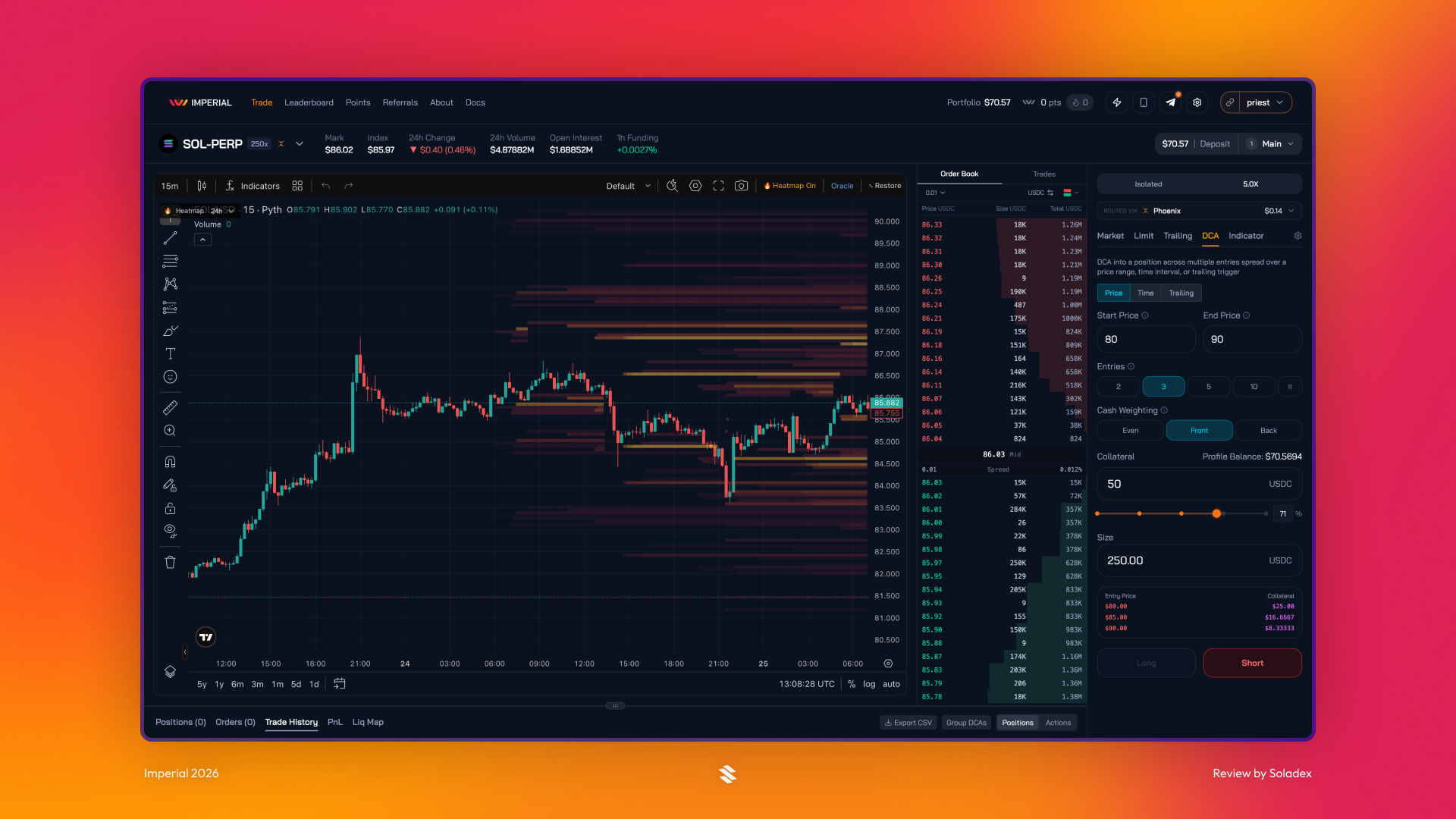
DCA means Dollar-Cost Averaging. This order splits a large trade into small purchases (or sales) over time or across varying price levels. It helps in reducing the impact of volatility and avoiding entering all at once. Users can set the trade over Price, Time and Trailing with multiple entries.
Cash weighting in DCA refers to the percentage of your total investable USDC that is held, while the remainder is deployed into the asset selected. For Even, equal collateral is deposited per entry, for Front, larger entries are deployed first, while larger entries are deployed last in Back.
Indicator Order
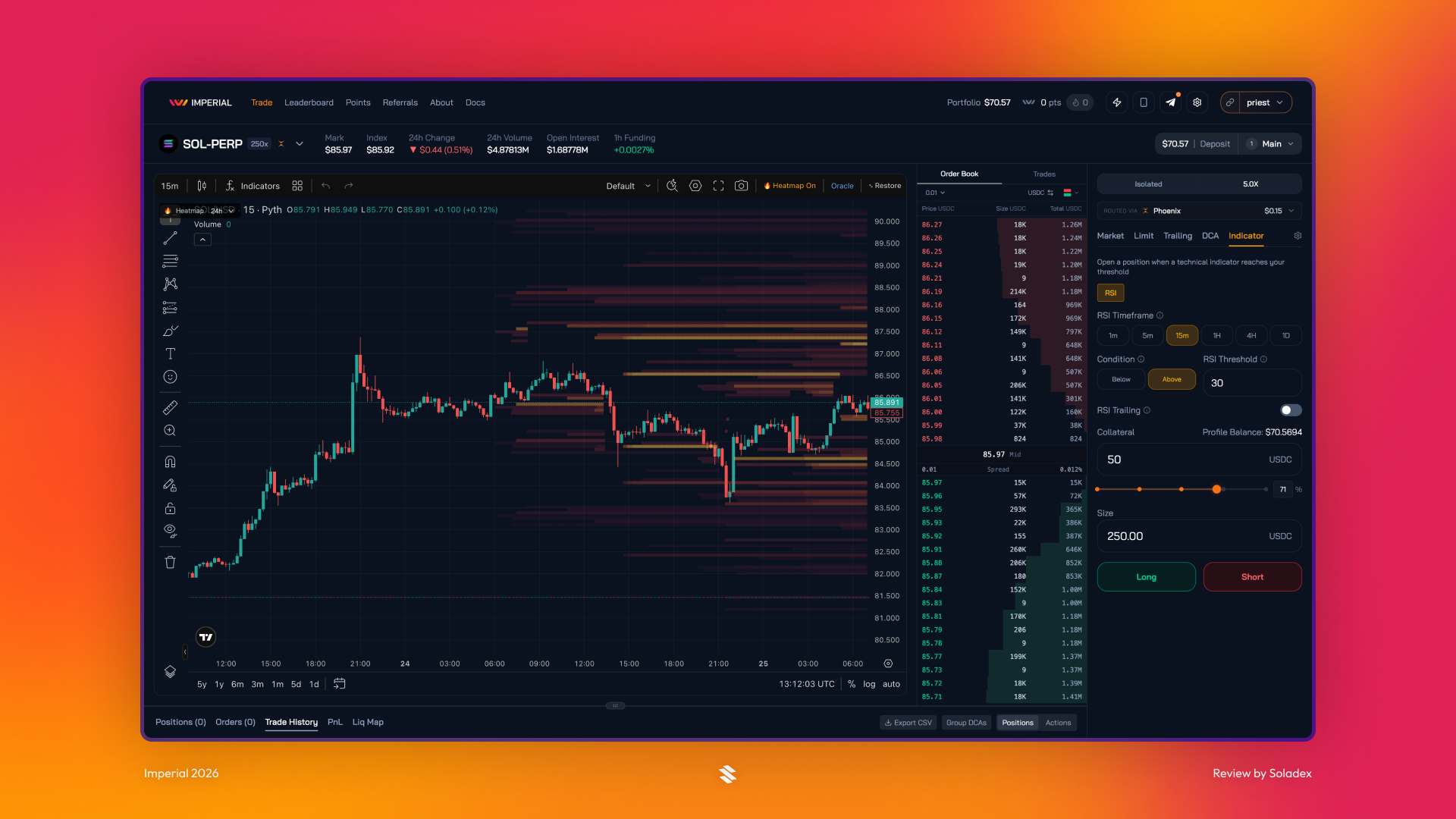
Orders of this type are triggered by a technical indicator, rather than only by price. For example, a trade may execute when the Relative Strength Index (RSI) meets a threshold set by the trader. This RSI indicator can be set based on timeframes and conditions that activate if the value rises above or falls below its predefined threshold.
Positions
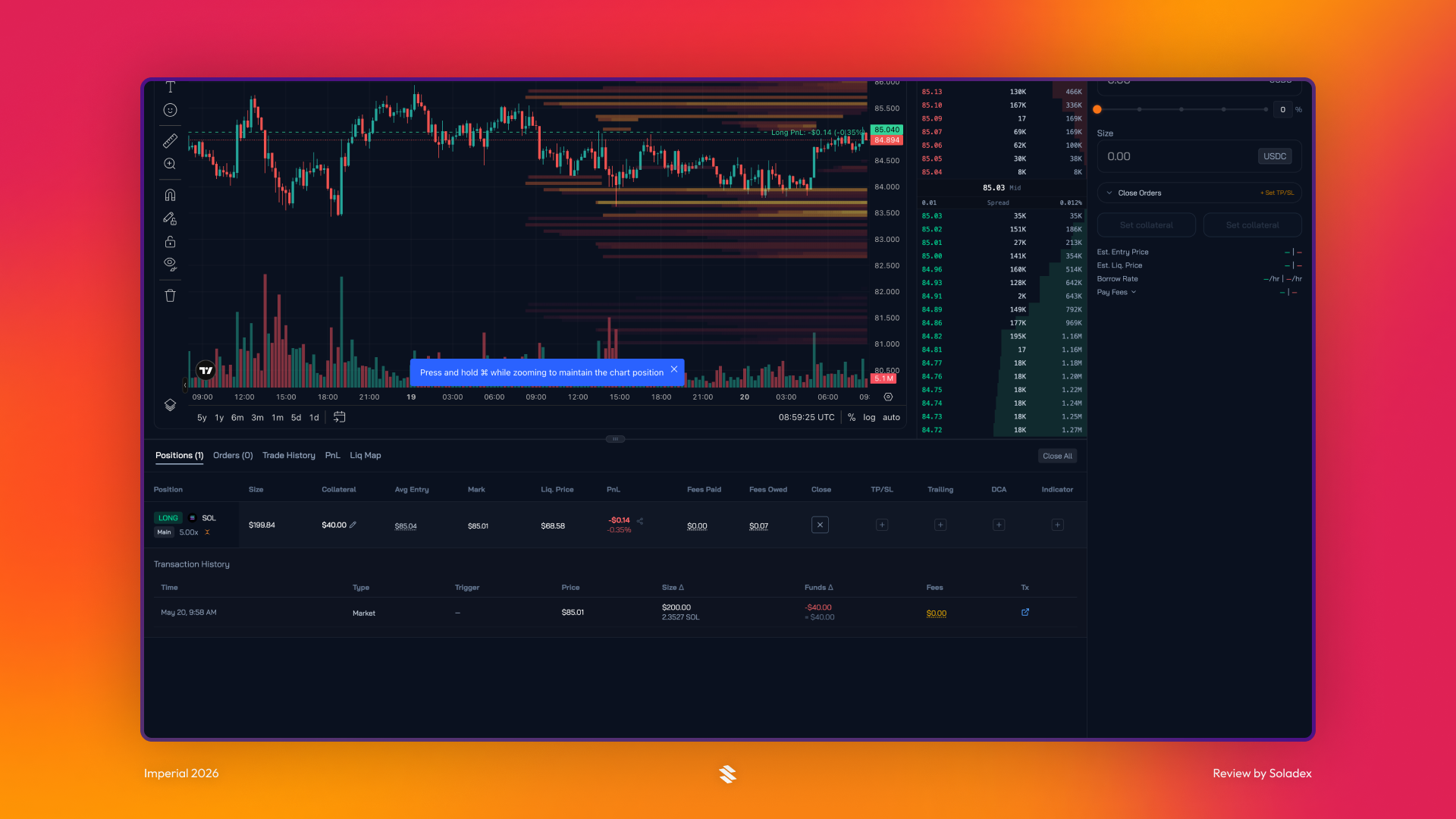
Most trading applications include a Positions section where users can view all of their open trades in one place. This section shows the main details of each position, including trade size, collateral used, liquidation price, and current PnL. Below it, the Transaction History records all activity on the account, giving users a clear view of the trades and actions they have initiated.
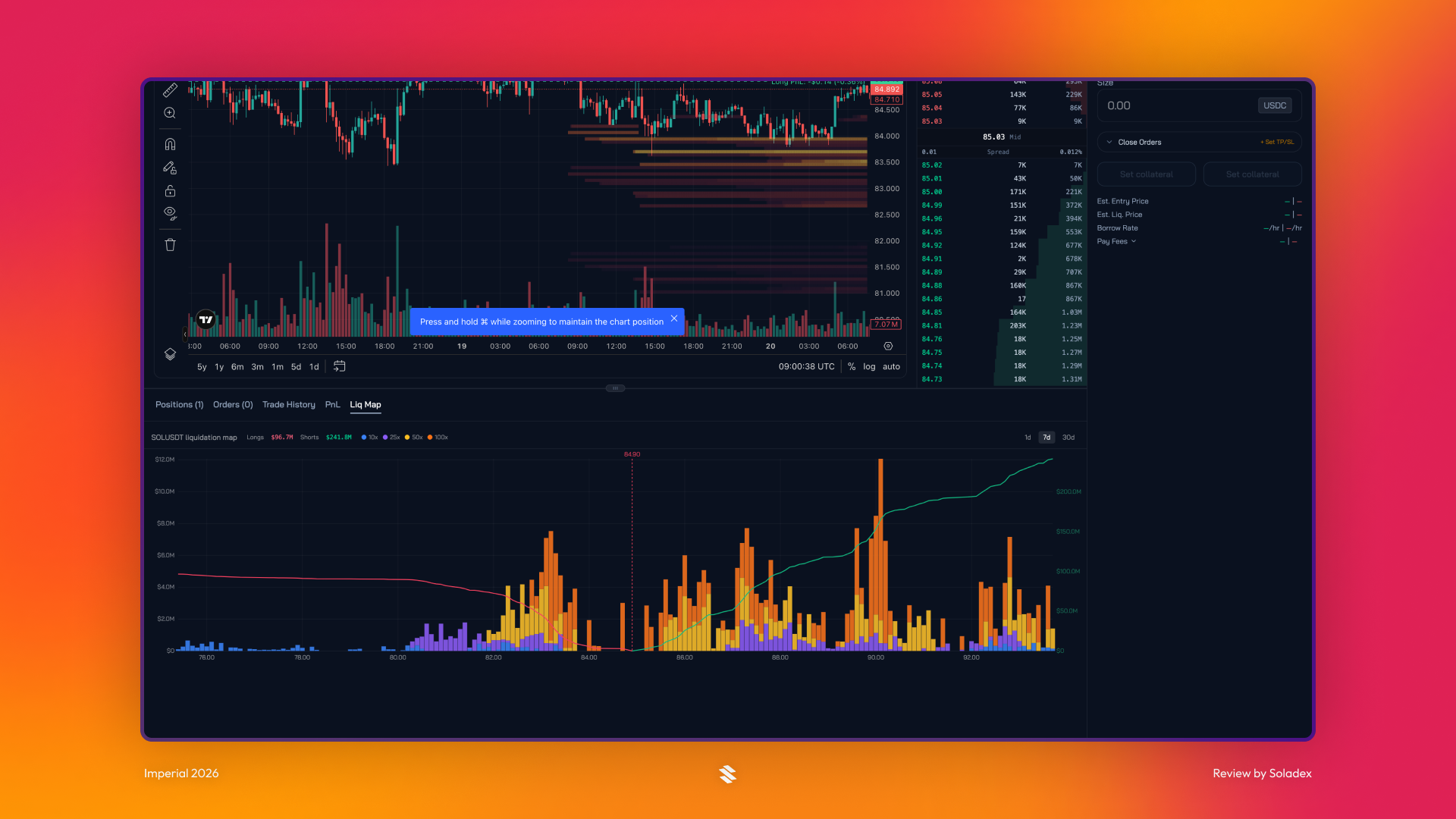
Liquidation Map
A liquidation map displays specific price levels where large groups of leveraged traders are at risk of having their positions forcibly closed. This Liq Map section highlights liquidity pools where a high concentration of stop-losses and margin limits is clustered.
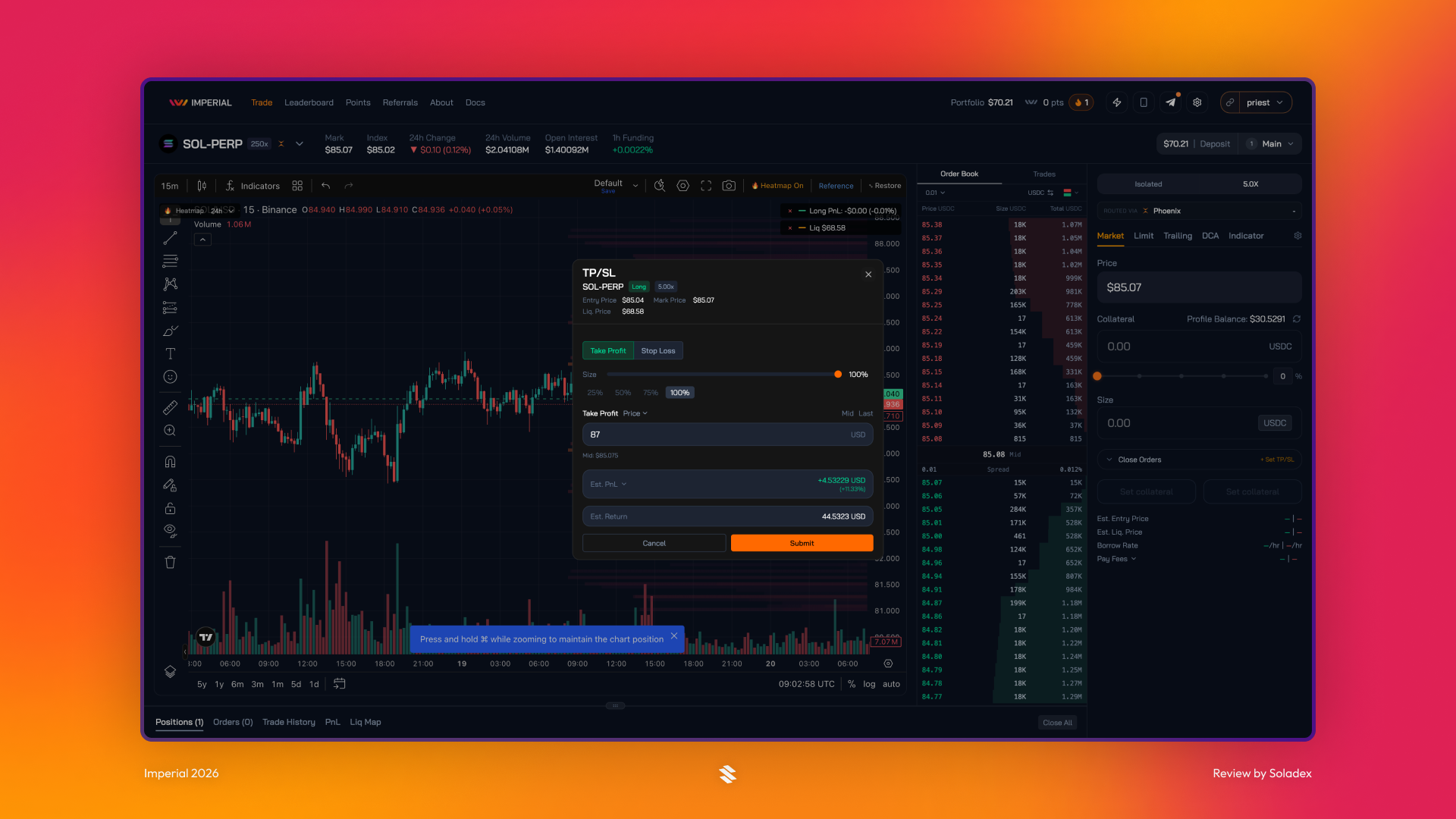
Adding Take Profit and Stop Loss to a position helps traders manage risk. A Take Profit order can lock in gains once the position reaches a chosen profit level, while a Stop Loss order closes the trade if losses move beyond a set limit.
One Click Trading
The Imperial One Click trading feature helps reduce the time and steps required to execute a trade by eliminating the frequent wallet approval requests when placing an order. Without this option, all trades will be executed after multiple wallet signings. One Click trading makes trading faster, but it carries the risk that comes with initiating transactions with errors that can be costly.
Imperial Mobile
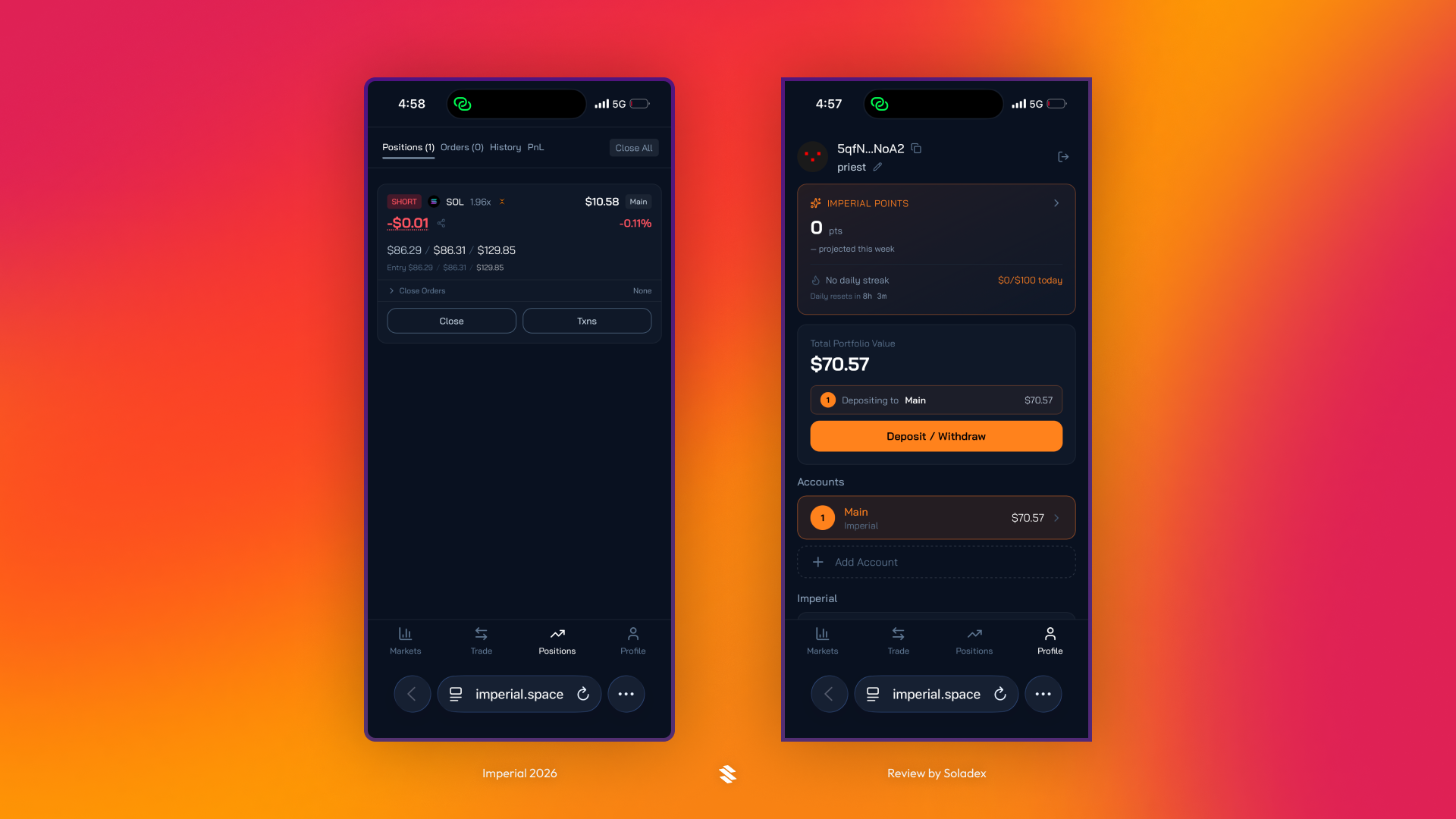
To trade on mobile with Imperial, users need to copy the private link generated through the web dashboard and start trading with it through their browser. The Imperial UI on the mobile browser is consistent across both platforms, and it is simple to use.
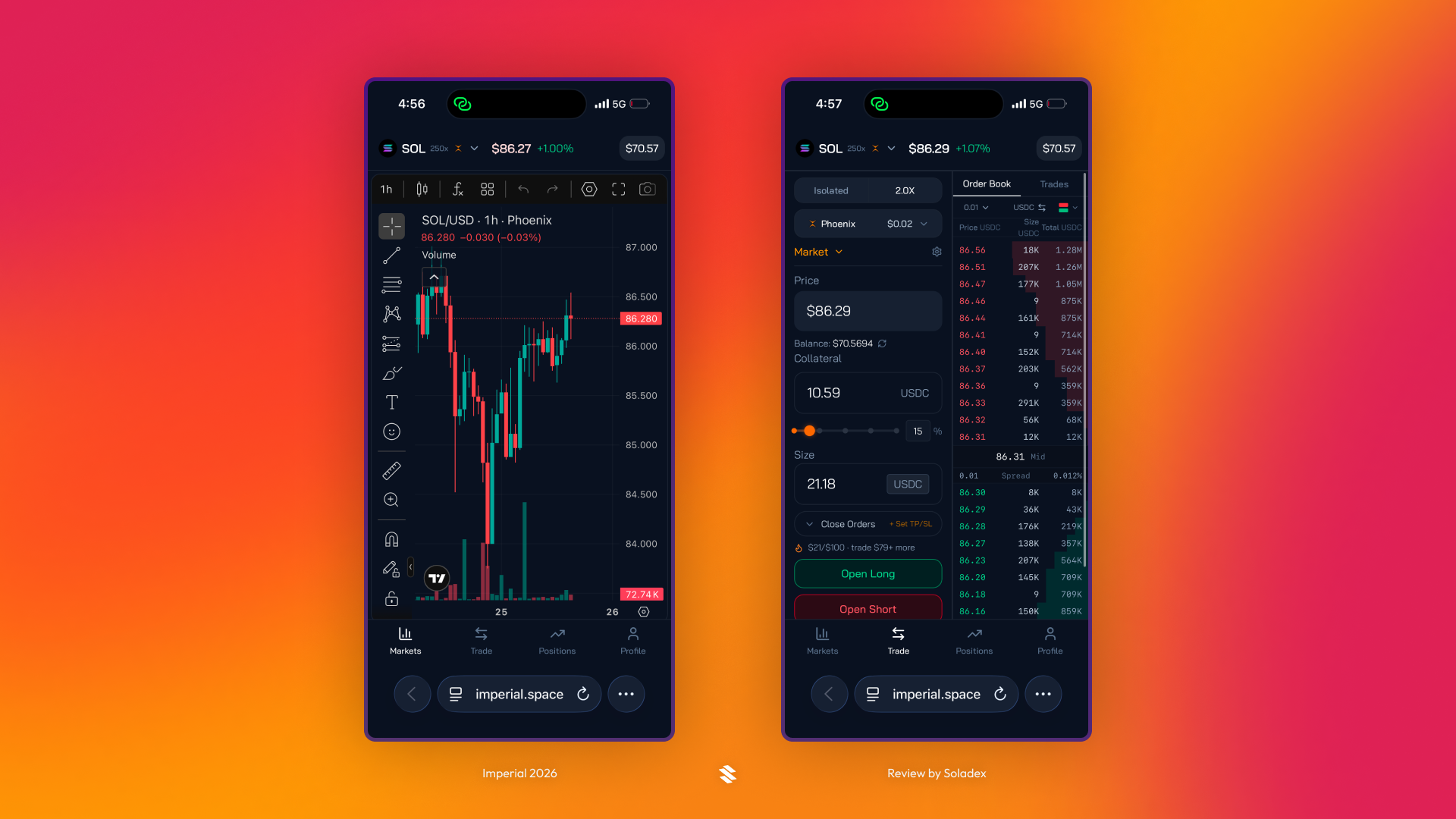
Trades can be executed on this mobile extension of the Imperial app, and it will reflect on-chain and in the positions section.
Imperial Telegram Bot
Imperial includes a telegram bot for users to stay updated with their trading activities when away from their trading setup. Click the Telegram logo in the app to get started.
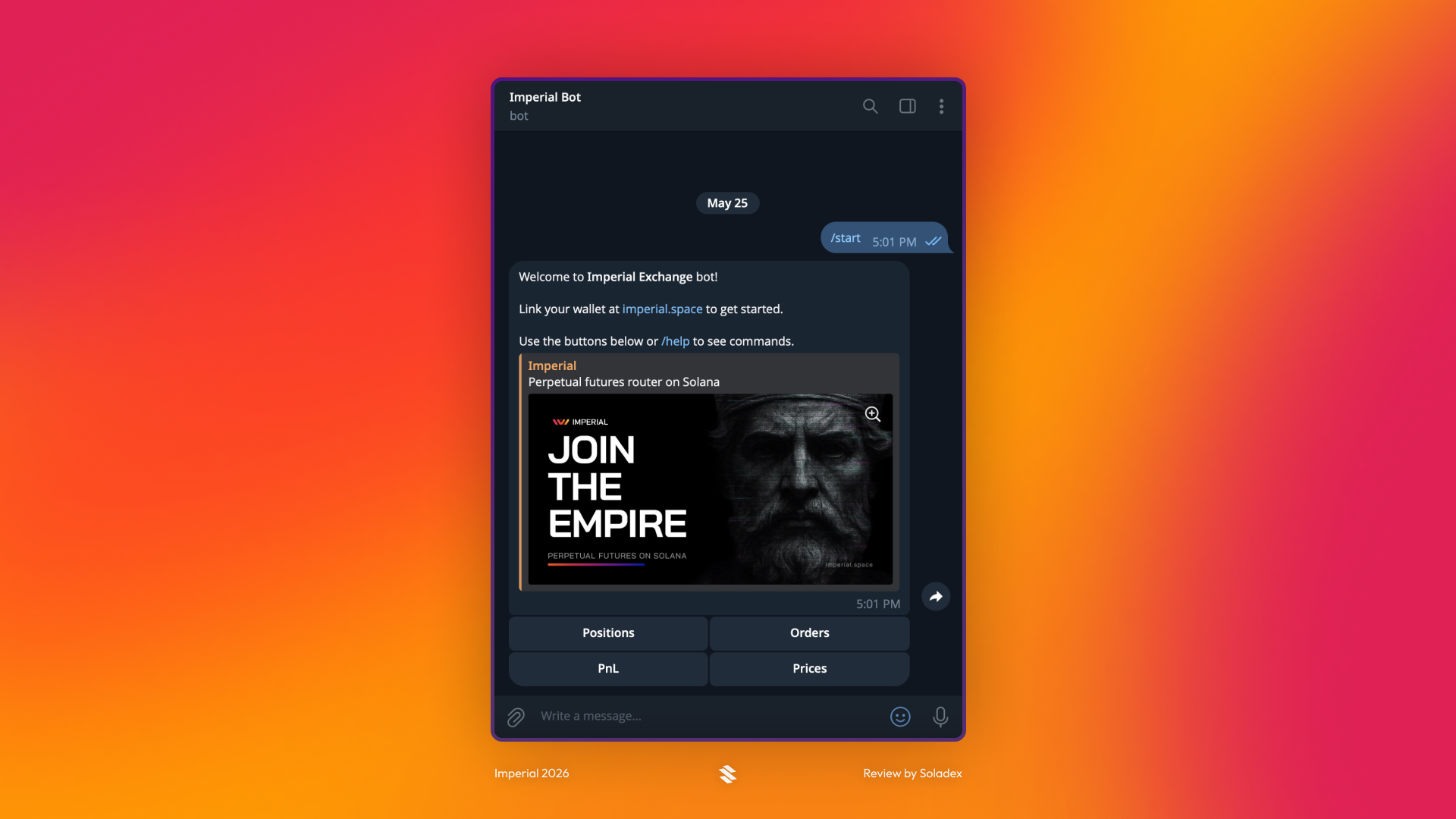
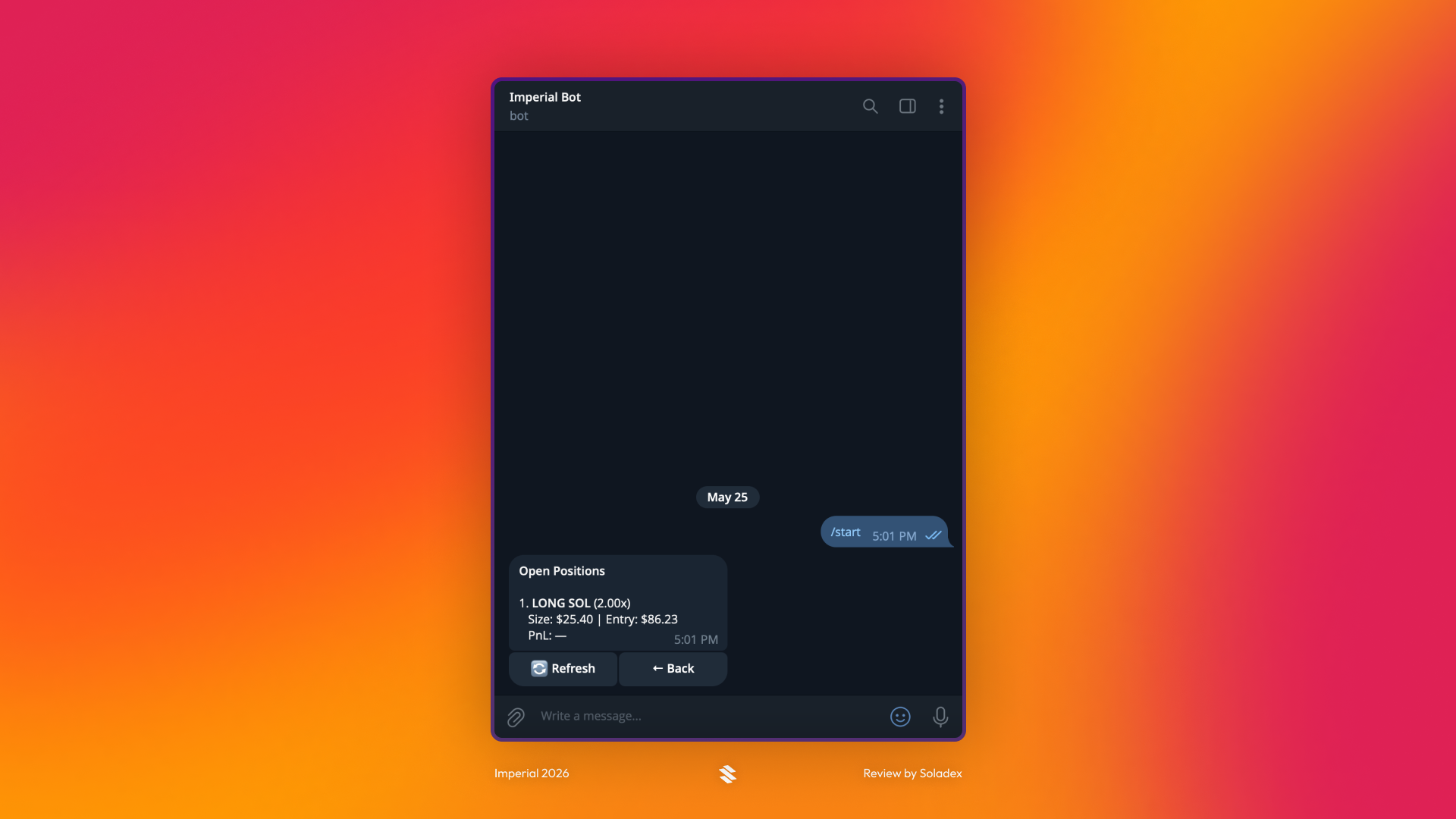
In the image below, the trade I opened through the Imperial mobile session can be seen in the list of positions. The telegram bot is useful for keeping track of open orders and positions in the Imperial application. It can also be used to get real-time alerts on token prices and the PnL of a trade.
Leaderboard
Imperial is still in active development, so some features are not yet fully built out. One example is the Leaderboard page, which is still being refined.
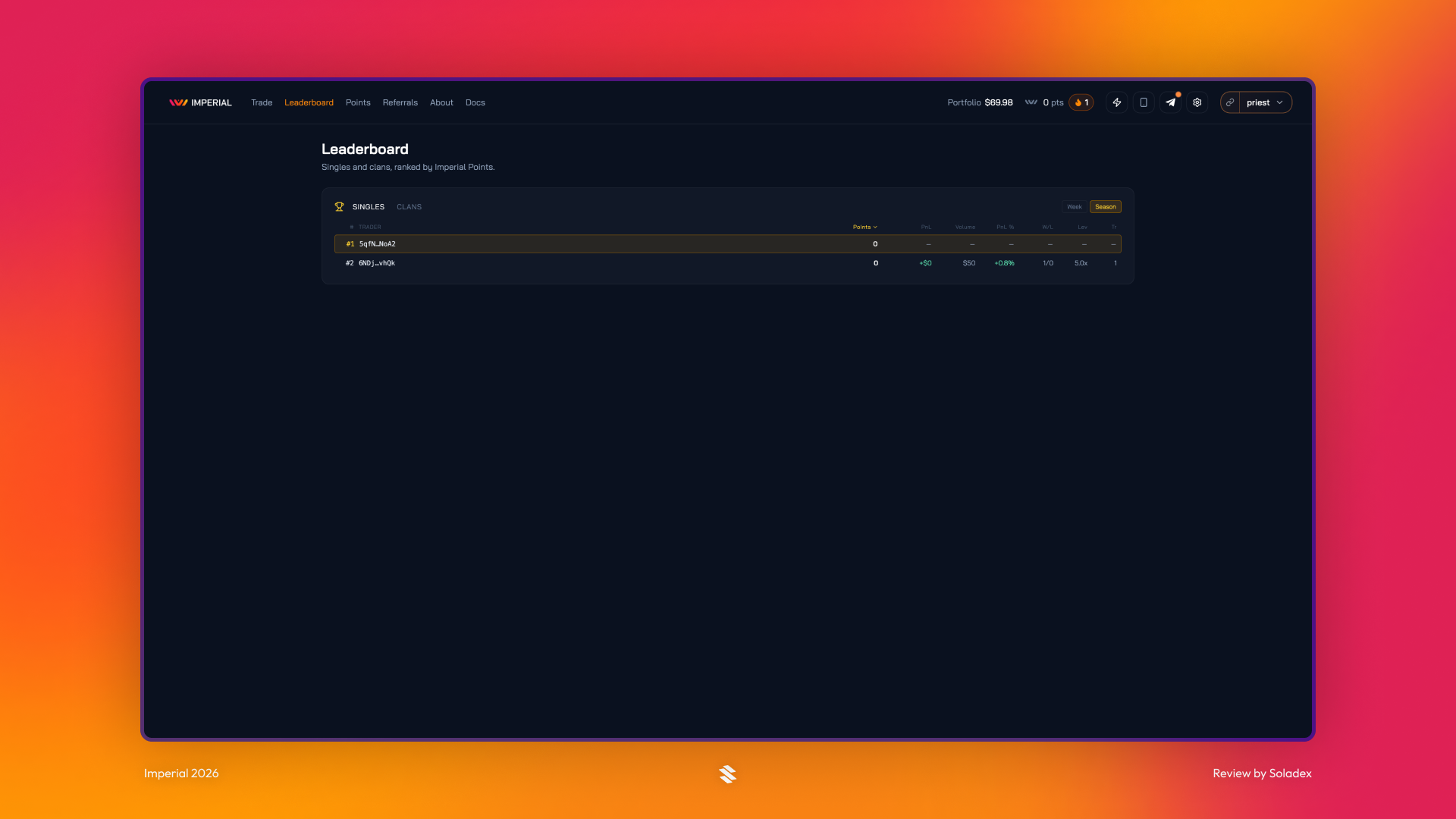
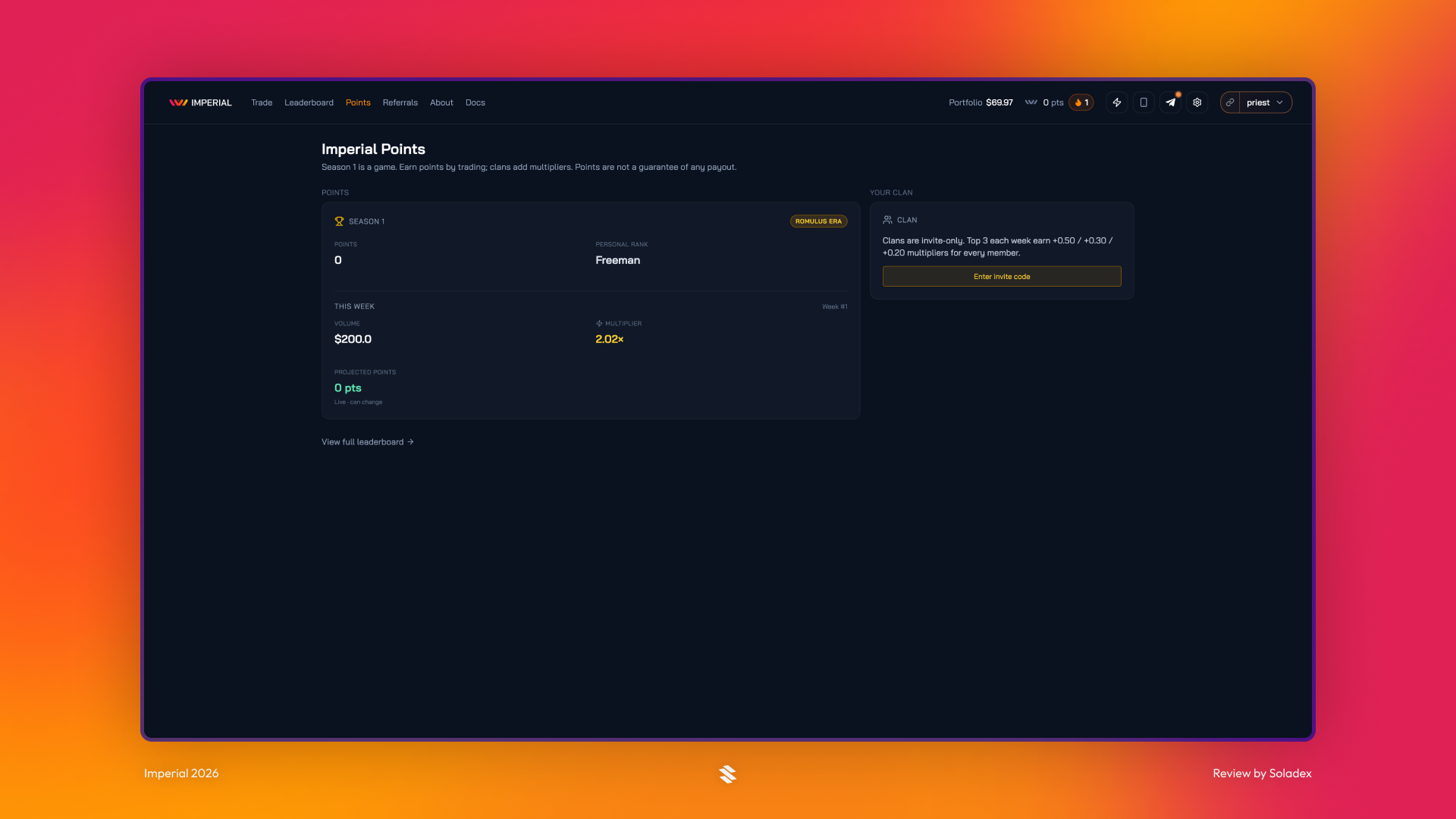
Imperial offers traders points for Season One, based on their individual trading activity and the performance or activity of the clans they are part of.
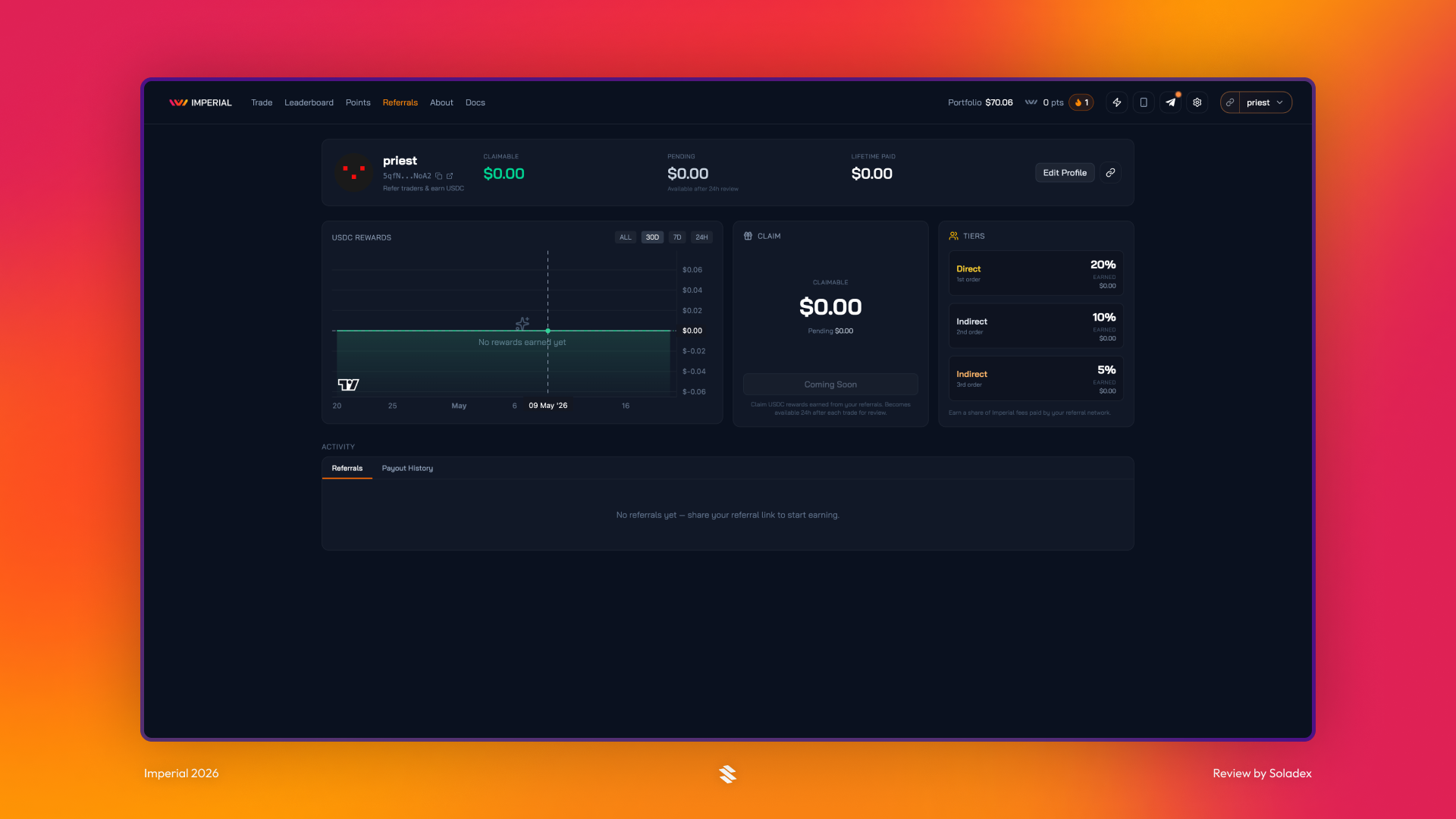
Imperial also includes a referral system. When a trader refers new users to the platform, they can earn rewards in USDC based on a percentage of the protocol’s earnings from those referred users. These referral rewards are distributed periodically according to a defined payout schedule.
Conclusion
As venues such as Phoenix, Flash Trade, Jupiter, GMTrade, Bulk, and Pacifica continue improving Solana’s perp markets, traders will need an easier way to access the best liquidity without manually comparing every venue’s tradeoffs. Imperial’s unified trading terminal and routing engine are designed specifically for perps, helping bring Solana closer to a CEX-grade trading experience while preserving the benefits of the top decentralized markets.